|
Bug Reports for Version 0.96
|
|
| SpaceEngineer | Date: Thursday, 05.07.2012, 19:52 | Message # 1 |
 Author of Space Engine
Group: Administrators
 Russian Federation
Messages: 4800
Status: Offline
| Please post here all of your reports about bugs or crashes in SpaceEngine. Attach to your message a screenshot (if possible) and a log file (it's called the "se.log" and is located in the SpaceEngine's directory). Only the log file will help me to understand your problem and find a solution.
*
|
| |
| |
| smjjames | Date: Friday, 16.11.2012, 20:17 | Message # 571 |
|
World Builder
Group: Users
 United States
Messages: 913
Status: Offline
| Quote (SpaceEngineer) You can change script and texture models when running SpaceEngine, and update the model on the fly. To do this, you should fly to the galaxy you wish to edit, switch to the Edit mode (double press *), and press F5. The model for the currently selected galaxy will be updated.
By script, you mean the models.cfg, right? If so, then it's not updating like you say it would (at least while I was messing with the bulge radius and thickness). Yes I am in the edit mode and pressing F5, but it doesn't update. I have to exit SE in order for it to update.
I did a search and found in the prerelease thread that doing ctrl+shift works (which it does, sometimes) and while some other threads said ctrl+F5, that doesn't work for galaxies.

Edited by smjjames - Friday, 16.11.2012, 20:24 |
| |
| |
| HarbingerDawn | Date: Friday, 16.11.2012, 20:33 | Message # 572 |
 Cosmic Curator
Group: Administrators
United States
Messages: 8717
Status: Offline
| Quote (smjjames) By script, you mean the models.cfg, right?
I think he means the catalog script.
All forum users, please read this!
My SE mods and addons
Phenom II X6 1090T 3.2 GHz, 16 GB DDR3 RAM, GTX 970 3584 MB VRAM
|
| |
| |
| smjjames | Date: Friday, 16.11.2012, 20:43 | Message # 573 |
|
World Builder
Group: Users
United States
Messages: 913
Status: Offline
| Quote (HarbingerDawn) Quote (smjjames)
By script, you mean the models.cfg, right?
I think he means the catalog script.
Oh. Might have to be clarified then.
Anyways, since editing with the models script requires pressing ctrl+shift+F5 to update on the fly, it makes the model all blurry like this. How do I keep that from happening as it's kind of annoying since it normally isn't all blurred? Especially when I'm trying to look from the outside of the galaxy. Restarting makes it go away, so it's not like it's stuck in the blurry state.

Edited by smjjames - Friday, 16.11.2012, 21:16 |
| |
| |
| Donatelo200 | Date: Friday, 16.11.2012, 22:12 | Message # 574 |
|
Explorer
Group: Users
United States
Messages: 261
Status: Offline
| I've noticed there is a seaming lack of fully clouded Terra's and Oceanus.
CPU: Intel Core i7-4790K
GPU: Nvidia GTX 1080
SSD: Samsung 850 Evo 250GB
HDD: Toshiba DT01ACA200 2TB
HDD: WD Blue 1TB (2012)
RAM: Unknown 16G-D3-1600-MR 2x8GB
MBD: MSI Z97S SLI Krait Edition (MS-7922)
|
| |
| |
| smjjames | Date: Friday, 16.11.2012, 22:22 | Message # 575 |
|
World Builder
Group: Users
United States
Messages: 913
Status: Offline
| Quote (Donatelo200) I've noticed there is a seaming lack of fully clouded Terra's and Oceanus.
I did find a fully clouded terra a while back, but yeah, they're extremely rare. It might be because the conditions that make fully clouded planets don't favor the formation of terras and oceanias.
|
| |
| |
| Donatelo200 | Date: Friday, 16.11.2012, 22:37 | Message # 576 |
|
Explorer
Group: Users
United States
Messages: 261
Status: Offline
| Yea but with terras with atmospheres 10x thicker and 300+K they should be more or less fully clouded. What was the location of this clouded terra. 
CPU: Intel Core i7-4790K
GPU: Nvidia GTX 1080
SSD: Samsung 850 Evo 250GB
HDD: Toshiba DT01ACA200 2TB
HDD: WD Blue 1TB (2012)
RAM: Unknown 16G-D3-1600-MR 2x8GB
MBD: MSI Z97S SLI Krait Edition (MS-7922)
|
| |
| |
| smjjames | Date: Friday, 16.11.2012, 22:44 | Message # 577 |
|
World Builder
Group: Users
United States
Messages: 913
Status: Offline
| Quote (Donatelo200) Yea but with terras with atmospheres 10x thicker and 300+K they should be more or less fully clouded. What was the location of this clouded terra. smile
Some galaxy, I don't remember, I didn't mark the location at the time. I do agree though that the extremely thick atmosphere oceanias and terras (100's to 1000s of Earths atmosphere) should have the 100% clouded atmospheres.
|
| |
| |
| smjjames | Date: Monday, 19.11.2012, 23:04 | Message # 578 |
|
World Builder
Group: Users
United States
Messages: 913
Status: Offline
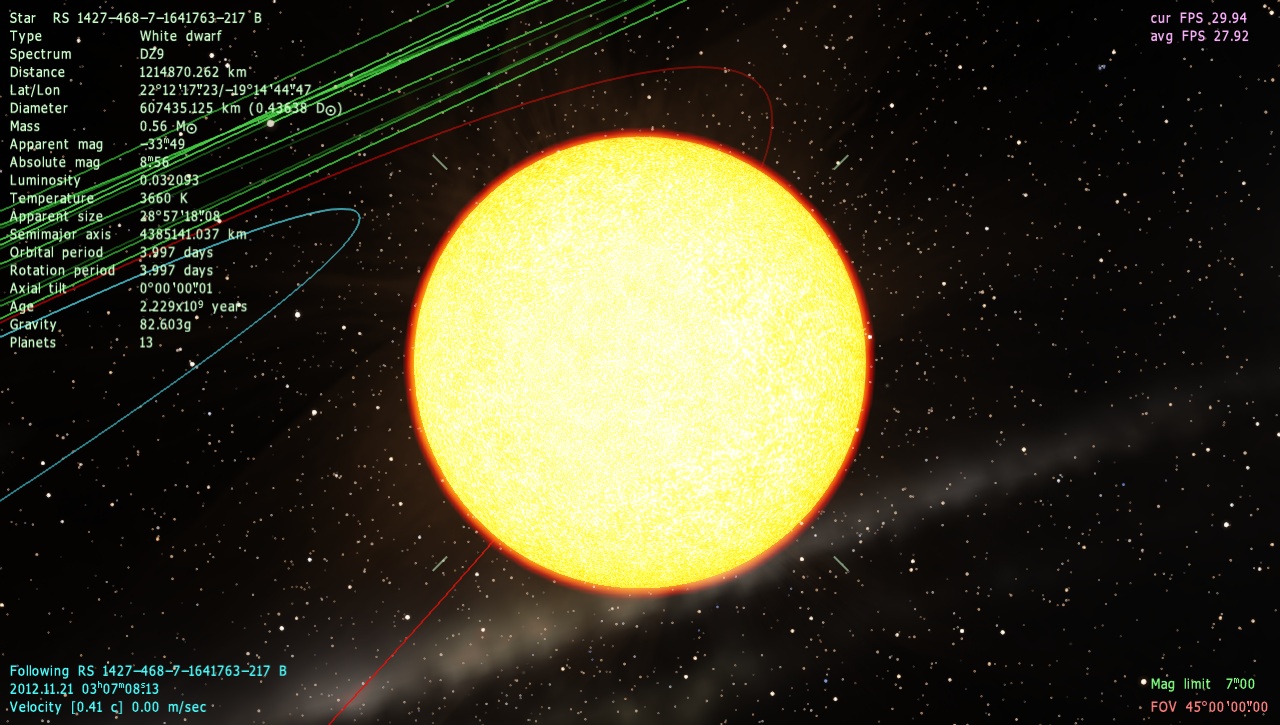
| This is probably one of the more bizarre bugs in SE. Now, while I know that stars do have an atmosphere, it's not rendered like a planetary atmosphere, somehow this white dwarf got generated with a planetary atmospheric shell.
I looked at a few other white dwarfs and those are normal.
What it looks like with an atmosphere, turning atmosphere off reveals a normal star.

Since I deleted a duplicate galaxy in my game and unless you deleted that as well, you might have to change the galaxy 'zip code' up or down by one.
Place "White Dwarf with atmosphere glitch"
{
Body "RS 7447-253-4-965-26 BA"
Parent ""
Pos (4.645981657117743e-011, -7.152704378224004e-011, 1.060049189269621e-011)
Rot (0.7309815729273272, 0.4619840897477987, 0.4742387687147112, -0.1653306720138254)
Date "2012.11.25 03:29:48.70"
Vel 8.5947681e-012
Mode 1
}
Edited by smjjames - Monday, 19.11.2012, 23:07 |
| |
| |
| HarbingerDawn | Date: Monday, 19.11.2012, 23:12 | Message # 579 |
|
Cosmic Curator
Group: Administrators
United States
Messages: 8717
Status: Offline
| smjjames, this is due to a glitched atmosphere model. Did you try to modify any of the atmosphere models at all? That can create this effect. Or it could be a corrupt model file.
All forum users, please read this!
My SE mods and addons
Phenom II X6 1090T 3.2 GHz, 16 GB DDR3 RAM, GTX 970 3584 MB VRAM
|
| |
| |
| smjjames | Date: Monday, 19.11.2012, 23:18 | Message # 580 |
|
World Builder
Group: Users
United States
Messages: 913
Status: Offline
| Quote (HarbingerDawn) smjjames, this is due to a glitched atmosphere model. Did you try to modify any of the atmosphere models at all? That can create this effect. Or it could be a corrupt model file.
I didn't touch any of the atmospheric models and the only mods to atmosphere that I have are DoctorofSpace's Gas Giant shaders and cloud models/shaders.
I'll delete cache and if that doesn't work, test to see if putting the backup origional shaders does anything.
Edit: Nope, didn't do anything and I didn't add any atmosphere specific mods (besides the shaders, but that's different).
Its just this one star, so it's not a huge deal.
Edit: Also, Space Engineer, could you look into the fact that oftentimes when pressing g while having a barycenter selected, it will send you backwards instead of forwards? It's a minor, but pretty annoying bug.
Edited by smjjames - Monday, 19.11.2012, 23:49 |
| |
| |
| HarbingerDawn | Date: Tuesday, 20.11.2012, 00:48 | Message # 581 |
|
Cosmic Curator
Group: Administrators
United States
Messages: 8717
Status: Offline
| Quote (smjjames) I'll delete cache and if that doesn't work, test to see if putting the backup origional shaders does anything.
It's not the shaders, it's the models.
Quote (smjjames) could you look into the fact that oftentimes when pressing g while having a barycenter selected, it will send you backwards instead of forwards?
Pressing G is not supposed to send you forwards, it is supposed to take you to a certain distance away from the selected object determined by that object's properties. For barycenters this distance can be quite large.
All forum users, please read this!
My SE mods and addons
Phenom II X6 1090T 3.2 GHz, 16 GB DDR3 RAM, GTX 970 3584 MB VRAM
|
| |
| |
| smjjames | Date: Tuesday, 20.11.2012, 01:40 | Message # 582 |
|
World Builder
Group: Users
United States
Messages: 913
Status: Offline
| Quote (HarbingerDawn) Quote (smjjames)
could you look into the fact that oftentimes when pressing g while having a barycenter selected, it will send you backwards instead of forwards?
Pressing G is not supposed to send you forwards, it is supposed to take you to a certain distance away from the selected object determined by that object's properties. For barycenters this distance can be quite large.
Yeah, but even if I'm dozens of parsecs away, it'll still make me move backwards sometimes, relatively speaking.
Quote (HarbingerDawn) Quote (smjjames)
I'll delete cache and if that doesn't work, test to see if putting the backup origional shaders does anything.
It's not the shaders, it's the models.
Well, I've never done anything with the atmosphere models. Heck, I've never actually looked inside one of those files until today after you were talking about the files. All I did was look at it.
Does it do the same thing for you? If so, it could be a bug with SE or something about that specific system.
|
| |
| |
| smjjames | Date: Wednesday, 21.11.2012, 16:27 | Message # 583 |
|
World Builder
Group: Users
United States
Messages: 913
Status: Offline
| Bugged white dwarf.
To quote Harb from the anomalies thread.
Quote (HarbingerDawn) The only thing really wrong with it is the diameter. But its mass is normal for a white dwarf, and its temperature is plausible too, just not at that age. So if it had an age of 13 billion years or something, then it would make perfect sense.
Also, two other people say that it's more of a red dwarf (although the mass seems to be reasonable for a white dwarf). So, the only way to find out just what is bugged about it (or is causing it to bug out) is looking deeper into the code.

Edited by smjjames - Wednesday, 21.11.2012, 16:32 |
| |
| |
| Solaris | Date: Monday, 26.11.2012, 05:32 | Message # 584 |
 World Builder
Group: Global Moderators
 France
Messages: 731
Status: Offline
| I can't remember seeing this reported so :
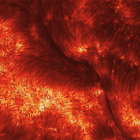
Stairway to heaven bug, near the galaxy center, second time.

|
| |
| |
| Methis | Date: Wednesday, 28.11.2012, 21:11 | Message # 585 |
 Space Tourist
Group: Users
 Netherlands
Messages: 35
Status: Offline
| So, I'm not an expert, but common sense tells me this isn't supposed to happen:
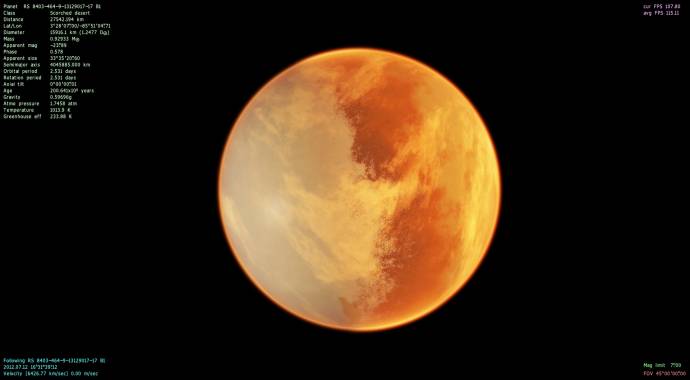
Yes, it's tidal locked to its parent star (red dwarf), but on the other side is another star - orange dwarf, about 0.32AU away, with a temp of 4200K. Pretty sure half the planet is not going to be frozen under those conditions! 
There's another, similar planet (scorched desert) in the system that is also half-frozen (temp ~1100K, 6.14 atm, 500K greenhouse)...
|
| |
| |
 ENG
ENG New site


 Russian Federation


 United States


 France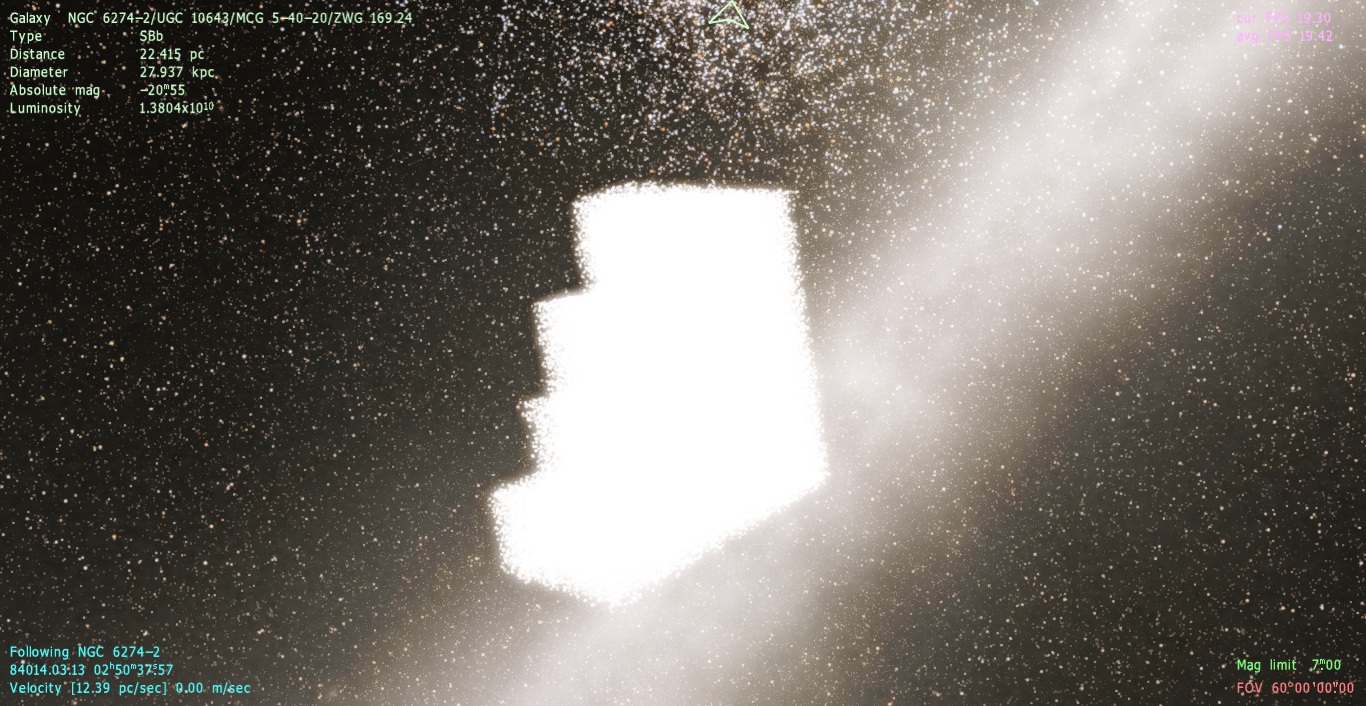
 Netherlands