|
Work progress and public beta test - 0.9.7.4
|
|
| quarior14 | Date: Saturday, 03.10.2015, 15:31 | Message # 556 |
 World Builder
Group: Users
 Pirate
Messages: 649
Status: Offline
| Hi, I am in Windows 10 (Intel Core 17) and it works very well and this is the first bug detected for Space Engine 0.9.7.4 patch 6 : the orbits are not displayed, you can see just squares and circles (in fact, this is what they mean) ?

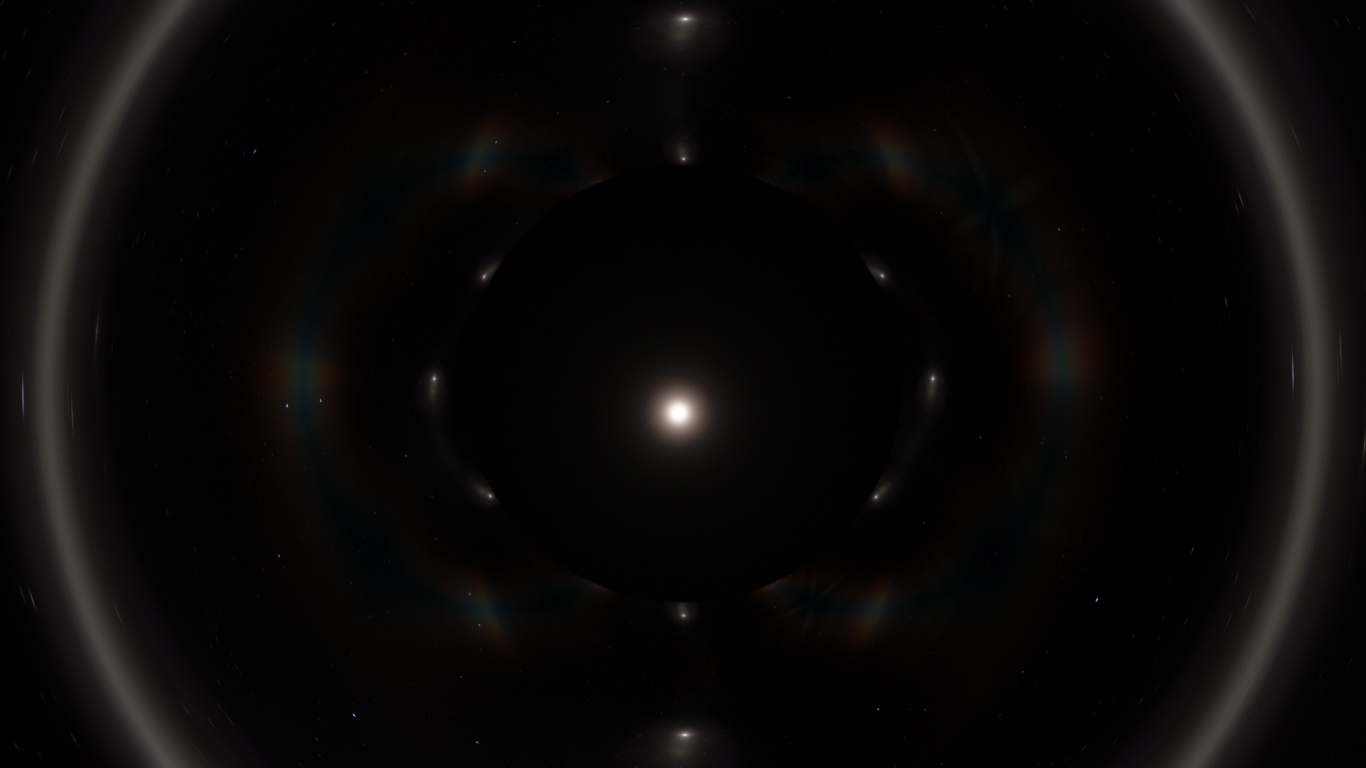
As DoctorOfSpace, I also have problems of stars that appear even if they are behind the black hole.

Quarior
Edited by quarior14 - Sunday, 04.10.2015, 09:10 |
| |
| |
| Vilfate | Date: Sunday, 04.10.2015, 00:08 | Message # 557 |
 Astronaut
Group: Users
 China
China
Messages: 49
Status: Offline
| ===================================================================================
It appears that the part that looks buggy beyond a gravity lens is the light source itself, and the diffraction spike part works fine like in older versions.


===================================================================================
In huge mutiple star systems, orbits are displayed as cut segments


|
| |
| |
| Oatmeal_Spigeon | Date: Sunday, 04.10.2015, 04:26 | Message # 558 |
 Space Tourist
Group: Users
 New Zealand
Messages: 39
Status: Offline
| On the subject of rings: why is it so hard to find ringed terras compared to how easy it was in 0.9.7.2?
"I am neither Oatmeal Spigeon Nor Oatmeal Spigeon Nor."
|
| |
| |
| Ayceman | Date: Sunday, 04.10.2015, 18:55 | Message # 559 |
 Space Tourist
Group: Users
 Romania
Messages: 24
Status: Offline
| Because they should be very rare. As it stands now, moons below geostationary and around tidally locked planets are still way too common (as orbital stability due to the moon's migration isn't considered over a hundreds or thousands of millions of years).
|
| |
| |
| Bells_Theorem | Date: Sunday, 04.10.2015, 19:31 | Message # 560 |
 Explorer
Group: Users
 United States
Messages: 188
Status: Offline
| I'm getting a lot of galaxies that seem to be trying to load all their stars at a distance. I can't enter them without my fan screaming and ultimately crashing.
This particular example RG 0-9-74298155-255

|
| |
| |
| Alek | Date: Sunday, 04.10.2015, 20:32 | Message # 561 |
 Pioneer
Group: Users
United States
Messages: 326
Status: Offline
| Quote Bells_Theorem (  ) I'm getting a lot of galaxies that seem to be trying to load all their stars at a distance. I can't enter them without my fan screaming and ultimately crashing.
This particular example RG 0-9-74298155-255
Your stars magnitude isn't too high, is it?
Living among the stars, I find my way. I grow in strength through knowledge of the space I occupy, until I become the ruler of my own interstellar empire of sorts. Though The world was made for the day, I was made for the night, and thus, the universe itself is within my destiny.
|
| |
| |
| Bells_Theorem | Date: Monday, 05.10.2015, 19:22 | Message # 562 |
|
Explorer
Group: Users
United States
Messages: 188
Status: Offline
| Quote Alek ( ) Your stars magnitude isn't too high, is it?
I believe it is still set to default. What should it be set at?

|
| |
| |
| RedRuin | Date: Monday, 05.10.2015, 22:19 | Message # 563 |
|
Space Tourist
Group: Users
United States
Messages: 34
Status: Offline
| Bells_Theorem, What does reducing the Magnitude do?
|
| |
| |
| parameciumkid | Date: Monday, 05.10.2015, 22:49 | Message # 564 |
 Explorer
Group: Users
United States
Messages: 277
Status: Offline
| The "magnitude limit" determines the dimmest apparent magnitude a star can have to still show up on the screen. Since magnitude is related to the inverse of the brightness, lower settings require stars to be brighter to show up; conversely, higher settings allow higher magnitude stars (dimmer ones) to show up, which leads to more stars on the screen, which leads to bad performance.
That said, you do seem to have encountered a bug, or at least an anomaly. You can try turning down the limiting magnitude to reduce the number of stars appearing, but given the color, those are a bunch of bright O2 Vs or something similar, so if you make them go away there might not be much left to see :\
Intel HD Graphics 4000 ;P
|
| |
| |
| Bells_Theorem | Date: Tuesday, 06.10.2015, 00:29 | Message # 565 |
|
Explorer
Group: Users
United States
Messages: 188
Status: Offline
| Thanks parameciumkid, turning down the limiting magnitude does help but even then it is very dodgy trying to navigate through the problematic galaxies. It seems to be about 50% of the galaxies have this affect while the rest seem completely unaffected. I'm sure there is a pattern to it but it seems random at this point.
The first galaxy in this video capture is compltely fine to fly through, where as the next one I picked you can see is loading hot blue stars at thousands of light years distance with apparent magnitudes much higher than would be expected.
You can see as I creep up the second galaxy, getting as close as I dare to without crashing, the frames drop to 20, whereas my normal FPS for traversing a galaxy is above 60.
For the time being, I'll just avoid any of these galaxies. 50% of 100 billion is still enough to keep me occupied for little while. 
|
| |
| |
| RedRuin | Date: Tuesday, 06.10.2015, 00:37 | Message # 566 |
|
Space Tourist
Group: Users
United States
Messages: 34
Status: Offline
| Probably a glitch with the new fixed dwarf galaxy rendering that Space Engineer did a couple posts back, since the laggy galaxies in question are all below 4000 light years in diameter.
|
| |
| |
| HarbingerDawn | Date: Tuesday, 06.10.2015, 01:40 | Message # 567 |
 Cosmic Curator
Group: Administrators
United States
Messages: 8717
Status: Offline
| Quote Bells_Theorem ( ) You can see as I creep up the second galaxy, getting as close as I dare to without crashing, the frames drop to 20,
Dwarf galaxies always seem to have some issue or other, that's one reason I usually avoid them in favor of larger galaxies. Extreme star density seems to be a common problem.
All forum users, please read this!
My SE mods and addons
Phenom II X6 1090T 3.2 GHz, 16 GB DDR3 RAM, GTX 970 3584 MB VRAM
|
| |
| |
| Bells_Theorem | Date: Tuesday, 06.10.2015, 02:19 | Message # 568 |
|
Explorer
Group: Users
United States
Messages: 188
Status: Offline
| RedRuin and HarbingerDawn, I think you may be right. Out of a sample of about 20 all the affected were below 13 kly anything above 15 kly is fine.
Edited by Bells_Theorem - Tuesday, 06.10.2015, 03:45 |
| |
| |
| n0b0dy | Date: Tuesday, 06.10.2015, 06:47 | Message # 569 |
 Explorer
Group: Users
Pirate
Messages: 297
Status: Offline
| Bells_Theorem, try reducing overbright setting to 1. Thats the 1st thing I do when I install a new patch.
|
| |
| |
| JackDole | Date: Tuesday, 06.10.2015, 10:49 | Message # 570 |
 Star Engineer
Group: Local Moderators
 Germany
Messages: 1742
Status: Offline
| Quote Bells_Theorem ( ) RedRuin and HarbingerDawn, I think you may be right. Out of a sample of about 20 all the affected were below 13 kly anything above 15 kly is fine.
I think one reason may be that there are far too many stars in dwarf galaxies.
If I go to the center, I get in a search radius of one parsec,
. Milkyway = 363
. Andromeda Nebula = 206
. RG 0-9-74298155-255 = 7175 (Bells_Theorem example)
. RG 0-8-9287271-1363 = 5434
stars.
Maybe an automatic reduction in the brightness of stars could help.
Quote JackDole ( ) I suggest to introduce a function "Auto decrease stars magnitude"
Don't forget to look here.

|
| |
| |
 ENG
ENG New site


 Pirate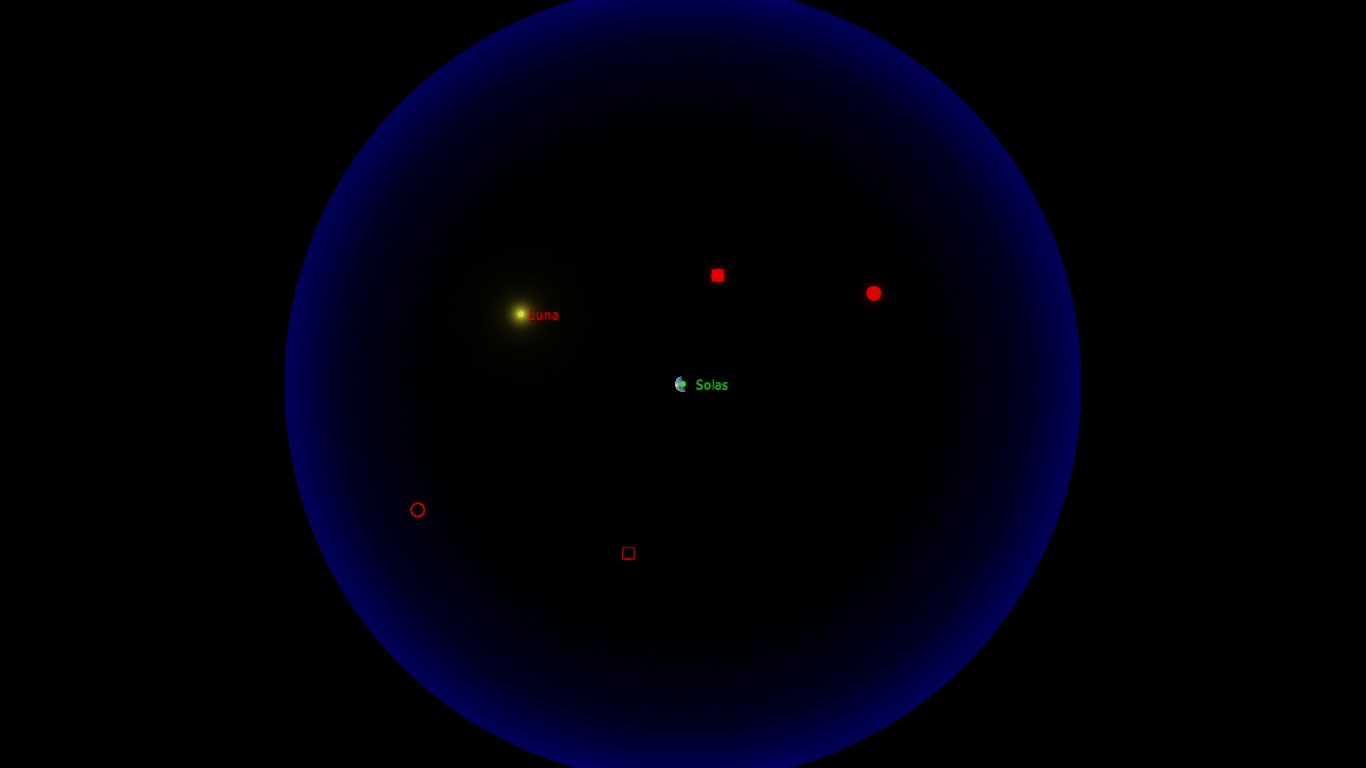


 China
China 
 New Zealand
  Romania
  United States


 Germany