|
Work progress and public beta test - 0.9.7.4
|
|
| DisruptiveContinuum | Date: Tuesday, 29.09.2015, 16:47 | Message # 541 |
|
Observer
Group: Newbies
 Australia
Messages: 2
Status: Offline
| I'm getting really low FPS while rotating the scene with motion blur (for stars) on.
Rotation blur is off. Depth Buffer is 1. I have an AMD GPU.
I didn't have any issues in the previous build.
|
| |
| |
| the_nerervarine | Date: Tuesday, 29.09.2015, 22:07 | Message # 542 |
|
Space Pilot
Group: Users
 United States
Messages: 106
Status: Offline
| Anyone else having issues with irregular galaxies rendering too many stars and crashing upon approach?
AMD FX-8320 8 core @4.0ghz , AMD R9 290 4GB, 8GB DDR3 @1866mhz, 1TB Hard Drive
|
| |
| |
| eatthepath | Date: Wednesday, 30.09.2015, 00:28 | Message # 543 |
|
Observer
Group: Users
 Pirate
Messages: 15
Status: Offline
| I updated to the latest beta, and have an issue that didn't seem present before. If I try to export a skybox, planet clouds don't render. Geforce 840M, windows 8.1, driver up to date at this time(version 355.98)
|
| |
| |
| JCandeias | Date: Wednesday, 30.09.2015, 00:49 | Message # 544 |
 Pioneer
Group: Translators
 Portugal
Messages: 387
Status: Offline
| Here's a bug I hadn't encountered before:

This is a long distance, low field of view shot of a ringed Terra, in which you can see the most distant part of the rings appearing in front of the atmosphere and the clouds, contrary to how it should be.
Something seems to be broken in atmospheric rendering in this patch.
Edit: Also, what's up with terracing? This planet was almost ridiculously terraced, and now there's nothing.
They let me use this!
Edited by JCandeias - Wednesday, 30.09.2015, 01:07 |
| |
| |
| the_other_roots | Date: Thursday, 01.10.2015, 06:39 | Message # 545 |
|
Observer
Group: Users
 Germany
Messages: 17
Status: Offline
| @sinsforeal
No, AMD Radeon HD 7770
|
| |
| |
| Moonkey | Date: Thursday, 01.10.2015, 19:52 | Message # 546 |
|
Space Tourist
Group: Users
United States
Messages: 27
Status: Offline
| Quote Ettore_bilbo (  ) Quote HarbingerDawn ()
Yes, this looks like it happens when docked ships do not load at the same time.
ahhh, this means that docked ships are loaded before mother ship and SE don't recognize ID number...
Also the problem with orbits is caused by the same reason? because of the shift of the planets in universe before the ship is loaded?
Maybe. Does SE move time according to real-time when the game is closed?
|
| |
| |
| Ettore_bilbo | Date: Thursday, 01.10.2015, 20:10 | Message # 547 |
|
Space Pilot
Group: Users
 Italy
Italy
Messages: 93
Status: Offline
| Quote Moonkey ( ) Maybe. Does SE move time according to real-time when the game is closed?
no, I think is the second or less when the game is uploading ships and universe... some asynchrony that cause the relative shift... but it's only my speculation, only SpaceEngineers know :-D
|
| |
| |
| the_other_roots | Date: Thursday, 01.10.2015, 22:52 | Message # 548 |
|
Observer
Group: Users
Germany
Messages: 17
Status: Offline
| Patch 06:
1. New artifacts (ghost lights):

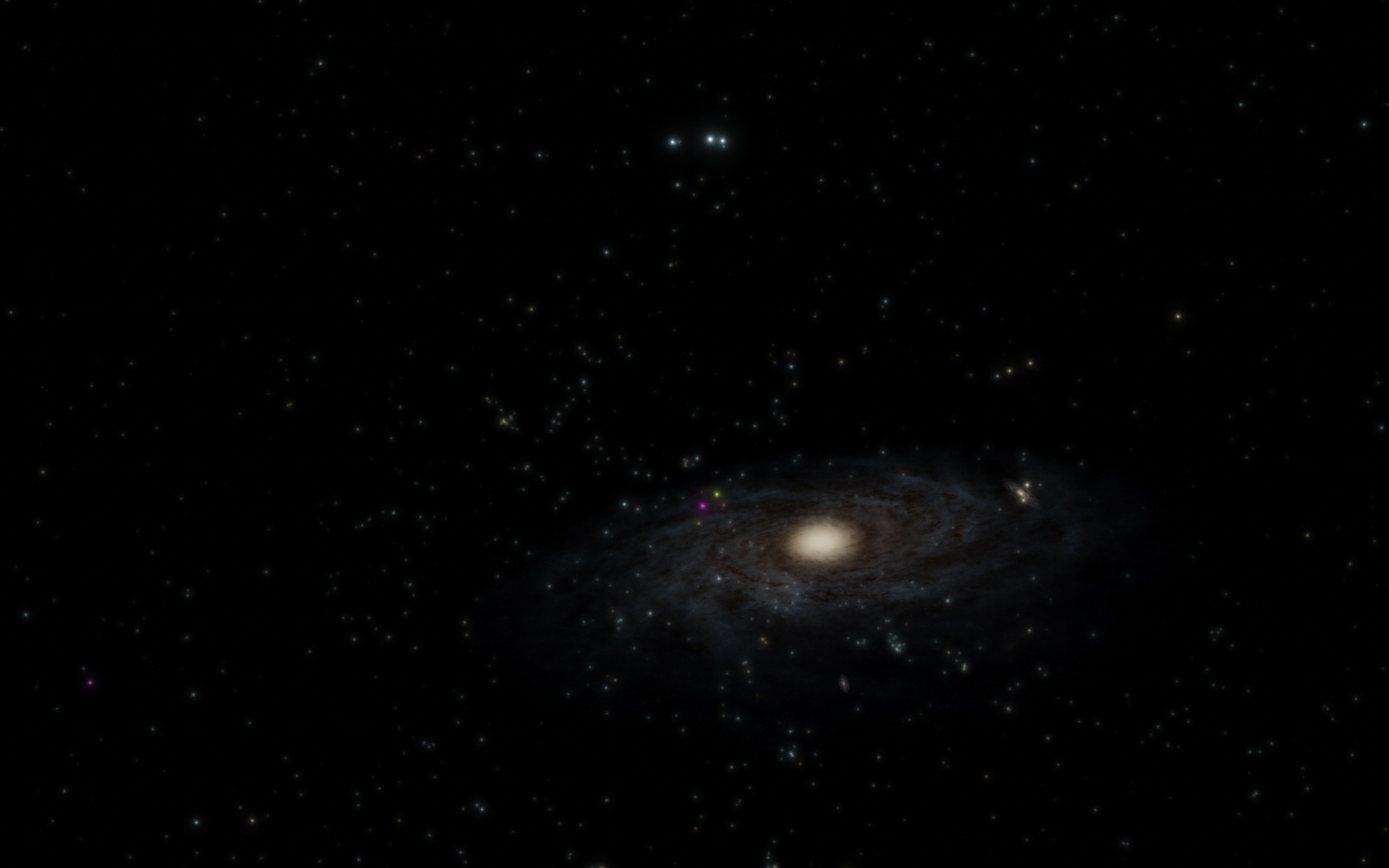
They look like coloured stars, green, yellow, red and pink, extremely bright and visible from kLy's away. Not many, but some in galaxies, some intergalactical. You can't select them as objects and they disappear on close approach.
Here pink and yellow dots in the Milky Way:

2. Artifacts (apparently only in certain galaxy types):

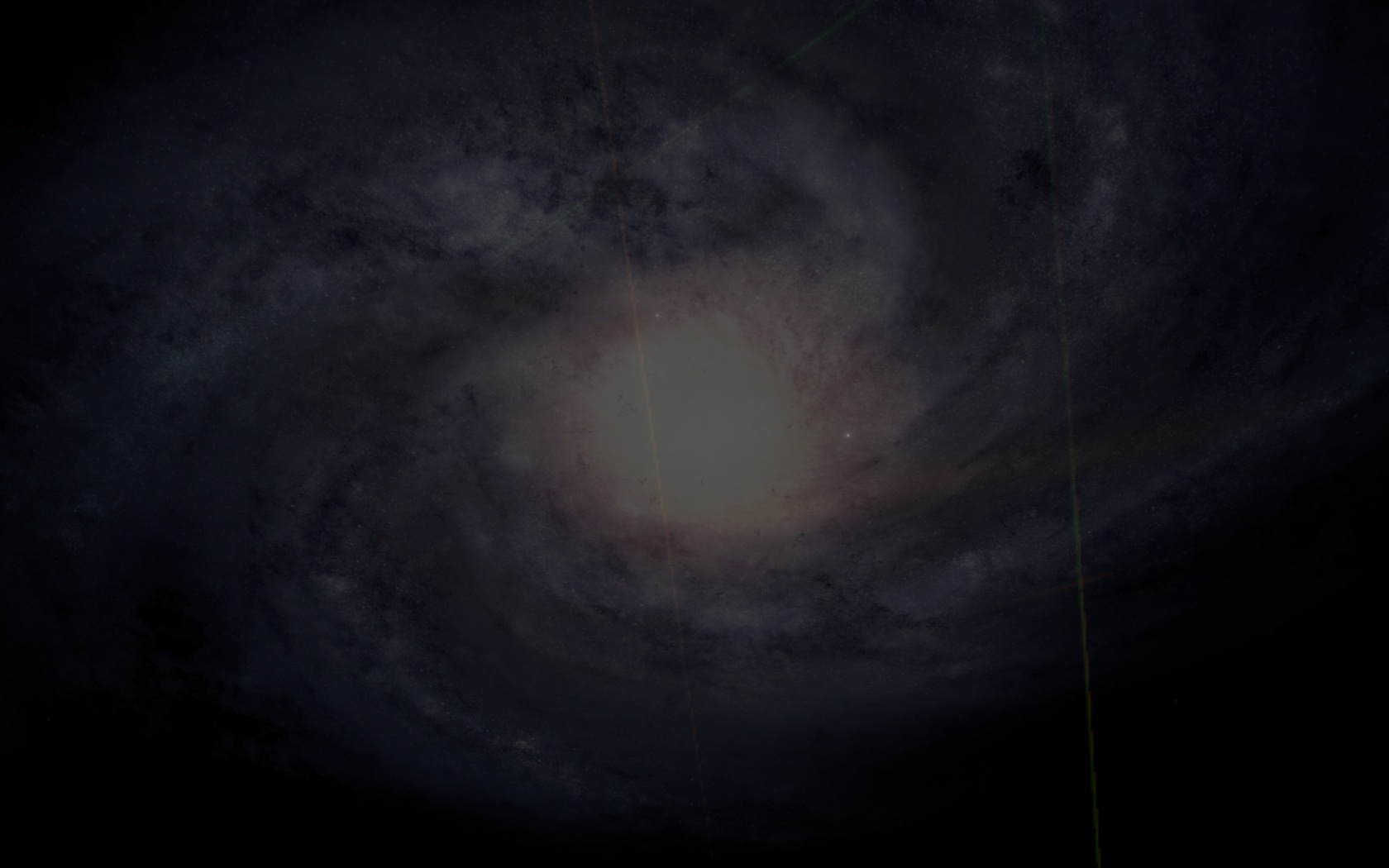
Thin green and brown lines. I only observed them from certain view angles. They were already visible on the miniature picture of the galaxy in the information window. Also only from certain view angles. The problem occured with a Sa galaxy.
Inside this galaxy even those crazy artifacts appeared that I had in 0.9.7.3, when my graphics card overheated. But this was not the case this time. Also no game crash, as it did when overheated. It was on 50 °C. I got an AMD HD 7770, latest driver.

When I later visited a S0 galaxy, everything was fine again, no problems at all. Maybe dependent to the galaxy type?
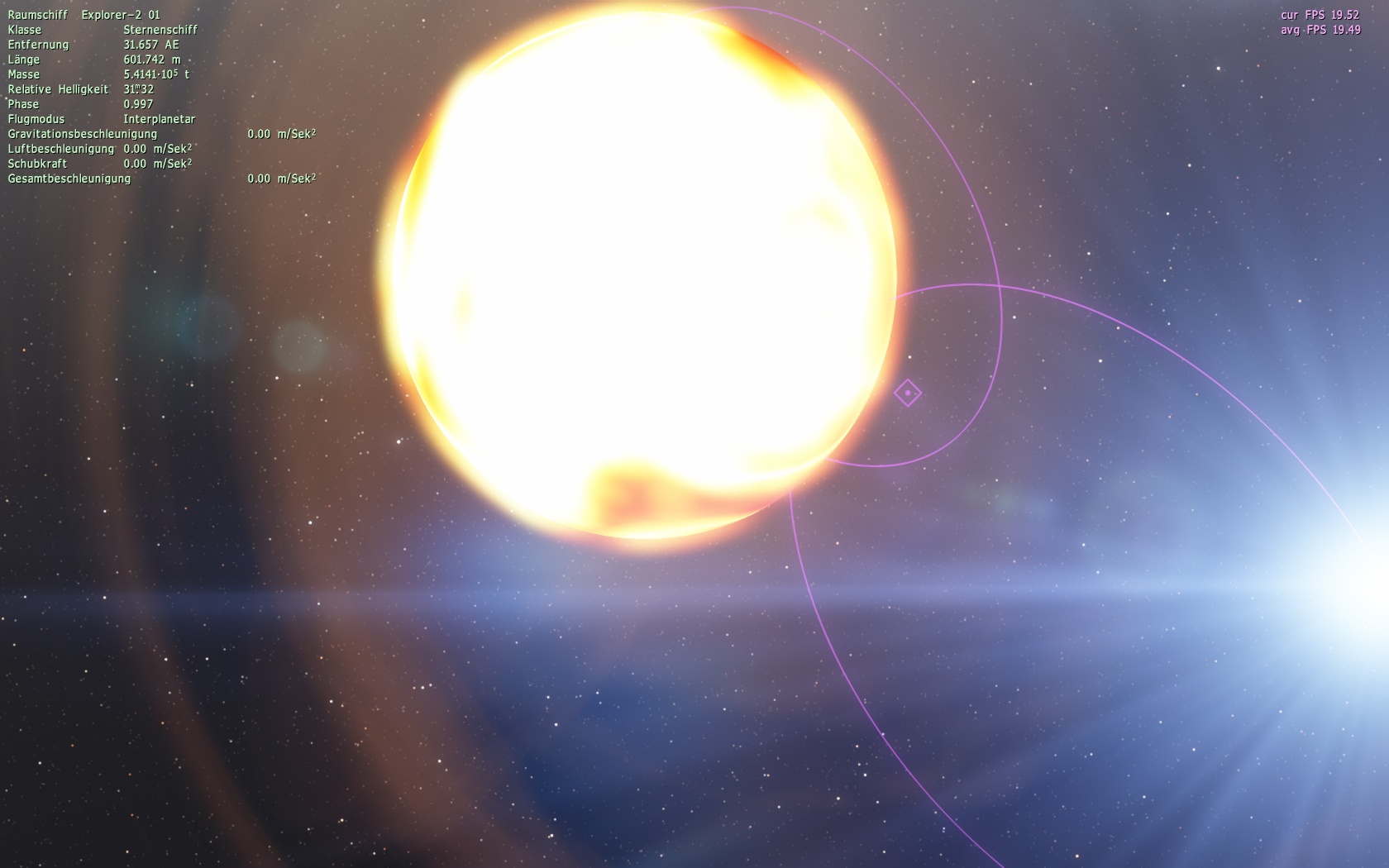
3. Double star system with colliding stars:

The picture was taken when they were not overlapping. But you can see, the red giant sucks the main sequence star.
|
| |
| |
| OBV10U3_NINJA | Date: Friday, 02.10.2015, 00:31 | Message # 549 |
 Observer
Group: Users
United States
Messages: 15
Status: Offline
| Quote the_other_roots ( ) 3. Double star system with colliding stars:
I've actually seen this. I found it to be rather odd... but the one where I found this also had a black hole.
- Also, moons are orbiting way too close to exist -
Edited by OBV10U3_NINJA - Friday, 02.10.2015, 00:59 |
| |
| |
| arbazarif | Date: Friday, 02.10.2015, 17:40 | Message # 550 |
|
Observer
Group: Banned
Pirate
Messages: 2
Status: Offline
| Are u going to implement directx 12 support in space engine in a future release. Directx 12 is very fast and optimisable then it's predecessor 
|
| |
| |
| HarbingerDawn | Date: Friday, 02.10.2015, 19:44 | Message # 551 |
 Cosmic Curator
Group: Administrators
United States
Messages: 8717
Status: Offline
| arbazarif, SpaceEngine uses OpenGL, not DirectX.
All forum users, please read this!
My SE mods and addons
Phenom II X6 1090T 3.2 GHz, 16 GB DDR3 RAM, GTX 970 3584 MB VRAM
|
| |
| |
| galenmacil | Date: Friday, 02.10.2015, 22:00 | Message # 552 |
 Observer
Group: Newbies
Pirate
Messages: 5
Status: Offline
| Not sure if this was reported before or of this is kind of new to the 9.7.x version but here is what I have noticed:
In game mode, when controlling a vehicle, if you travel from one star to another linearly (without using HyperJump), once you reach the destination system, the engine seems to still use the starting system as "influence" for the gravity calculations.
Quitting and reloading Space Engine fix the problem.
There is another problem related to "exposure": When set to On, if you alter the time scale (<1 or >1) the exposure and/or apparent magnitude (not sure exactly which) is affected somehow. The more you deviate from 1, the more the auto-exposure factor changes. Turning auto-exposure off and changing time scale does not cause this problem.
And while we are at it, here is a scenario that sometime cause "current controlled ship teleportation" for lack of a more precise troubleshooting: Say you are in a stable low orbit around planet 1 which as a few dwarf moons. You decide to arrange for a trajectory intercept with moon A. Sometime, when approaching your target, the ship will "teleport" far from where you are. It happened both when approaching the moon and when returning from said moon. I could not precisely identify what was causing this... It happened once just as I clicked the "match velocity" button. Other times, it happened without any apparent reason.
Thanks for the awesome project and keep it up! 
P.S: I would like to see more development on the actual "game" aspect (resource like fuel for spaceship, more special procedural point of interest on planet (huge mountain, canyons, strange rock formations with holes, etc...). Just my opinion. 
Edited by galenmacil - Saturday, 03.10.2015, 01:23 |
| |
| |
| PlutonianEmpire | Date: Saturday, 03.10.2015, 06:38 | Message # 553 |
 Pioneer
Group: Users
United States
Messages: 475
Status: Offline
| Quote galenmacil ( ) In game mode, when controlling a vehicle, if you travel from one star to another linearly (without using HyperJump), once you reach the destination system, the engine seems to still use the starting system as "influence" for the gravity calculations.
Can confirm. I've had this bug in 0.974 beta 5 too. I haven't tried actually flying with beta 6 yet.
Specs: Dell Inspiron 5547 (Laptop); 8 gigabytes of RAM; Processor: Intel® Core™ i5-4210U CPU @ 1.70GHz (4 CPUs), ~2.4GHz; Operating System: Windows 7 Home Premium 64-bit; Graphics: Intel® HD Graphics 4400 (That's all there is :( )
Edited by PlutonianEmpire - Saturday, 03.10.2015, 06:40 |
| |
| |
| superpeanut9 | Date: Saturday, 03.10.2015, 14:14 | Message # 554 |
 Space Tourist
Group: Users
Pirate
Messages: 20
Status: Offline
| My SpaceEngine crashes at splash and tried all suggestions and it won't work. I am using Windows 10 and using 0.9.7.4 patch 6.
 
ethanlol
|
| |
| |
| Rodrigo | Date: Saturday, 03.10.2015, 15:26 | Message # 555 |
|
Explorer
Group: Local Moderators
 Brazil
Messages: 285
Status: Offline
| Quote superpeanut9 ( ) My SpaceEngine crashes at splash and tried all suggestions and it won't work. I am using Windows 10 and using 0.9.7.4 patch 6.
The same is happening to me, but only when I use it on a Intel
|
| |
| |
 ENG
ENG New site


 Australia


 United States
  Pirate
 Portugal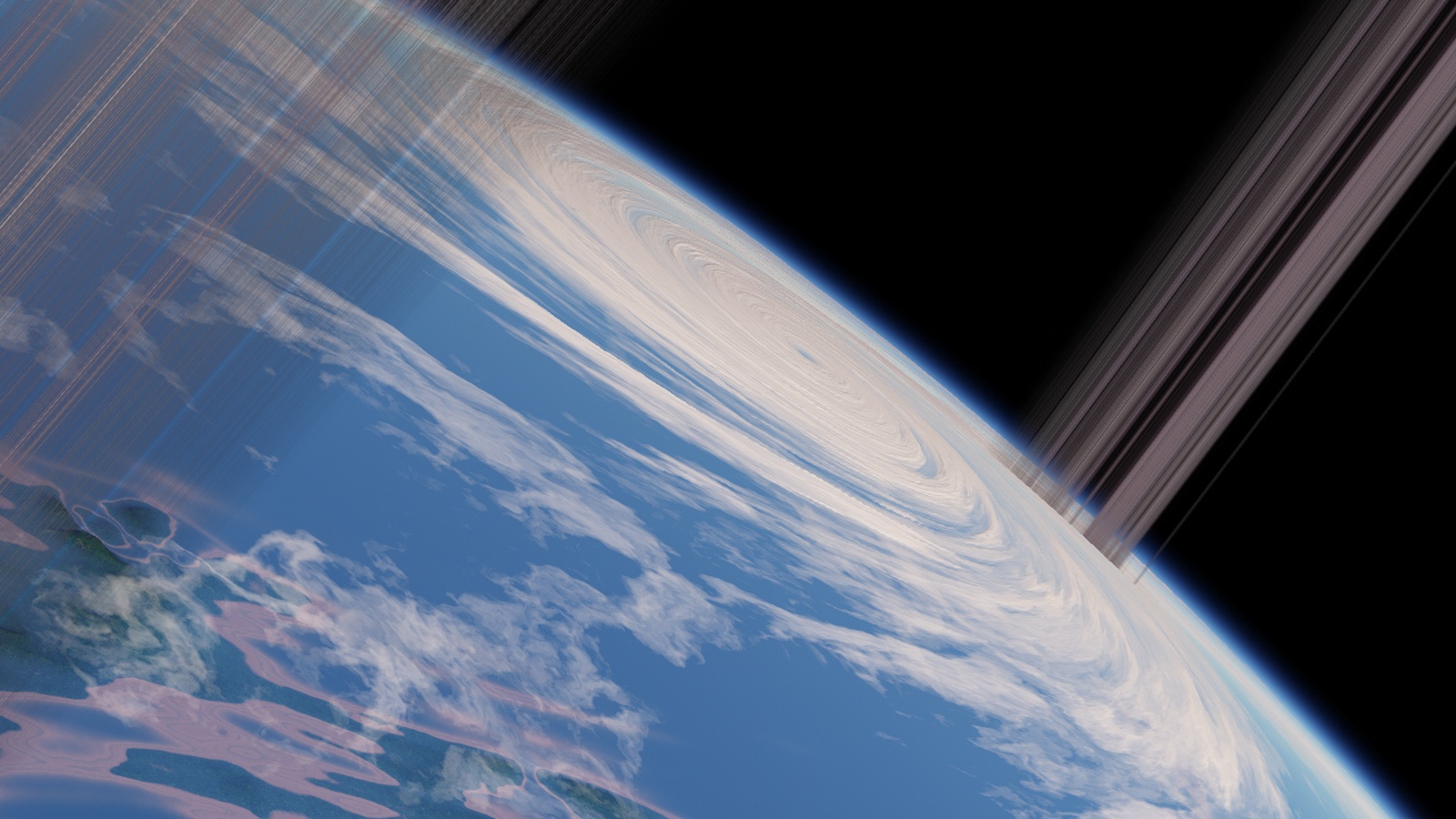
 Germany
  Italy
Italy 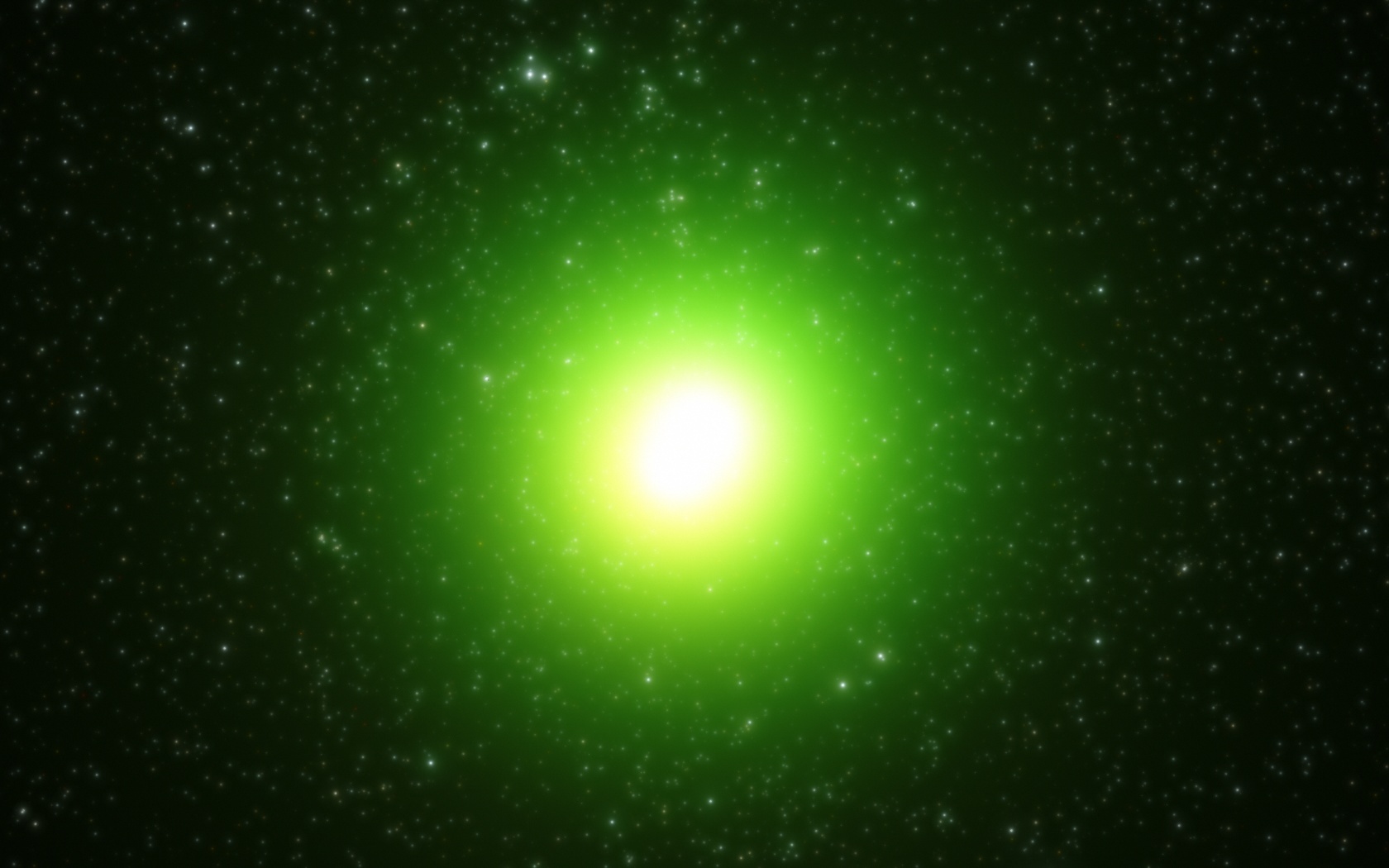



 Brazil