|
Addon Development Thread
|
|
| Voekoevaka | Date: Saturday, 25.05.2013, 13:57 | Message # 241 |
 World Builder
Group: SE team
 France
Messages: 1016
Status: Offline
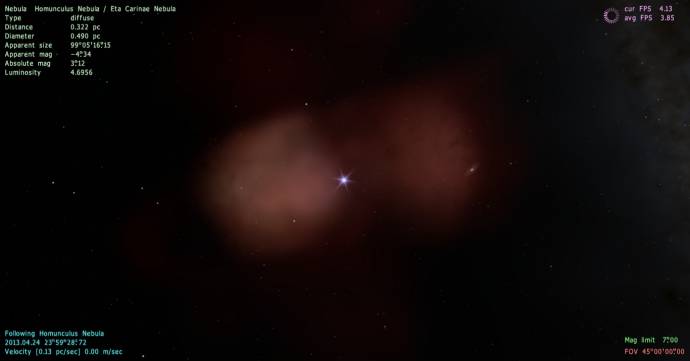
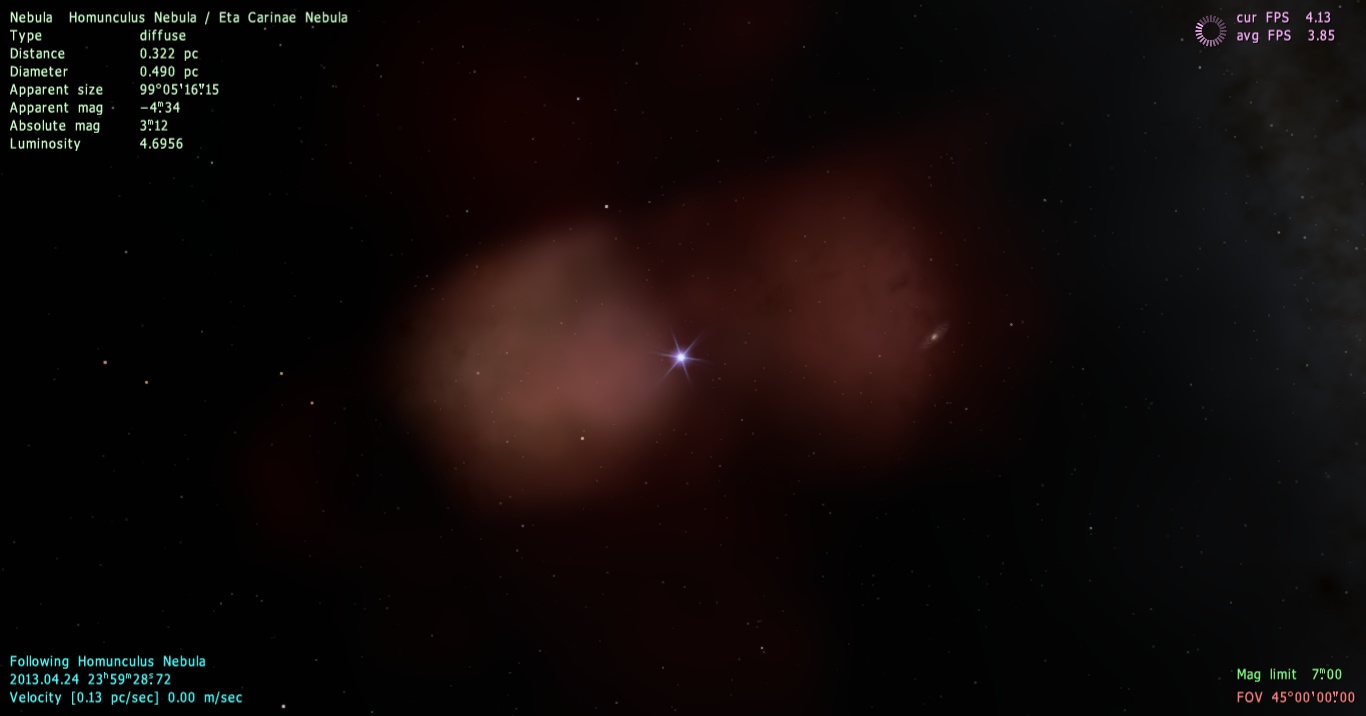
| Just a WIP.
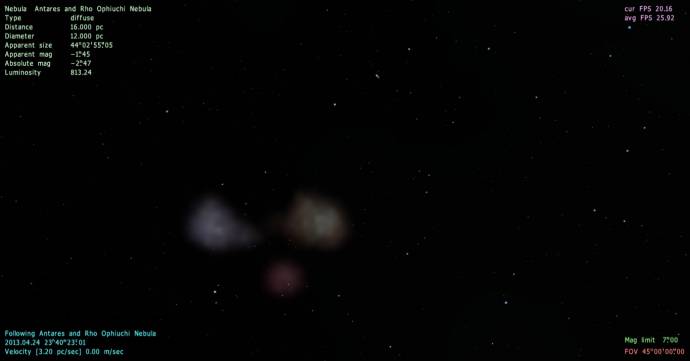
Reworking Homunculus Nebula for 0.97 too.
Want some music of mine ? Please go here !

Edited by Voekoevaka - Saturday, 25.05.2013, 15:15 |
| |
| |
| Crashman1390 | Date: Sunday, 02.06.2013, 01:56 | Message # 242 |
 Explorer
Group: Users
 Canada
Messages: 229
Status: Offline
| WIP:

[b]I was wrong, this forum still has a horrible community.[/b]
Edited by Crashman1390 - Sunday, 02.06.2013, 02:00 |
| |
| |
| SpaceEngineer | Date: Sunday, 02.06.2013, 12:50 | Message # 243 |
 Author of Space Engine
Group: Administrators
 Russian Federation
Messages: 4800
Status: Offline
| Quote (Retsof) Hm... I can't seem to find the texture used for the emissive nebula particles. Perhaps it is part of a shader instead? (In which case I have no idea what to do)
It is a textures/common/sprites_gal.png
But this texture is used for both nebulae and galaxies.

|
| |
| |
| Tim | Date: Sunday, 02.06.2013, 14:13 | Message # 244 |
 Explorer
Group: Users
 Belgium
Messages: 296
Status: Offline
| I was thinking, wouldn't it be nice to have thread where people could post their own catalog systems and objects, whether they are real or fictional (from books, films, tv series, games, etc.)?
|
| |
| |
| HarbingerDawn | Date: Sunday, 02.06.2013, 14:17 | Message # 245 |
 Cosmic Curator
Group: Administrators
 United States
Messages: 8717
Status: Offline
| Quote (Tim) wouldn't it be nice to have thread where people could post their own catalog systems and objects, whether they are real or fictional
You could make such a thread if you want to post any objects or systems, though real and fictional should be separate threads. And there are already a few threads for some real systems/objects, including a collective binary star catalog and collective Solar system asteroid catalog.
All forum users, please read this!
My SE mods and addons
Phenom II X6 1090T 3.2 GHz, 16 GB DDR3 RAM, GTX 970 3584 MB VRAM
|
| |
| |
| Tim | Date: Sunday, 02.06.2013, 16:22 | Message # 246 |
|
Explorer
Group: Users
Belgium
Messages: 296
Status: Offline
| I may look into it later. Now I have my exams to focus on :P
|
| |
| |
| Solaris | Date: Thursday, 06.06.2013, 03:39 | Message # 247 |
 World Builder
Group: Global Moderators
France
Messages: 731
Status: Offline
| Some work in progress:
For now, dust masks are fixed for M33, M74, M83, NGC1309, NGC1365 (+color adjustment),NGC 1672, NGC 4921. Now it should be much more precise and natural looking.
Exemples :
M74
NGC1309
M33
NGC1365
New galaxies models : NGC 1187, NGC 4535, NGC 5584, Arp 240 (0.97 Update and new textures) and I may also try to fully update the Stephan's quintet (I just had the green light of Al Kelly for use his processing).
NGC 1187
NGC 4535
NGC 5584
Arp 240 (Not oriented)
|
| |
| |
| HarbingerDawn | Date: Thursday, 06.06.2013, 05:08 | Message # 248 |
|
Cosmic Curator
Group: Administrators
United States
Messages: 8717
Status: Offline
| Wow Solaris, these look fantastic! Great work!
All forum users, please read this!
My SE mods and addons
Phenom II X6 1090T 3.2 GHz, 16 GB DDR3 RAM, GTX 970 3584 MB VRAM
|
| |
| |
| SpaceEngineer | Date: Thursday, 06.06.2013, 11:42 | Message # 249 |
|
Author of Space Engine
Group: Administrators
Russian Federation
Messages: 4800
Status: Offline
| Solaris, how did you achieve this? Are the alpha channel still have the dust near the core?
Dust is so dark at the core because galaxy texture is rendered in front of the sprite model.
|
| |
| |
| Solaris | Date: Thursday, 06.06.2013, 19:43 | Message # 250 |
|
World Builder
Group: Global Moderators
France
Messages: 731
Status: Offline
| Quote (SpaceEngineer) Are the alpha channel still have the dust near the core?
Do you want less-visible dust at the core?
|
| |
| |
| SpaceEngineer | Date: Thursday, 06.06.2013, 23:02 | Message # 251 |
|
Author of Space Engine
Group: Administrators
Russian Federation
Messages: 4800
Status: Offline
| Quote (Solaris) Do you want less-visible dust at the core?
No, I want realistic look  Use real photo as reference. Use real photo as reference.
|
| |
| |
| Crashman1390 | Date: Friday, 07.06.2013, 00:31 | Message # 252 |
|
Explorer
Group: Users
Canada
Messages: 229
Status: Offline
| Someone should really make a video tutorial for creating galaxies. Because I have no idea what I am doing while following the instructions. (as in I make the alpha channel then I get stumped).
I just know no one will because I am a liability...
[b]I was wrong, this forum still has a horrible community.[/b]
Edited by Crashman1390 - Friday, 07.06.2013, 00:33 |
| |
| |
| HarbingerDawn | Date: Friday, 07.06.2013, 04:54 | Message # 253 |
|
Cosmic Curator
Group: Administrators
United States
Messages: 8717
Status: Offline
| Quote (SpaceEngineer) No, I want realistic look Use real photo as reference.
I thought his "new" models looked much more realistic than the old ones, at least from the angles he showed.
All forum users, please read this!
My SE mods and addons
Phenom II X6 1090T 3.2 GHz, 16 GB DDR3 RAM, GTX 970 3584 MB VRAM
|
| |
| |
| Crashman1390 | Date: Friday, 14.06.2013, 16:04 | Message # 254 |
|
Explorer
Group: Users
Canada
Messages: 229
Status: Offline
| Is there any way to make the dust lane on the milky way darker at any chance?
[b]I was wrong, this forum still has a horrible community.[/b]
|
| |
| |
| Voekoevaka | Date: Friday, 14.06.2013, 16:14 | Message # 255 |
|
World Builder
Group: SE team
France
Messages: 1016
Status: Offline
| Yes, you can tweak the model by making the dust more bright (yes, it is quite paradoxal  ). Don't forget to delete the cache folder. ). Don't forget to delete the cache folder.
Want some music of mine ? Please go here !
|
| |
| |
 ENG
ENG New site


 France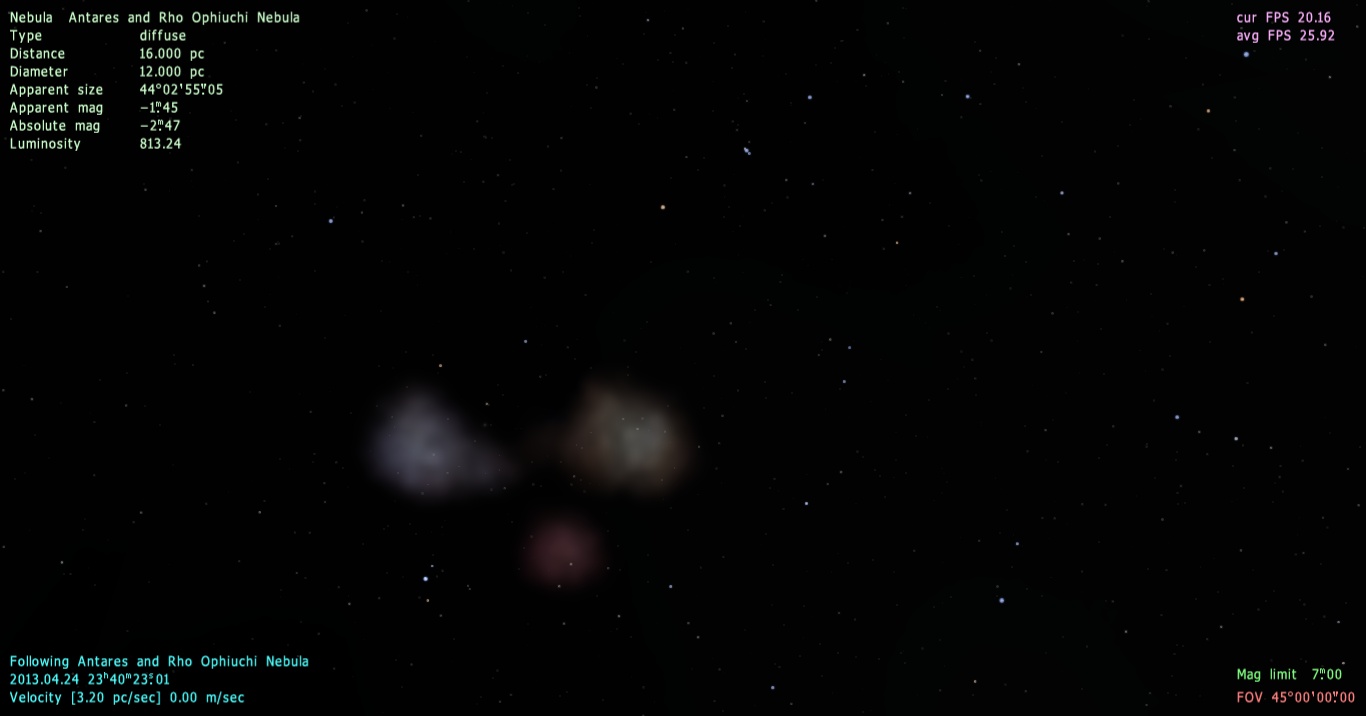


 Canada
 Russian Federation
  Belgium
  United States


