|
Bug Reports for Version 0.96
|
|
| SpaceEngineer | Date: Thursday, 05.07.2012, 19:52 | Message # 1 |
 Author of Space Engine
Group: Administrators
 Russian Federation
Messages: 4800
Status: Offline
| Please post here all of your reports about bugs or crashes in SpaceEngine. Attach to your message a screenshot (if possible) and a log file (it's called the "se.log" and is located in the SpaceEngine's directory). Only the log file will help me to understand your problem and find a solution.
*
|
| |
| |
| smjjames | Date: Sunday, 02.09.2012, 16:53 | Message # 361 |
|
World Builder
Group: Users
 United States
Messages: 913
Status: Offline
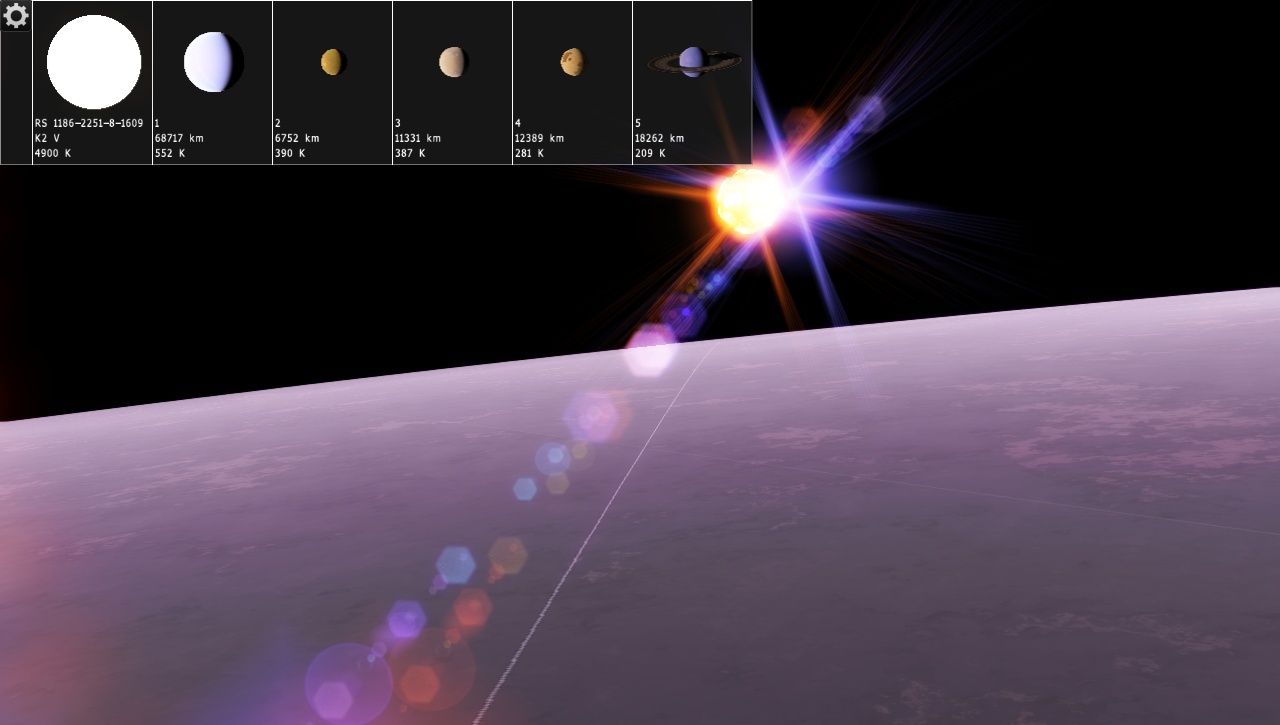
| Heres a strange one. After I had deleted the cache to fix another problem, I went to one of my saved locations and somehow the planet (and I think, the whole system) got regenerated. I checked my other saved locations and those are fine.
Before.

Now. Notice that it's the same system and even the same orbital position.

So, whats going on here?

|
| |
| |
| SpaceEngineer | Date: Sunday, 02.09.2012, 19:10 | Message # 362 |
|
Author of Space Engine
Group: Administrators
Russian Federation
Messages: 4800
Status: Offline
| Maybe you save this location in previous version of SE or patch?

|
| |
| |
| smjjames | Date: Sunday, 02.09.2012, 20:18 | Message # 363 |
|
World Builder
Group: Users
United States
Messages: 913
Status: Offline
| No, I had installed SE and then patched it before I started playing. The locations that I had saved before and after this particular one are fine.
|
| |
| |
| Solaris | Date: Monday, 03.09.2012, 22:02 | Message # 364 |
 World Builder
Group: Global Moderators
 France
Messages: 731
Status: Offline
| The search fonction don't show anything about this bug, so :
I was looking at the satelites of Jupiter and noticed that in the solar System Browser, starting from the fifteenth they start blinking then don't appears, same on saturn.
I don't know if this also happend on procedural worlds because I've never saw any procedural planet with 15 satelites.
It occurs with a clean installation folder.
|
| |
| |
| SpaceEngineer | Date: Tuesday, 04.09.2012, 00:27 | Message # 365 |
|
Author of Space Engine
Group: Administrators
Russian Federation
Messages: 4800
Status: Offline
| SE have limited number of thumbnail textures - 16 so far. This glitch is related to this, I'll check this later.
|
| |
| |
| smjjames | Date: Tuesday, 04.09.2012, 01:27 | Message # 366 |
|
World Builder
Group: Users
United States
Messages: 913
Status: Offline
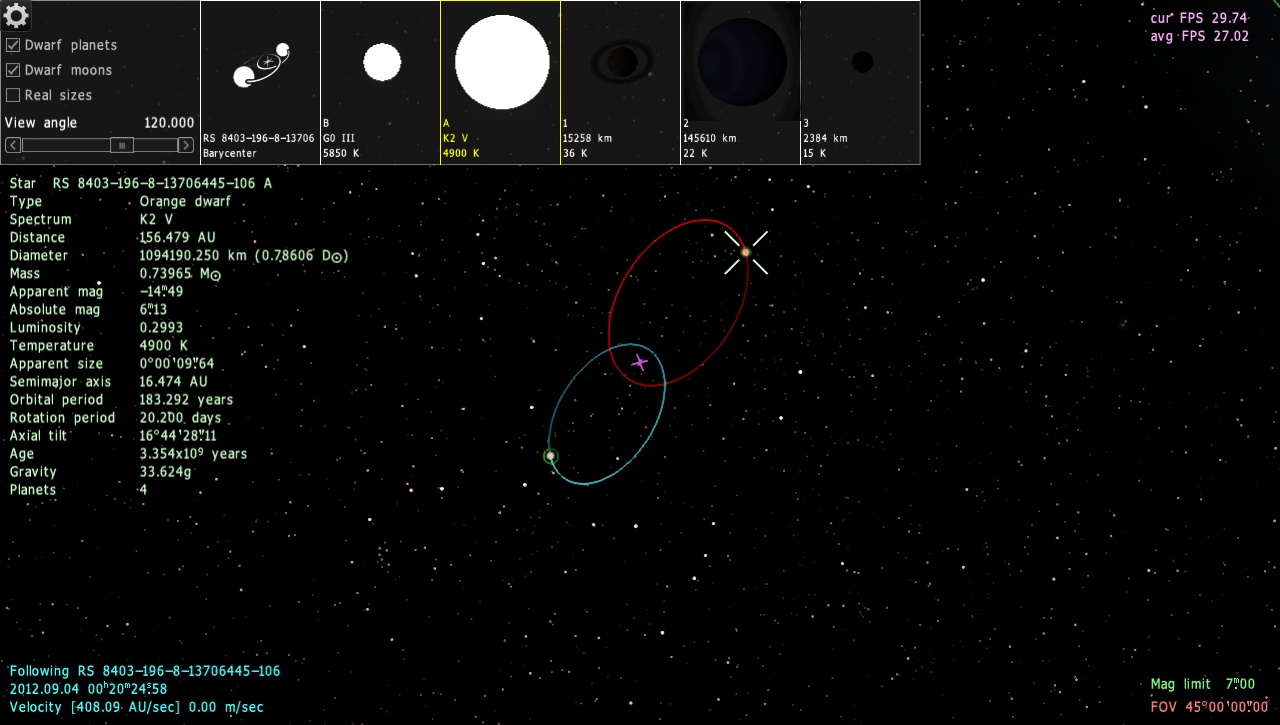
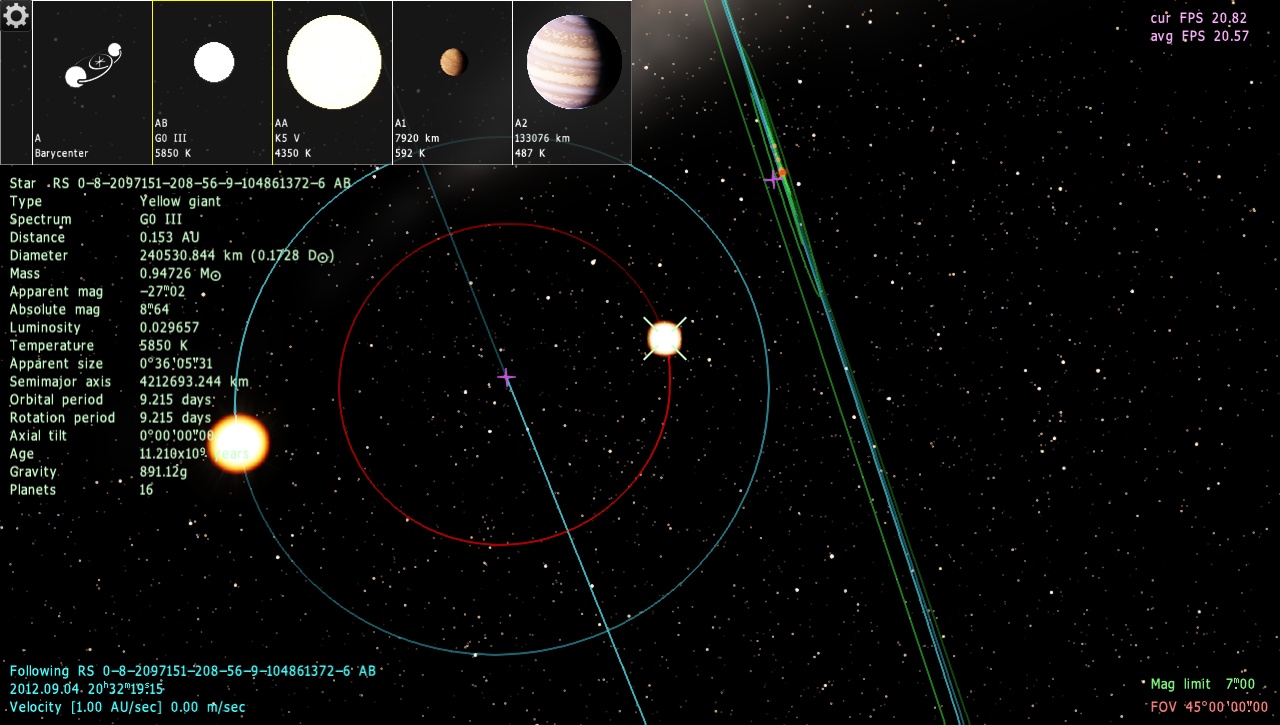
| The labelling (or maybe generation?) for procedural giants (actually, I've never really seen any procedural giants, at least not in the quantity that I see in the catalogued stars) is kind of off because well... take a look at this binary pair for example which I ran into a couple minutes ago.
I was actually a bit surprised that there was a procedural giant in a binary as it's pretty much always a main sequence star down to red dwarf that appear in procedural binaries.
Edit: They do generate in globular star clusters, just not in the Milky Way itself, but I haven't seen any procedural stars bigger than 'giant'.


Edited by smjjames - Tuesday, 04.09.2012, 02:05 |
| |
| |
| HarbingerDawn | Date: Tuesday, 04.09.2012, 04:46 | Message # 367 |
 Cosmic Curator
Group: Administrators
United States
Messages: 8717
Status: Offline
| Quote (WhiplashD) SE crashes when trying to export planetary textures larger than 4096 x 2048.
Quote (HarbingerDawn) This is probably a video card timeout.
I just became aware of an alternate possibility. The maximum texture size that can be exported from SpaceEngine is equal to your graphics card's maximum supported texture size (this can be found in the se.log file). In my case it is 16384 pixels, but in most cases it will be smaller, 4096 or 8192. So be aware of your hardware limits before exporting.
That said, the GPU timeout event that I mentioned can also be an issue, so if you're having problems and you know your hardware is not to blame, continue to pursue that line of troubleshooting.
All forum users, please read this!
My SE mods and addons
Phenom II X6 1090T 3.2 GHz, 16 GB DDR3 RAM, GTX 970 3584 MB VRAM
|
| |
| |
| smjjames | Date: Tuesday, 04.09.2012, 21:52 | Message # 368 |
|
World Builder
Group: Users
United States
Messages: 913
Status: Offline
| TinyGiant again. Although, on the planethunters site, there are some dwarf stars which behave like giant stars, so maybe thats what these are?

|
| |
| |
| HarbingerDawn | Date: Saturday, 08.09.2012, 12:15 | Message # 369 |
|
Cosmic Curator
Group: Administrators
United States
Messages: 8717
Status: Offline
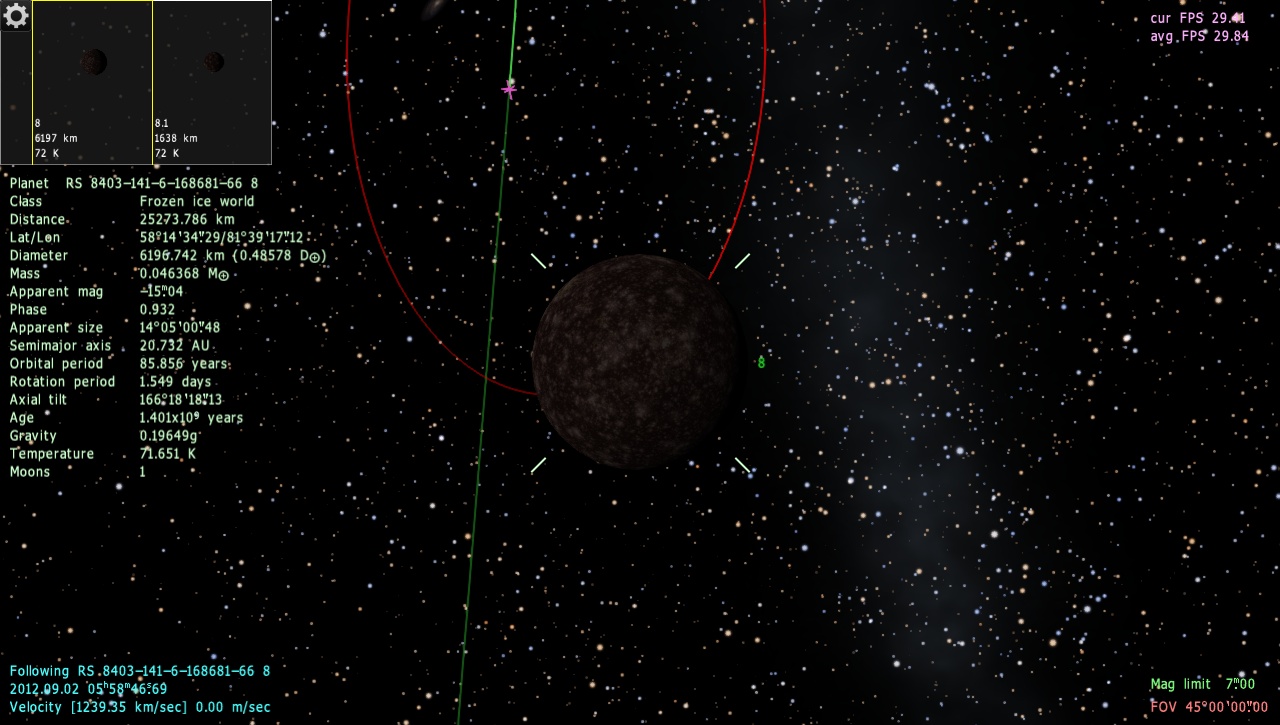
| I have a bug to report that involves disappearing planets. Some planets (I have only noticed it in the Milky Way, but I've only seen it on 2 planets total) will disappear when viewed from certain angles.
A few screenshots, video pending.


All forum users, please read this!
My SE mods and addons
Phenom II X6 1090T 3.2 GHz, 16 GB DDR3 RAM, GTX 970 3584 MB VRAM
|
| |
| |
| Talyn | Date: Saturday, 08.09.2012, 19:57 | Message # 370 |
 Explorer
Group: Users
 Portugal
Messages: 207
Status: Offline
| Not sure if this has already been reported for 0.9.62 but it looks like from specific vantage points while looking at a specific kind of textures, the illusion of infinite space is replaced by the cube 
Here is an example: 
And this is where I've found it
PC: Intel Core2Duo E6850 @ 3.00 GHz & 4GB DDR3 @ 1333 - NVIDIA GeForce 8800 GTS with 640 MB VRAM
Laptop: Intel Core2Duo T9400 @ 2.53 GHz & 4 GB DDR @ 1066 - NVIDIA GeForce 9600M GT
|
| |
| |
| HarbingerDawn | Date: Saturday, 08.09.2012, 20:00 | Message # 371 |
|
Cosmic Curator
Group: Administrators
United States
Messages: 8717
Status: Offline
| Quote (Talyn) ot sure if this has already been reported for 0.9.62 but it looks like from specific vantage points while looking at a specific kind of textures, the illusion of infinite space is replaced by the cube
Yes, this has been mentioned before. These are the seams in the galaxy skybox, and sometimes they can be very noticeable. They're always there whenever your camera moves slowly enough, but not always easy to see.
All forum users, please read this!
My SE mods and addons
Phenom II X6 1090T 3.2 GHz, 16 GB DDR3 RAM, GTX 970 3584 MB VRAM
|
| |
| |
| neutronium76 | Date: Sunday, 09.09.2012, 00:57 | Message # 372 |
 World Builder
Group: Users
 Greece
Messages: 718
Status: Offline
| Quote (Talyn) Not sure if this has already been reported for 0.9.62 but it looks like from specific vantage points while looking at a specific kind of textures, the illusion of infinite space is replaced by the cube
There is a way to make this cube effect not to appear but it is not recommended: Press astersik from the numpad to enter edit mod and then press ctrl+M to disable skyboxes. This will remove this cube look of the galaxy but it will dramatically increase the load on the PC. You will notice a dramatic decrease in FPS. (for me at least that's what it does  ) )
PC1:Core i7 970@3.34GHz, 6 cores/12 threads, 12GB DDR3 RAM@1.34GHz, 2x(SLI) GTX-580 GPUs 3GB VRAM(GDDR5)@1GHz, OS:Win7x64SP1
PC2:Core2Quad X9770@3.2GHz, 2 cores/4 threads 4GB DDR2 RAM@1GHz, GTX-285 GPU 1GB VRAM(DDR3)@1.24GHz, OS:WinVistax64SP2
|
| |
| |
| smjjames | Date: Sunday, 09.09.2012, 01:01 | Message # 373 |
|
World Builder
Group: Users
United States
Messages: 913
Status: Offline
| I was looking at a moon with a bunch of ray craters and after I landed near two that were right next to each other, I noticed these wierd lines. When I zoomed in closer (should have screenshotted that), the lines are what look like blurry zipper suture (like a baseball) mountains.


I'll just edit this one I guess.
While on the edge of Adromeda, I found a 44 million year old system (I think the planets should still be partially molten, I dunno), which isn't a bug in and of itself, but I found that the system has a white dwarf that is the same age as the companion star. A 44 MY old white dwarf I can accept (if it has been a white dwarf for 44 million years, I'm not so sure about 44 million years in total age), but having it be the same age as its binary companion? I don't know about that.....
Code Place "44 MY old white dwarf"
{
Body "RS 1186-806-8-4221479-5 B"
Parent ""
Pos (3.415374808961639e-007, 5.209007804030151e-008, -4.72295349167708e-008)
Rot (0.1248151885067948, 0.709748545736332, 0.2529412179550982, 0.6455222000849906)
Date "2012.09.10 21:20:13.81"
Vel 9.7156033e-008
Mode 1
}
Edited by smjjames - Monday, 10.09.2012, 22:59 |
| |
| |
| smjjames | Date: Tuesday, 11.09.2012, 16:57 | Message # 374 |
|
World Builder
Group: Users
United States
Messages: 913
Status: Offline
| Since it might not be a bug per se, I decided to post it a new thread. Also, I did do a search for time, which came up with 50 pages of posts, tried time and minutes, got 8 pages worth but didn't find anything relevant.
This may be a known issue, however I just wanted to post that when I try to set the minutes, it just goes to the hour typed in. For example, if I type 12h 40m 22.12s , it sets itself to 12h 00m 00.00s
|
| |
| |
| HarbingerDawn | Date: Tuesday, 11.09.2012, 18:03 | Message # 375 |
|
Cosmic Curator
Group: Administrators
United States
Messages: 8717
Status: Offline
| Quote (smjjames) This may be a known issue, however I just wanted to post that when I try to set the minutes, it just goes to the hour typed in. For example, if I type 12h 40m 22.12s , it sets itself to 12h 00m 00.00s
It seems that you are right good catch. But this should have been submitted in the "Version 0.96 Bug Reports" thread.
All forum users, please read this!
My SE mods and addons
Phenom II X6 1090T 3.2 GHz, 16 GB DDR3 RAM, GTX 970 3584 MB VRAM
Edited by HarbingerDawn - Tuesday, 11.09.2012, 18:05 |
| |
| |
 ENG
ENG New site


 Russian Federation


 United States

 France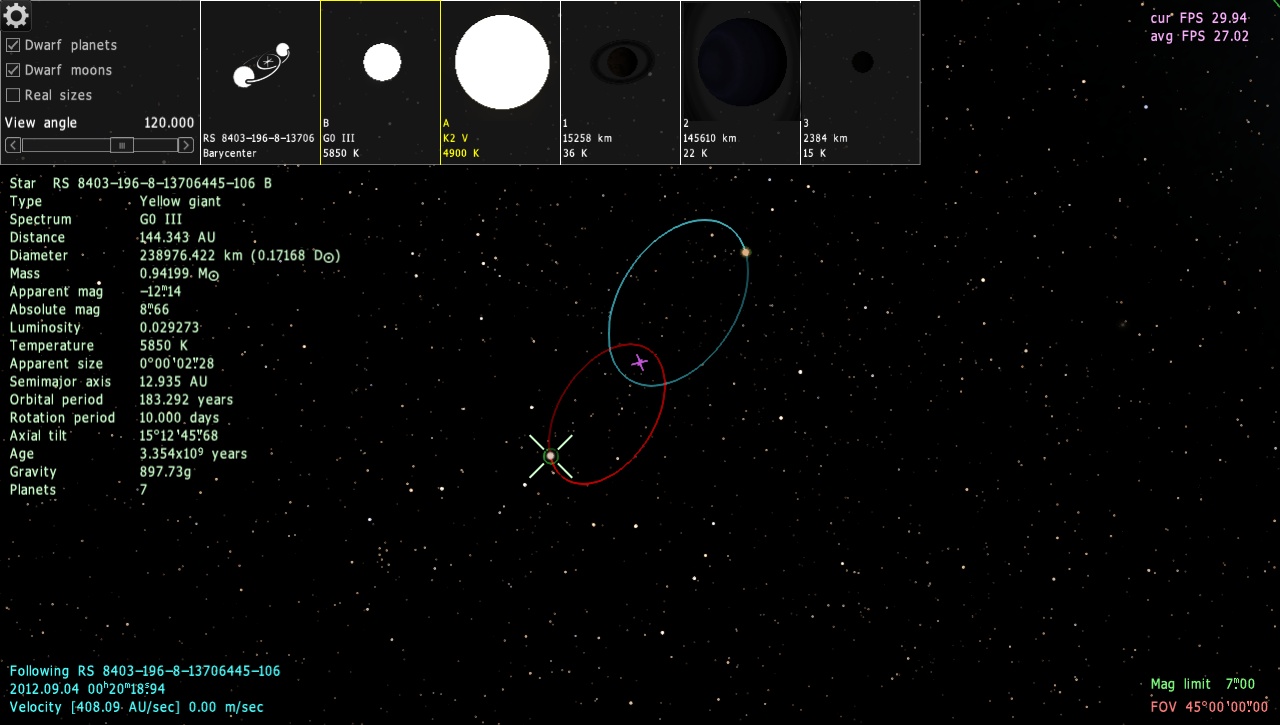
 Portugal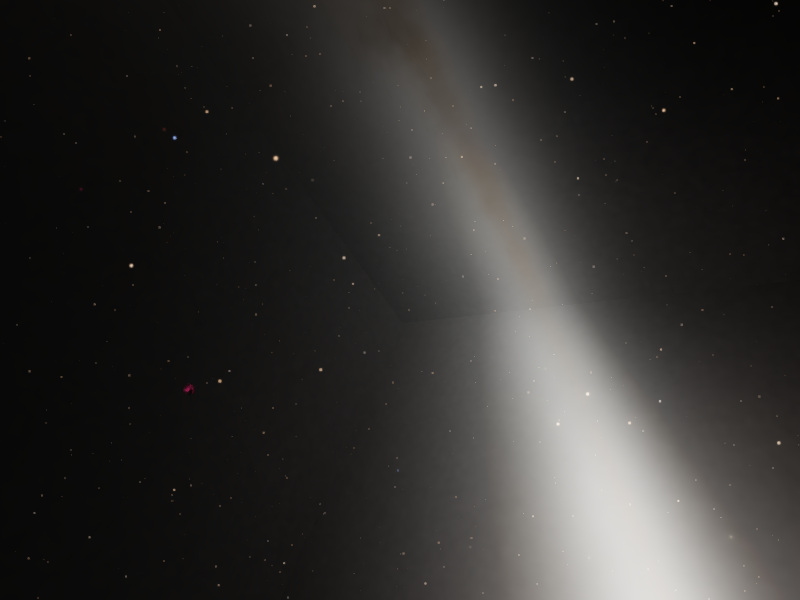
 Greece