|
Bug Reports for Version 0.96
|
|
| SpaceEngineer | Date: Thursday, 05.07.2012, 19:52 | Message # 1 |
 Author of Space Engine
Group: Administrators
 Russian Federation
Messages: 4800
Status: Offline
| Please post here all of your reports about bugs or crashes in SpaceEngine. Attach to your message a screenshot (if possible) and a log file (it's called the "se.log" and is located in the SpaceEngine's directory). Only the log file will help me to understand your problem and find a solution.
*
|
| |
| |
| smjjames | Date: Friday, 26.10.2012, 00:38 | Message # 511 |
|
World Builder
Group: Users
 United States
Messages: 913
Status: Offline
| Quote (anonymousgamer) Quote (HarbingerDawn)
I saw no problem with the star at any time from any angle from any distance.
Was Real Star Brightness turned on? For me, it was.
I have star brightness turned on and it looked okay to me. The loading was kind of blocky, but I think that's just the view distance. Also, it kind of dissapears when the center of it is out of the center of the screen.
Quote (anonymousgamer) Quote (smjjames)
Not sure if it's because I don't have that custom flare or not
The flare doesn't affect procedural generation.
Is that a custom milky way model or something? Because when i went to 8402 instead of 8403 for that same location code, I got to the same place.
I'll look at the white dwarf there.
Edit: Nothing wrong with the white dwarf for me either.

Edited by smjjames - Friday, 26.10.2012, 00:45 |
| |
| |
| anonymousgamer | Date: Friday, 26.10.2012, 00:46 | Message # 512 |
 World Builder
Group: Global Moderators
United States
Messages: 1011
Status: Offline
| Quote (smjjames) Is that a custom milky way model or something?
The only mods I have affect the lens flare and star part textures.
Desktop: FX-8350 4.0 GHz, 8 GB DDR3 RAM, EVGA GeForce GTX 1080 FTW 8 GB, 2 TB HDD, 24 inch 1920x1080 screen
Laptop: Core i5 480M 2.66 GHz (turbo 2.93), 8 GB DDR3 RAM, AMD Radeon HD 6550m 1 GB, 640 GB HDD, 17.3 inch 1600x900 screen
|
| |
| |
| smjjames | Date: Friday, 26.10.2012, 00:48 | Message # 513 |
|
World Builder
Group: Users
United States
Messages: 913
Status: Offline
| Quote (anonymousgamer) Quote (smjjames)
Is that a custom milky way model or something?
The only mods I have affect the lens flare and star part textures.
Strange that your milky way uses the designation 8403 while mine has 8402. I do have catalog star bifurcation off, but that shouldn't change the number the galaxy uses.
|
| |
| |
| HarbingerDawn | Date: Friday, 26.10.2012, 01:02 | Message # 514 |
 Cosmic Curator
Group: Administrators
United States
Messages: 8717
Status: Offline
| Quote (smjjames) Strange that your milky way uses the designation 8403 while mine has 8402. I do have catalog star bifurcation off, but that shouldn't change the number the galaxy uses.
You probably deleted the duplicate galaxy from the catalog, reducing the Milky Way's number by one. Anonymous gamer probably did not do that.
anonymousgamer, post your se.log file.
All forum users, please read this!
My SE mods and addons
Phenom II X6 1090T 3.2 GHz, 16 GB DDR3 RAM, GTX 970 3584 MB VRAM
|
| |
| |
| anonymousgamer | Date: Friday, 26.10.2012, 01:06 | Message # 515 |
|
World Builder
Group: Global Moderators
United States
Messages: 1011
Status: Offline
| Funny story. First all galaxies except Andromeda, the Milky way, and neighboring dwarf galaxies disappear, despite the face that I always keep procedural things on. I was browsing in Andromeda for a while after that. Then today the game tells me I'm in the Milky Way and Andromeda is wiped off the map... also, all catalog stars have disappeared..... what is happening to my game??!
Desktop: FX-8350 4.0 GHz, 8 GB DDR3 RAM, EVGA GeForce GTX 1080 FTW 8 GB, 2 TB HDD, 24 inch 1920x1080 screen
Laptop: Core i5 480M 2.66 GHz (turbo 2.93), 8 GB DDR3 RAM, AMD Radeon HD 6550m 1 GB, 640 GB HDD, 17.3 inch 1600x900 screen
|
| |
| |
| smjjames | Date: Friday, 26.10.2012, 01:35 | Message # 516 |
|
World Builder
Group: Users
United States
Messages: 913
Status: Offline
| Quote Total video memory: 973 Mb
Available video memory: 973 Mb
Try increasing the video memory? This seems kind of low.
You could also try clearing out the cache.
Edited by smjjames - Friday, 26.10.2012, 01:36 |
| |
| |
| HarbingerDawn | Date: Friday, 26.10.2012, 02:01 | Message # 517 |
|
Cosmic Curator
Group: Administrators
United States
Messages: 8717
Status: Offline
| Quote (smjjames) Try increasing the video memory? This seems kind of low.
You can't "increase" your video memory without buying new hardware. In any case, that's enough for SE to run, and his log showed that he had no crashes or anything even though he visited many many systems.
Quote (smjjames) You could also try clearing out the cache.
That would probably have no effect other than to increase the time it takes to load the engine and objects in it. The cache folder only holds models and shaders.
anonymousgamer, try reinstalling your graphics driver. If that doesn't work, try replacing your shaders with shaders from a fresh install and deleting the cache folder.
All forum users, please read this!
My SE mods and addons
Phenom II X6 1090T 3.2 GHz, 16 GB DDR3 RAM, GTX 970 3584 MB VRAM
|
| |
| |
| smjjames | Date: Friday, 26.10.2012, 02:47 | Message # 518 |
|
World Builder
Group: Users
United States
Messages: 913
Status: Offline
| Quote (HarbingerDawn) Quote (smjjames)
You could also try clearing out the cache.
That would probably have no effect other than to increase the time it takes to load the engine and objects in it. The cache folder only holds models and shaders.
Wouldn't hurt though.
Quote (HarbingerDawn) anonymousgamer, try reinstalling your graphics driver. If that doesn't work, try replacing your shaders with shaders from a fresh install and deleting the cache folder.
Also check and see if there are any updates for your driver software. Maybe you just need to update it.
|
| |
| |
| anonymousgamer | Date: Friday, 26.10.2012, 03:37 | Message # 519 |
|
World Builder
Group: Global Moderators
United States
Messages: 1011
Status: Offline
| Quote (smjjames) Also check and see if there are any updates for your driver software. Maybe you just need to update it.
Oh believe me, I updated them... lots of issues concerning overclocking software and issues in games. They are up to date.
Desktop: FX-8350 4.0 GHz, 8 GB DDR3 RAM, EVGA GeForce GTX 1080 FTW 8 GB, 2 TB HDD, 24 inch 1920x1080 screen
Laptop: Core i5 480M 2.66 GHz (turbo 2.93), 8 GB DDR3 RAM, AMD Radeon HD 6550m 1 GB, 640 GB HDD, 17.3 inch 1600x900 screen
|
| |
| |
| smjjames | Date: Friday, 26.10.2012, 03:52 | Message # 520 |
|
World Builder
Group: Users
United States
Messages: 913
Status: Offline
| Quote (anonymousgamer) Quote (smjjames)
Also check and see if there are any updates for your driver software. Maybe you just need to update it.
Oh believe me, I updated them... lots of issues concerning overclocking software and issues in games. They are up to date.
Okay. Try Harbs suggestion then, a fresh reinstall might do the trick.
|
| |
| |
| smjjames | Date: Friday, 26.10.2012, 23:09 | Message # 521 |
|
World Builder
Group: Users
United States
Messages: 913
Status: Offline
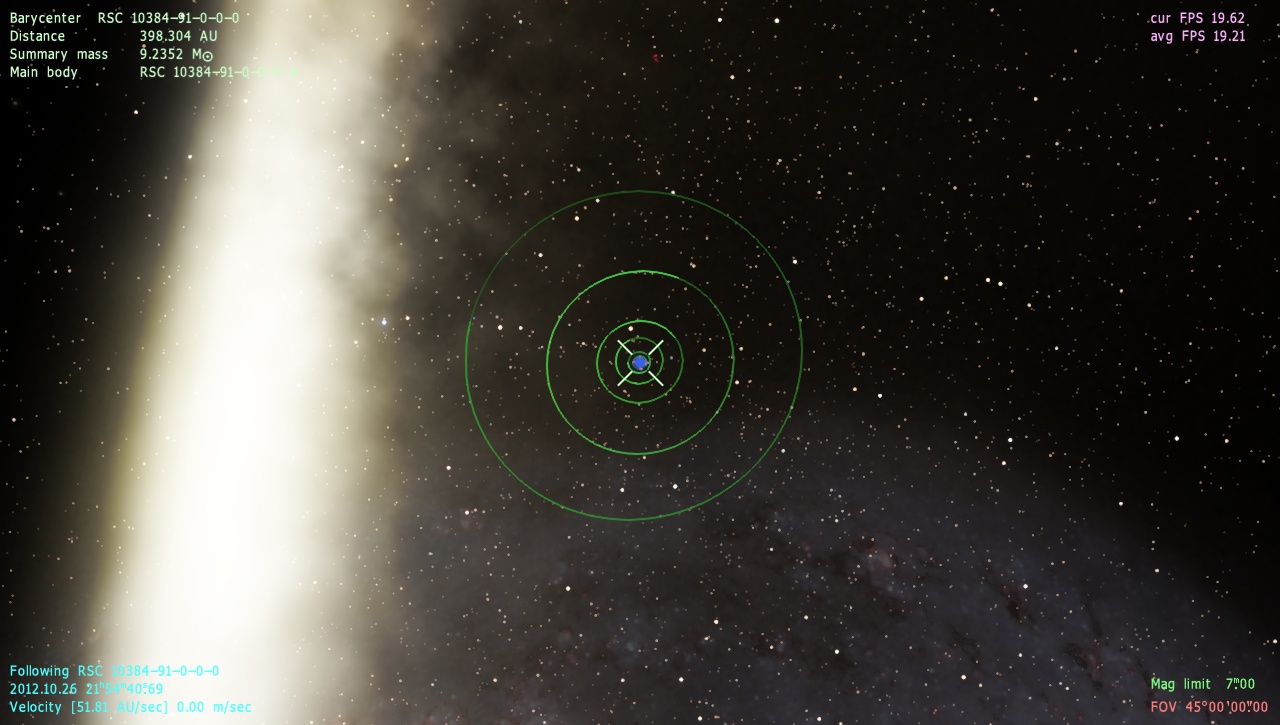
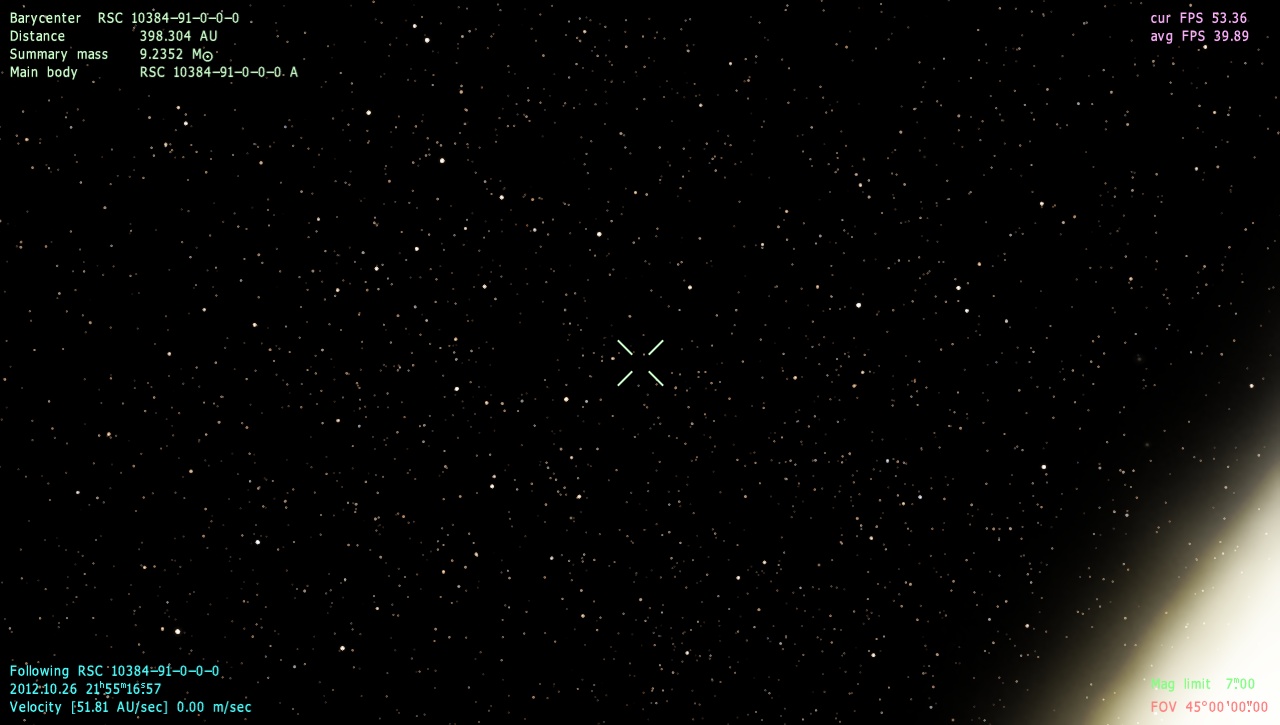
| I've got a glitching star system where, depending on where you're looking using the right mouse button, the whole system will go invisible, the same thing for the planets. The system overview is fine though and I noticed initially that the 6th planet in the system was having some kind of flickering going on in the system overview, but that stopped after a couple minutes. The stars aren't eclipsing each other from that planets vantage point and the moons can't eclipse at the planets current orbital position.
I checked some nearby systems and it's just this one that is having a problem.


Place "Glitching star system"
{
Body "RSC 10384-91-0-0-0"
Parent ""
Pos (0.0003101288472126232, 0.00126492728441001, -0.002147740456377267)
Rot (-0.1623968350509552, 0.7471900090578046, 0.6076525472099648, 0.2146921987378032)
Date "2012.10.26 21:55:58.48"
Vel 0.00025117744
Mode 1
}
|
| |
| |
| SpaceEngineer | Date: Saturday, 27.10.2012, 04:26 | Message # 522 |
|
Author of Space Engine
Group: Administrators
Russian Federation
Messages: 4800
Status: Offline
| Quote (smjjames) I've got a glitching star system where
This system seems to lay outside the parent star cluster bounding box, so it gets clipped by the view frustum. If the cluster is in field of view, the system is not clipped and visible. Something wrong working in the stars generation function. I'm going to fix this bug now.
Edit: bug fixed, thanks for reporting it.
*

|
| |
| |
| smjjames | Date: Sunday, 28.10.2012, 17:12 | Message # 523 |
|
World Builder
Group: Users
United States
Messages: 913
Status: Offline
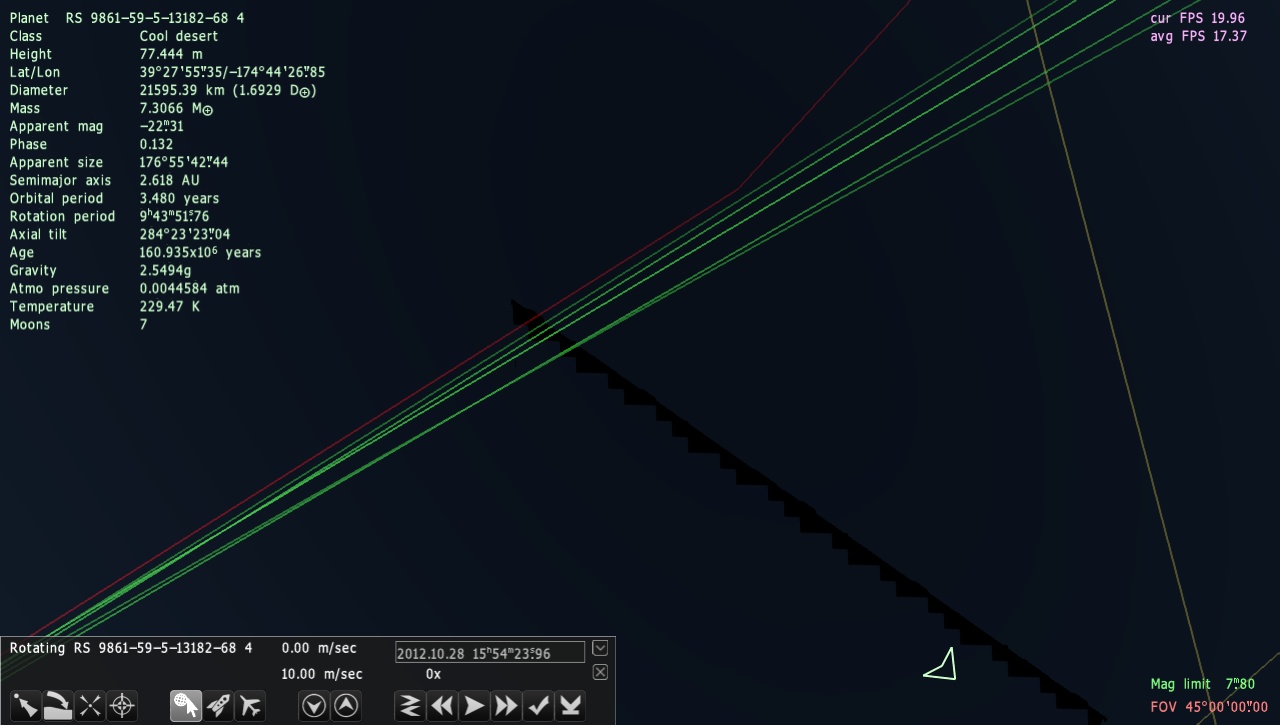
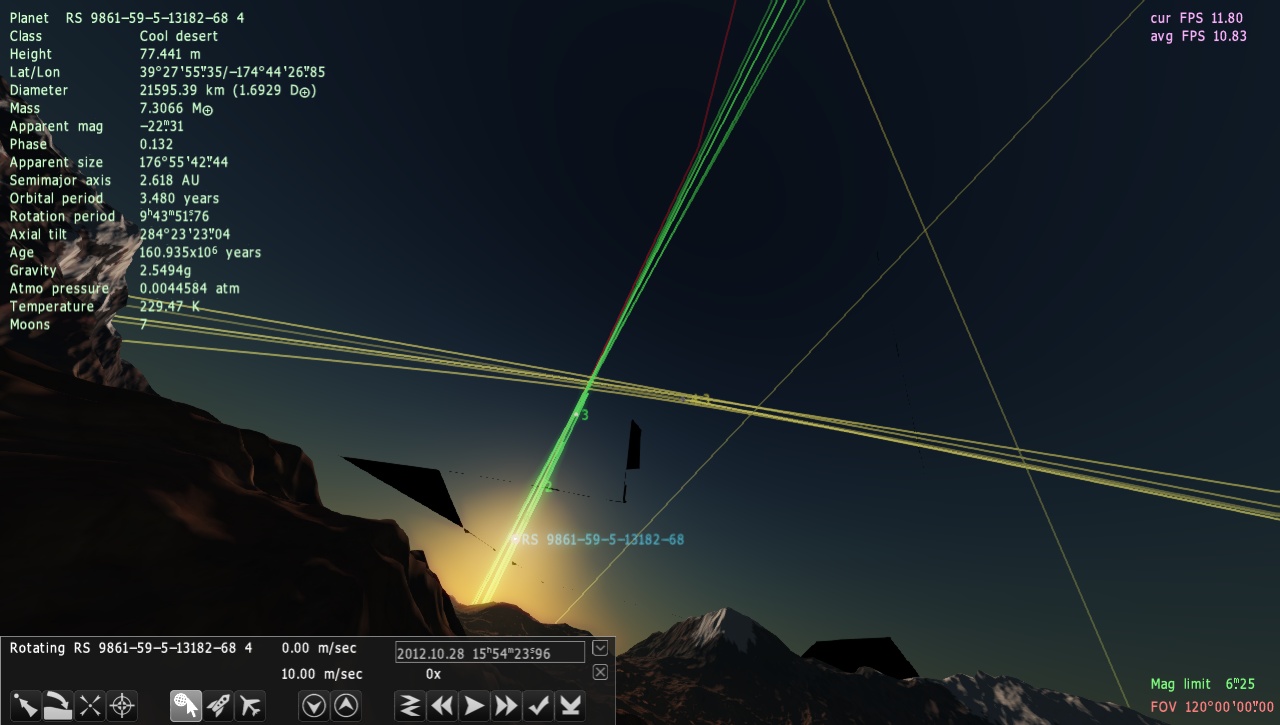
| I've got a question about something that has been happening since I got SE. When I am on a planetary surface and look straight up, I get this wierd polygonal flickering. It's not bad (just a bit annoying) and a slight movement will make it dissapear. Moving off the planetary surface a bit somewhat helps.
Widening the FOV makes it show up more as in the second example. I did a little checking and it seems to be atmosphere related. Maybe connected to that squares on a planetary atosphere glitch?


Just a quick way to get there for the example. It happens on any planetary surface.
Place "polygon wierdness example."
{
Body "RS 9861-59-5-13182-68 4"
Parent ""
Pos (-1.64311890645235e-010, -3.119551665597964e-011, 3.075172218649017e-010)
Rot (-0.2501261841206282, 0.382004450954515, -0.8891961827624663, 0.02897654273463099)
Date "2012.10.28 15:54:23.96"
Vel 3.2407764e-016
Mode 2
}
Edited by smjjames - Sunday, 28.10.2012, 17:13 |
| |
| |
| SpaceEngineer | Date: Sunday, 28.10.2012, 17:29 | Message # 524 |
|
Author of Space Engine
Group: Administrators
Russian Federation
Messages: 4800
Status: Offline
| smjjames, I've "add" this bug before 0.96 release and can't fix if yet. However it is cool that itwas reported just now, months after release.
|
| |
| |
| smjjames | Date: Sunday, 28.10.2012, 18:04 | Message # 525 |
|
World Builder
Group: Users
United States
Messages: 913
Status: Offline
| Quote (SpaceEngineer) smjjames, I've "add" this bug before 0.96 release and can't fix if yet. However it is cool that itwas reported just now, months after release.
Oh it's an old bug? Okay.
|
| |
| |
 ENG
ENG New site


 Russian Federation


 United States