|
Work progress and public beta test - 0.9.7.4
|
|
| Duke | Date: Tuesday, 25.08.2015, 17:40 | Message # 406 |
|
Space Pilot
Group: SE team
 Antarctica
Messages: 88
Status: Offline
| Quote Raj (  ) Here is the log file you requested..
Edited by Duke - Tuesday, 25.08.2015, 17:44 |
| |
| |
| Raj | Date: Tuesday, 25.08.2015, 18:02 | Message # 407 |
|
Observer
Group: Newbies
 India
India
Messages: 4
Status: Offline
| Quote Duke ( ) What videocard do you have?
I have a Radeon 6290 Video Card with 384 MB. This is my old Laptop which my wife uses, she is equally interested in SE. Now I know that this video card would make the fps low but earlier versions of SE(before 0.9.7.2) were running without any problem, so is there any chance for this card to survive on SE?Added (25.08.2015, 18:02)
---------------------------------------------
Quote Duke ( ) What videocard do you have? Try to delete atioglxx.dll from SE's system folder if you have it there.
That was awesome, Duke!! deleting the atioglx.dll made it work. Thanks man you really were very helpful...  
|
| |
| |
| parameciumkid | Date: Tuesday, 25.08.2015, 22:48 | Message # 408 |
 Explorer
Group: Users
 United States
Messages: 277
Status: Offline
| Any news on Intel compatibility? I miss having SE work :C
Intel HD Graphics 4000 ;P
|
| |
| |
| PlutonianEmpire | Date: Wednesday, 26.08.2015, 01:32 | Message # 409 |
 Pioneer
Group: Users
United States
Messages: 475
Status: Offline
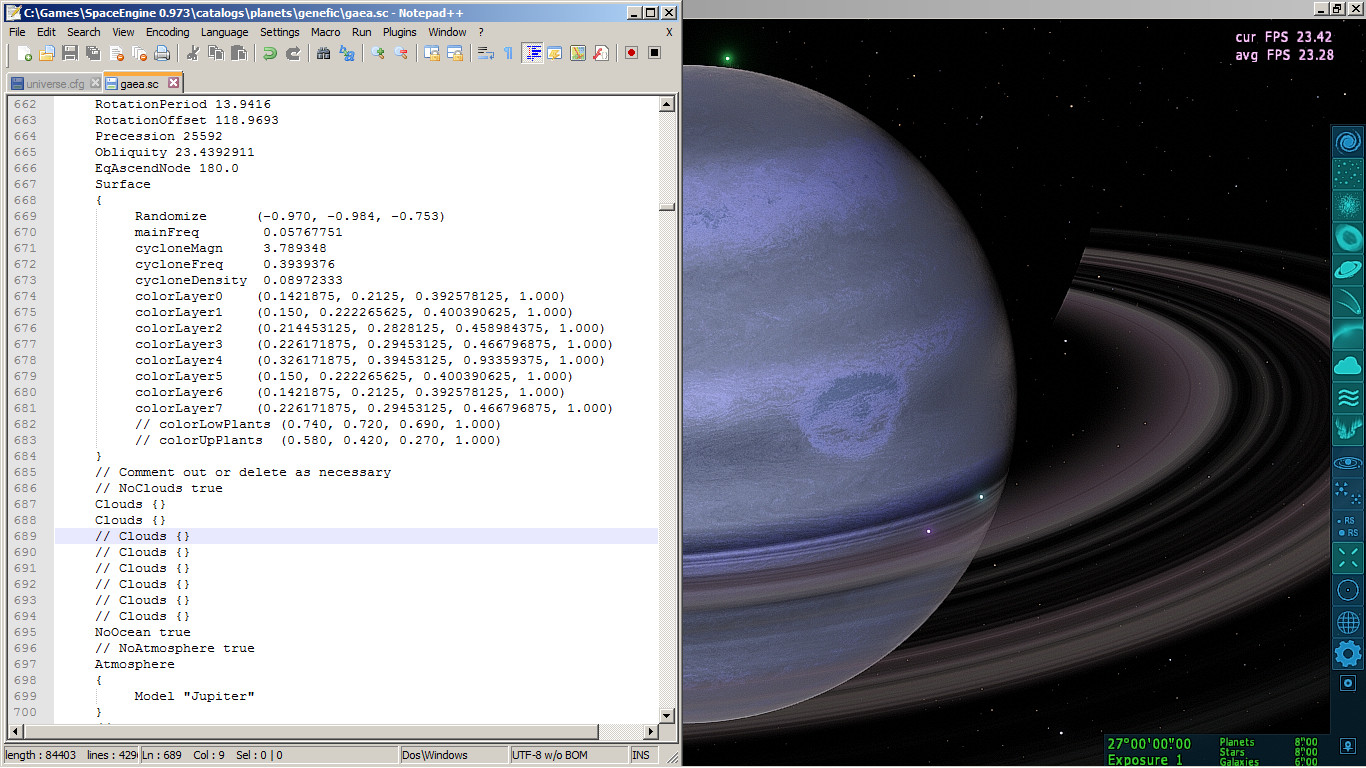
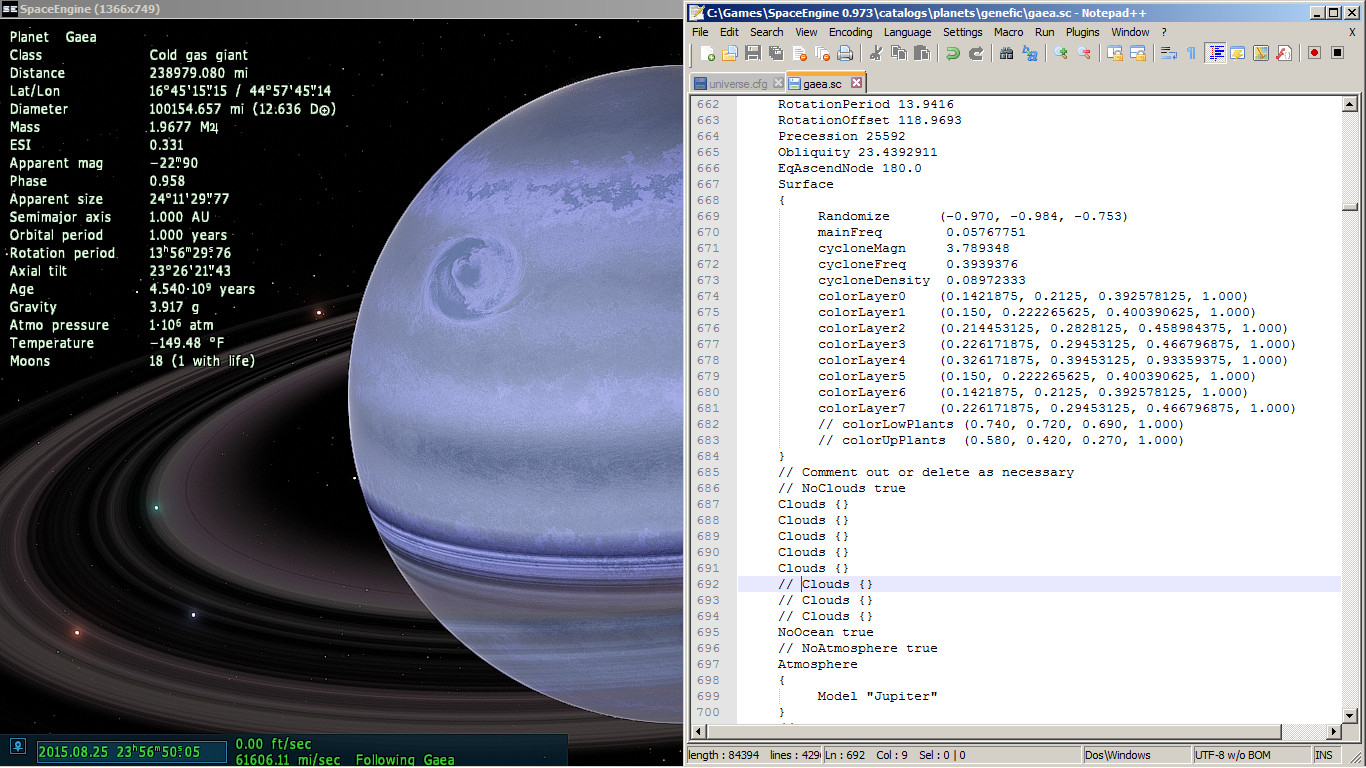
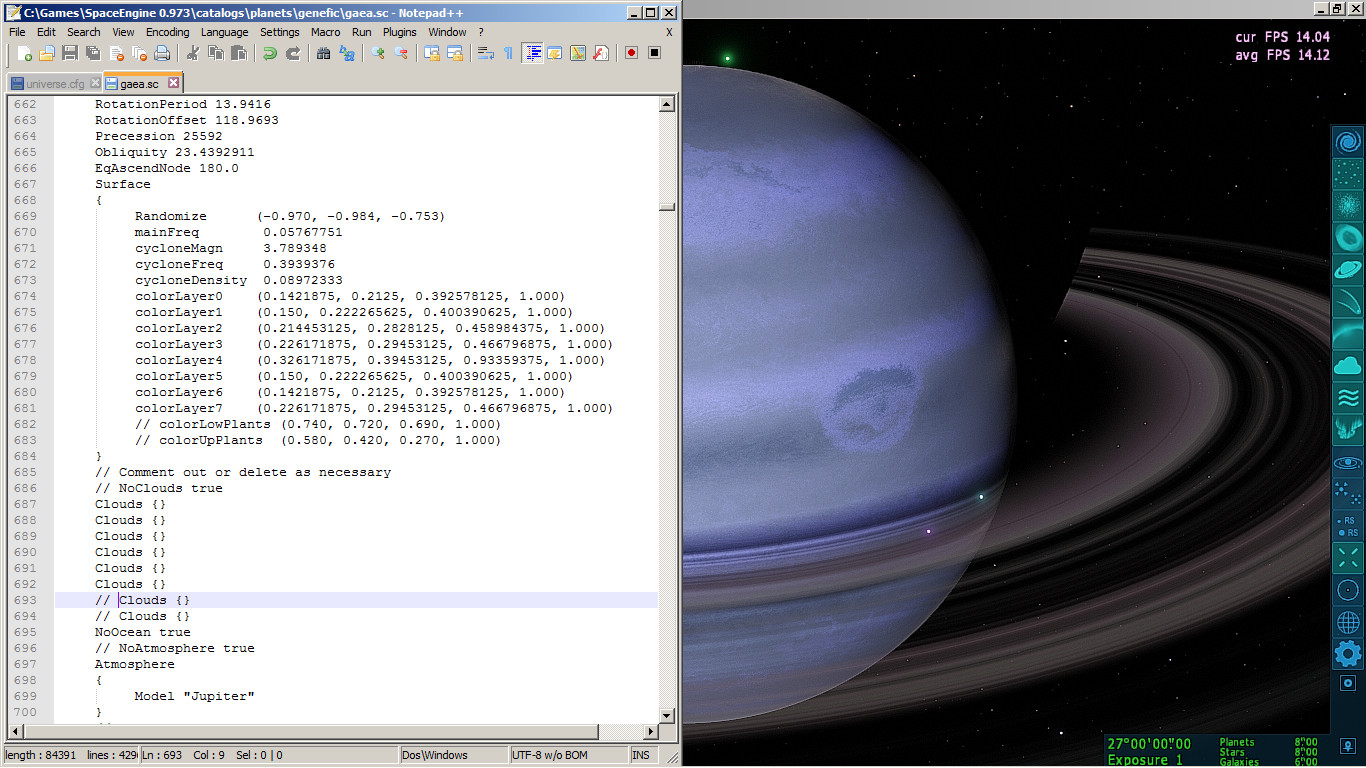
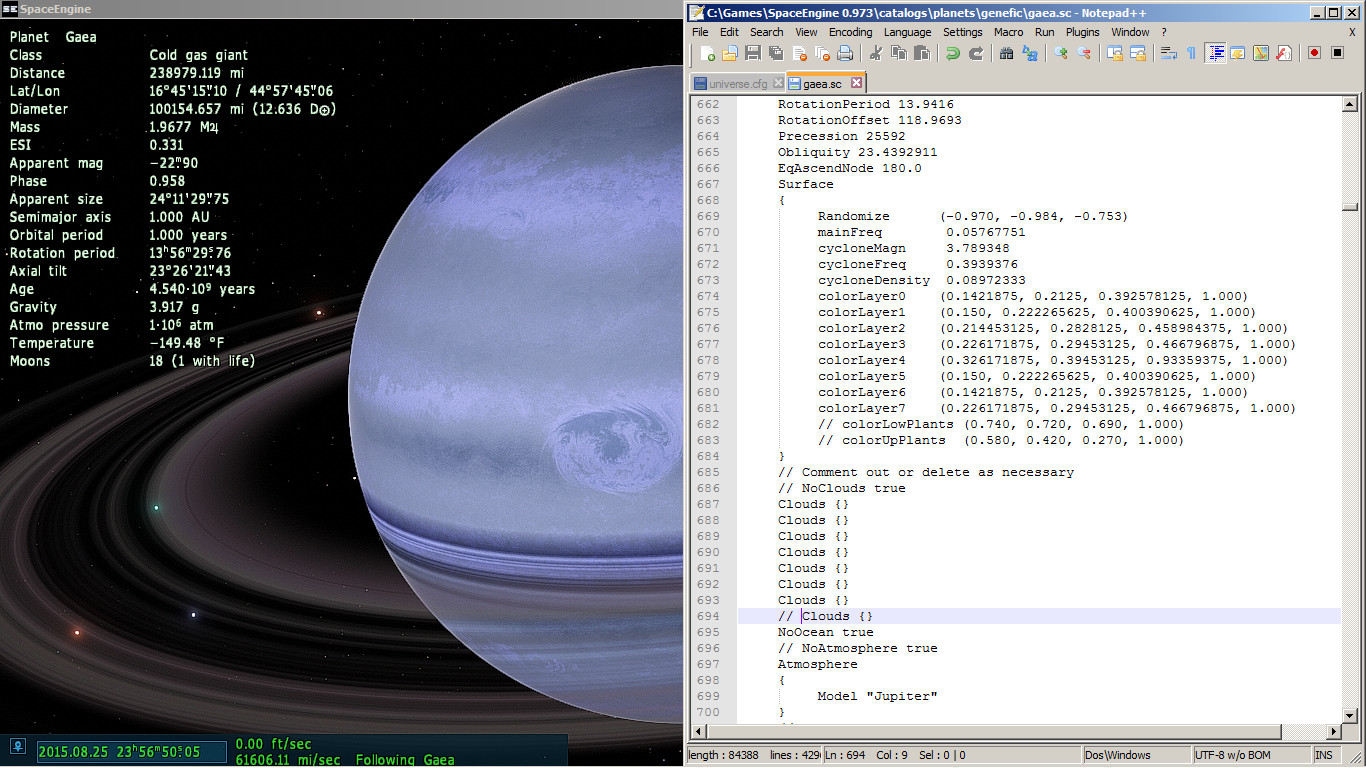
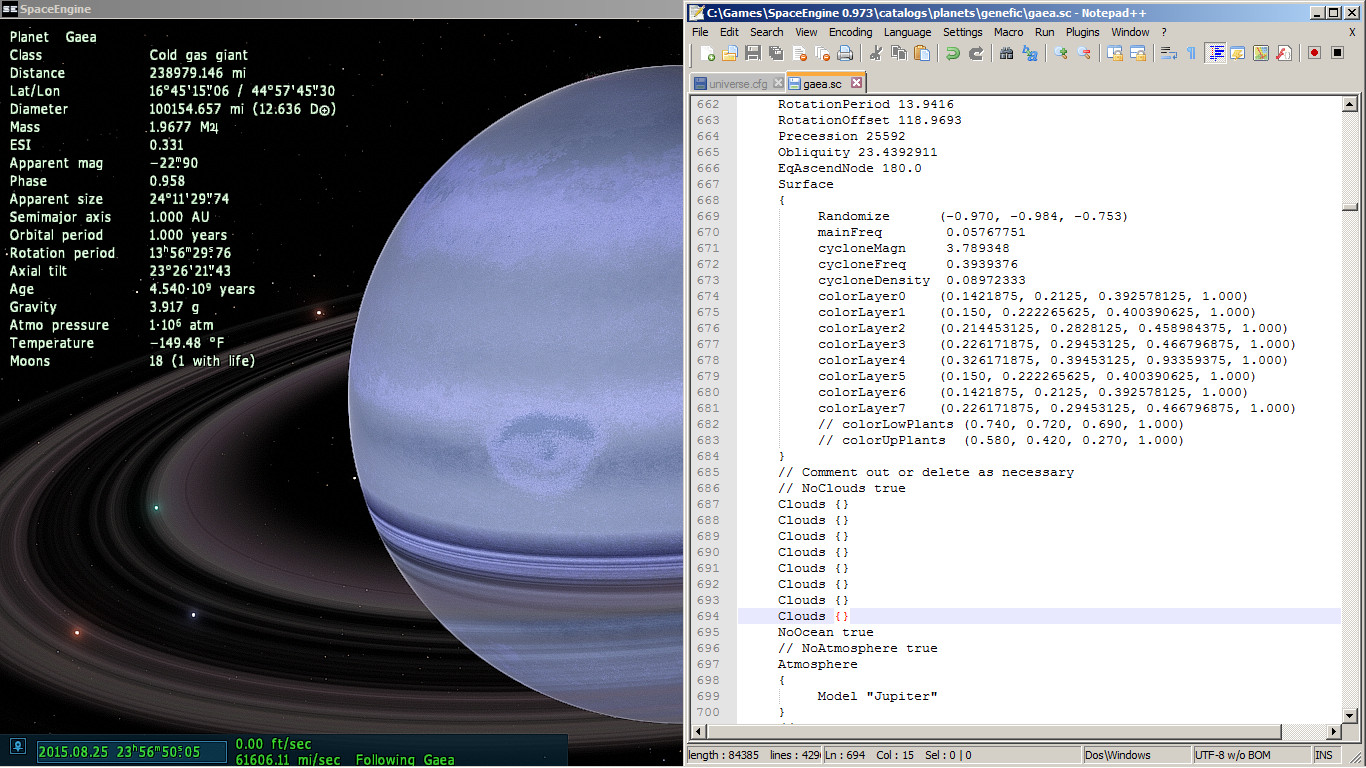
| I've noticed some peculiar behavior with cloud layers and storms on Ice and Gas Giants. Namely, "Odd" numbers of cloud layers will produce "pretty" storms, whereas "Even" numbers of cloud layers will produce "ugly" storms.
8 Images, spoilered.
Here's the code of the planet I'm showing. Feel free to switch it to a new parent or change it's orbit so it won't interfere with Earth, since this was an "Alternate Sol" I've been working on. I'm using Patch 5.
Code
Planet "Gaea"
{
ParentBody "Sol"
Class "GasGiant"
Mass 625.388147
Radius 80591.6471
Albedo 0.85
Color (0.65 0.79 0.94)
// Comment out for Tide-locking
RotationPeriod 13.9416
RotationOffset 118.9693
Precession 25592
Obliquity 23.4392911
EqAscendNode 180.0
Surface
{
Randomize (-0.970, -0.984, -0.753)
mainFreq 0.05767751
cycloneMagn 3.789348
cycloneFreq 0.3939376
cycloneDensity 0.08972333
colorLayer0 (0.1421875, 0.2125, 0.392578125, 1.000)
colorLayer1 (0.150, 0.222265625, 0.400390625, 1.000)
colorLayer2 (0.214453125, 0.2828125, 0.458984375, 1.000)
colorLayer3 (0.226171875, 0.29453125, 0.466796875, 1.000)
colorLayer4 (0.326171875, 0.39453125, 0.93359375, 1.000)
colorLayer5 (0.150, 0.222265625, 0.400390625, 1.000)
colorLayer6 (0.1421875, 0.2125, 0.392578125, 1.000)
colorLayer7 (0.226171875, 0.29453125, 0.466796875, 1.000)
// colorLowPlants (0.740, 0.720, 0.690, 1.000)
// colorUpPlants (0.580, 0.420, 0.270, 1.000)
}
// Comment out or delete as necessary
// NoClouds true
Clouds {}
// Clouds {}
// Clouds {}
// Clouds {}
// Clouds {}
// Clouds {}
// Clouds {}
// Clouds {}
NoOcean true
// NoAtmosphere true
Atmosphere
{
Model "Jupiter"
}
// NoAurora true
// NoRings true
Rings
{
InnerRadius 97939.06
OuterRadius 200789.14
}
NoCometTail true
Orbit
{
Period 1.0 // years
SemiMajorAxis 1.0000010178 // a.u.
Eccentricity 0.0167086342
Inclination 0.0 // degrees
AscendingNode 348.739 // degrees
LongOfPericen 102.93734808 // degrees
MeanLongitude 100.46645683 // degrees
}
}
Specs: Dell Inspiron 5547 (Laptop); 8 gigabytes of RAM; Processor: Intel® Core™ i5-4210U CPU @ 1.70GHz (4 CPUs), ~2.4GHz; Operating System: Windows 7 Home Premium 64-bit; Graphics: Intel® HD Graphics 4400 (That's all there is :( )
Edited by PlutonianEmpire - Wednesday, 26.08.2015, 01:35 |
| |
| |
| gr00g0films | Date: Wednesday, 26.08.2015, 12:32 | Message # 410 |
|
Observer
Group: Newbies
 Pirate
Messages: 1
Status: Offline
| So can anyone pls help me? I already renamed the 0.972 folder in 0.973 and put all files and replaced all files in that folder and i startet the new Spacengine. Nothing happend so i did the same thing with this version and again nothing happend. I need an installer because it just doesnt open it anymore! Please help me!
|
| |
| |
| Brett001 | Date: Wednesday, 26.08.2015, 13:12 | Message # 411 |
 Space Pilot
Group: Users
 Hungary
Messages: 84
Status: Offline
| Quote Brett001 ( ) What is it that sometimes the gas giant's atmosphere patterns disappears? Only monochrome (without clouds , spots) , looks like a billiard ball. If you exit the program and restart, then SE works well again.
My VGA: AMD Radeon R7 250X 1GB
Somebody help?
|
| |
| |
| cdmorris1971cs | Date: Saturday, 29.08.2015, 02:35 | Message # 412 |
|
Space Tourist
Group: Users
Pirate
Messages: 20
Status: Offline
| Add Vulcan.
|
| |
| |
| Alek | Date: Saturday, 29.08.2015, 04:47 | Message # 413 |
 Pioneer
Group: Users
United States
Messages: 326
Status: Offline
| Quote cdmorris1971cs ( ) Add Vulcan.
Vulcan isn't real, so you have to get the mod for it and it's system...
Living among the stars, I find my way. I grow in strength through knowledge of the space I occupy, until I become the ruler of my own interstellar empire of sorts. Though The world was made for the day, I was made for the night, and thus, the universe itself is within my destiny.
|
| |
| |
| Idgelios | Date: Saturday, 29.08.2015, 09:29 | Message # 414 |
 Astronaut
Group: Users
United States
Messages: 77
Status: Offline
| Just find a warm desert planet with life and rename it Vulcan.
There's your Vulcan.
|
| |
| |
| JackDole | Date: Sunday, 30.08.2015, 10:21 | Message # 415 |
 Star Engineer
Group: Local Moderators
 Germany
Messages: 1742
Status: Offline
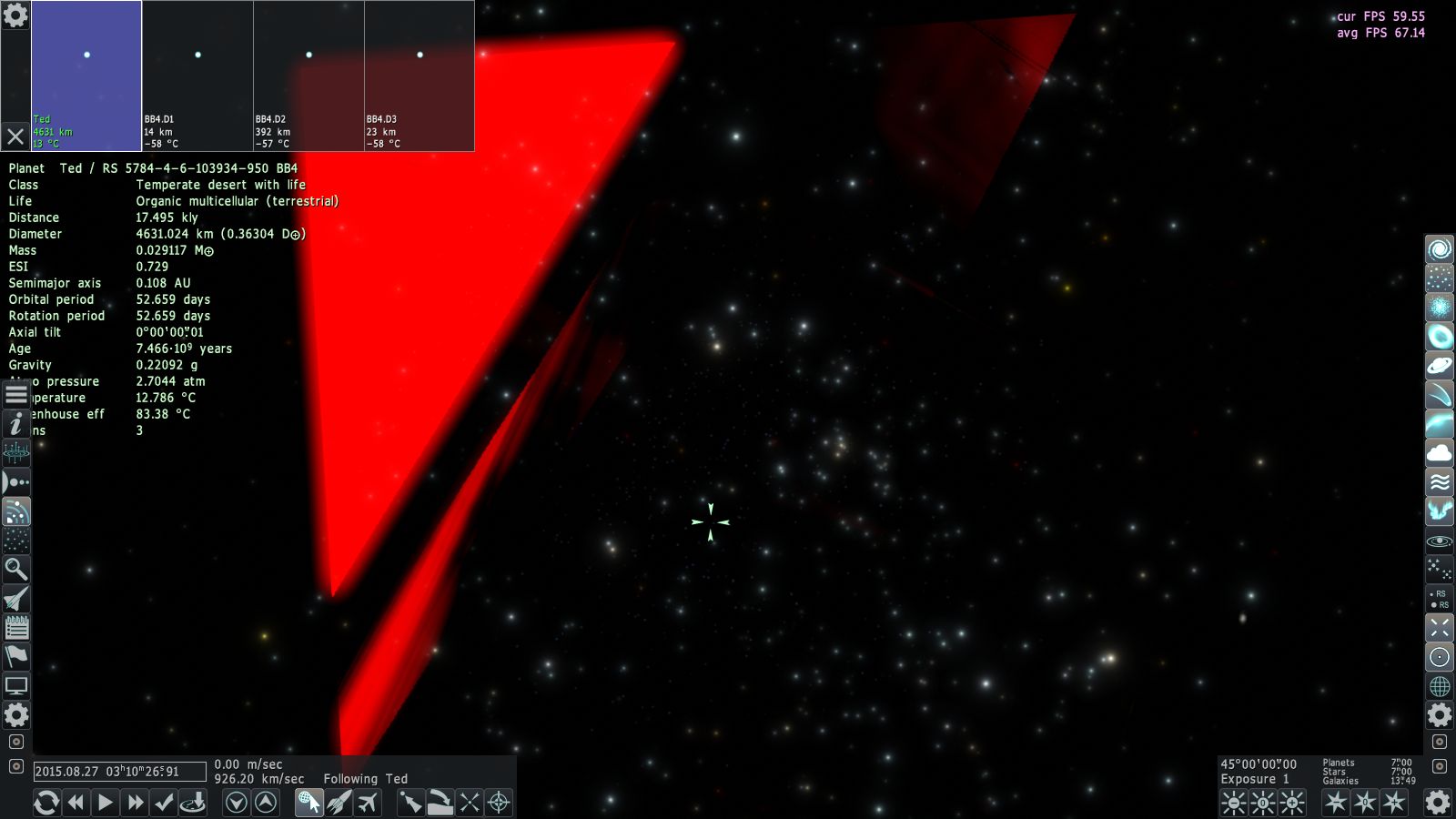
| Sometimes I get something like this in SE 0.974.5:


But it can not be repeated, when I reboot SE, everything is normal.
Don't forget to look here.

|
| |
| |
| SpaceEngineer | Date: Sunday, 30.08.2015, 21:41 | Message # 416 |
 Author of Space Engine
Group: Administrators
 Russian Federation
Messages: 4800
Status: Offline
| Recently I tried feature called reversed floating-point depth buffer. It worked on NVidia and AMD, didn't tested yet on Intel. It is similar to logarithmic depth buffer, but with full hardware supports and with no changes in shaders. It allows SE to use a single depth buffer for the entire scene, like in usual 3D games - this unocks a lot of possibilities, which SE can't use until now. For example, easy render of transparent objects between opaque, like orbital paths, or small moons inside rings. Fixing all issues with render order, like rings or aurora being rendered in front of space ship. Particle effects on planets and ships (smoke, clouds, rain etc). All modern algorithms which required access to the depth buffer (deferred shading, 3D water with distortion, SSAO, shadow maps(!), etc).
Orbits:

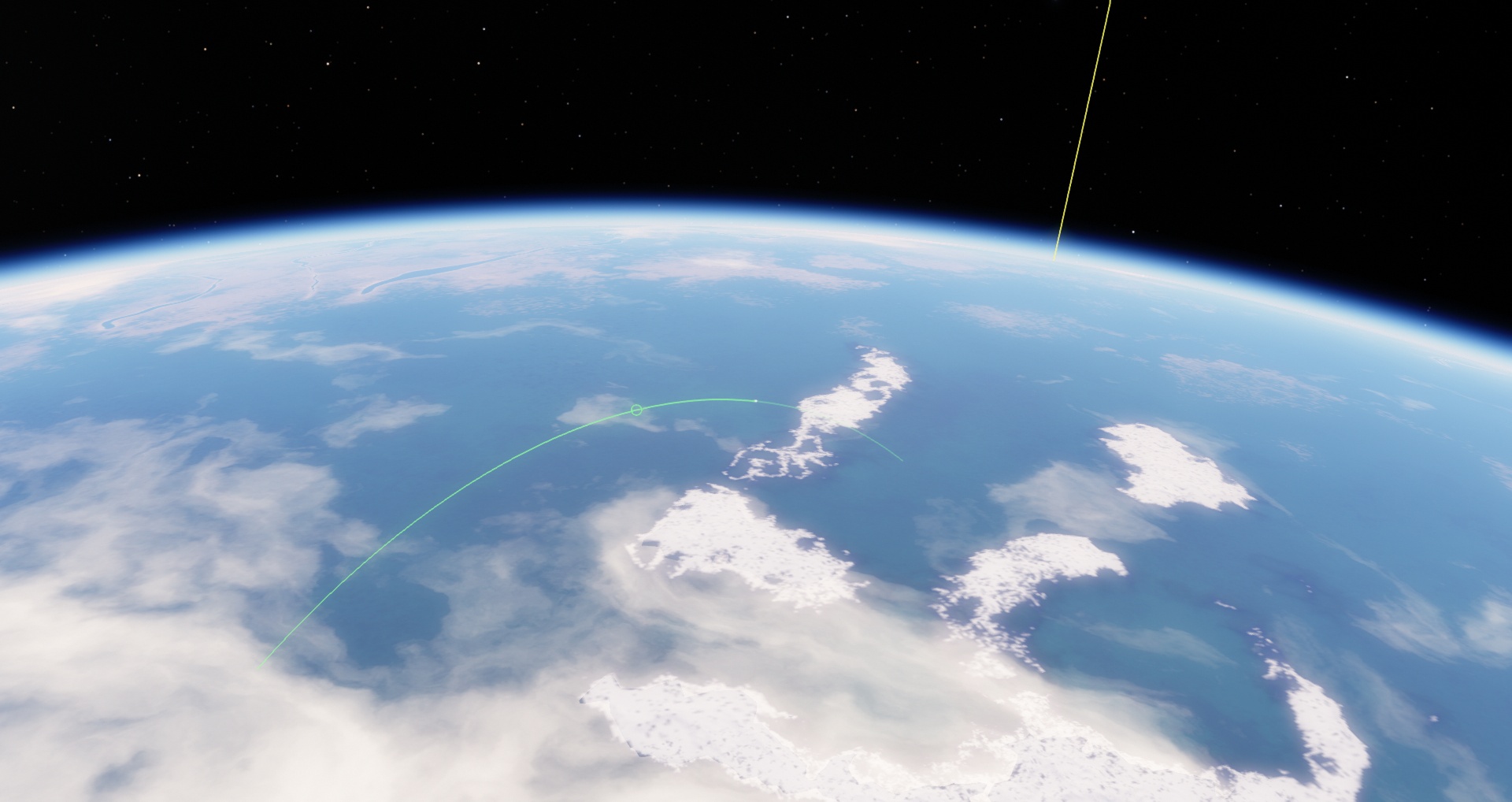
Ship on ballistic trajectory (ie in orbit intersecting planet surface - I can render a marker "Impact point" now!):

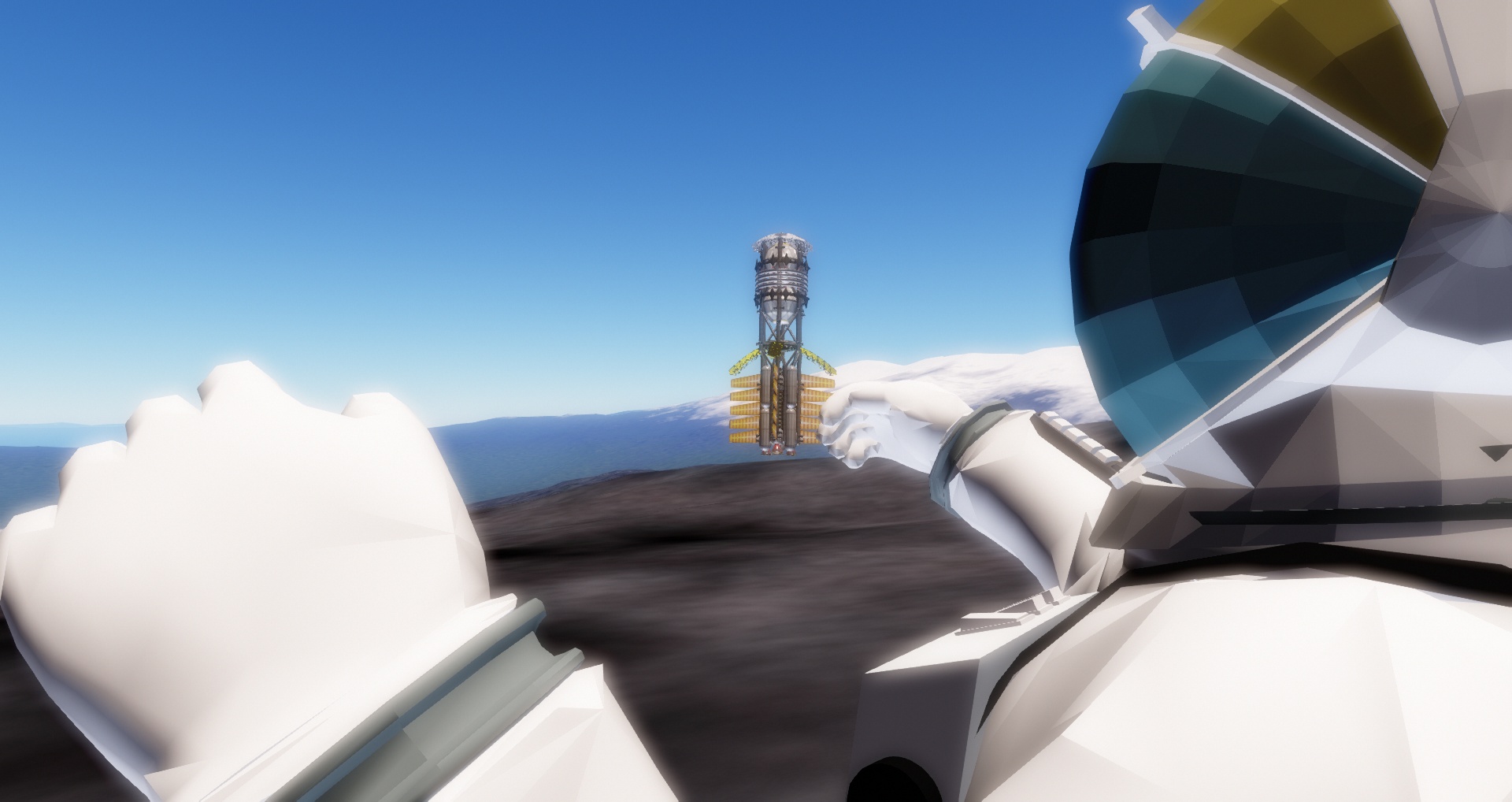
But the main and most epic feature of this is amazing precision of Z buffer. It's possible to sit on a nose of astronaut model while looking at mountains on distant planet, and no z-fighting! No more z-fighting on water shores and on clouds. Camera collision height can be reduced to fractions of millimeter, which allows implementing long-awaited "walking mode" (accurate collision detection is needed though).


|
| |
| |
| form_d_k | Date: Sunday, 30.08.2015, 23:27 | Message # 417 |
 Astronaut
Group: Users
United States
Messages: 68
Status: Offline
| This is the best thing ever. I want to say 'I love you', SpaceEngineer, but that would be inappropriate so I won't.
|
| |
| |
| DeathStar | Date: Sunday, 30.08.2015, 23:52 | Message # 418 |
|
Pioneer
Group: Users
 Croatia
Messages: 515
Status: Offline
| I feel like this is the beginning of a new Space Engine era...
|
| |
| |
| Alek | Date: Monday, 31.08.2015, 03:12 | Message # 419 |
|
Pioneer
Group: Users
United States
Messages: 326
Status: Offline
| ^^^
Living among the stars, I find my way. I grow in strength through knowledge of the space I occupy, until I become the ruler of my own interstellar empire of sorts. Though The world was made for the day, I was made for the night, and thus, the universe itself is within my destiny.
|
| |
| |
| Watsisname | Date: Monday, 31.08.2015, 04:03 | Message # 420 |
 Galaxy Architect
Group: Global Moderators
United States
Messages: 2613
Status: Offline
| Quote SpaceEngineer ( ) No more z-fighting
That is sweet!

|
| |
| |
 ENG
ENG New site


 Antarctica


 India
India 
 United States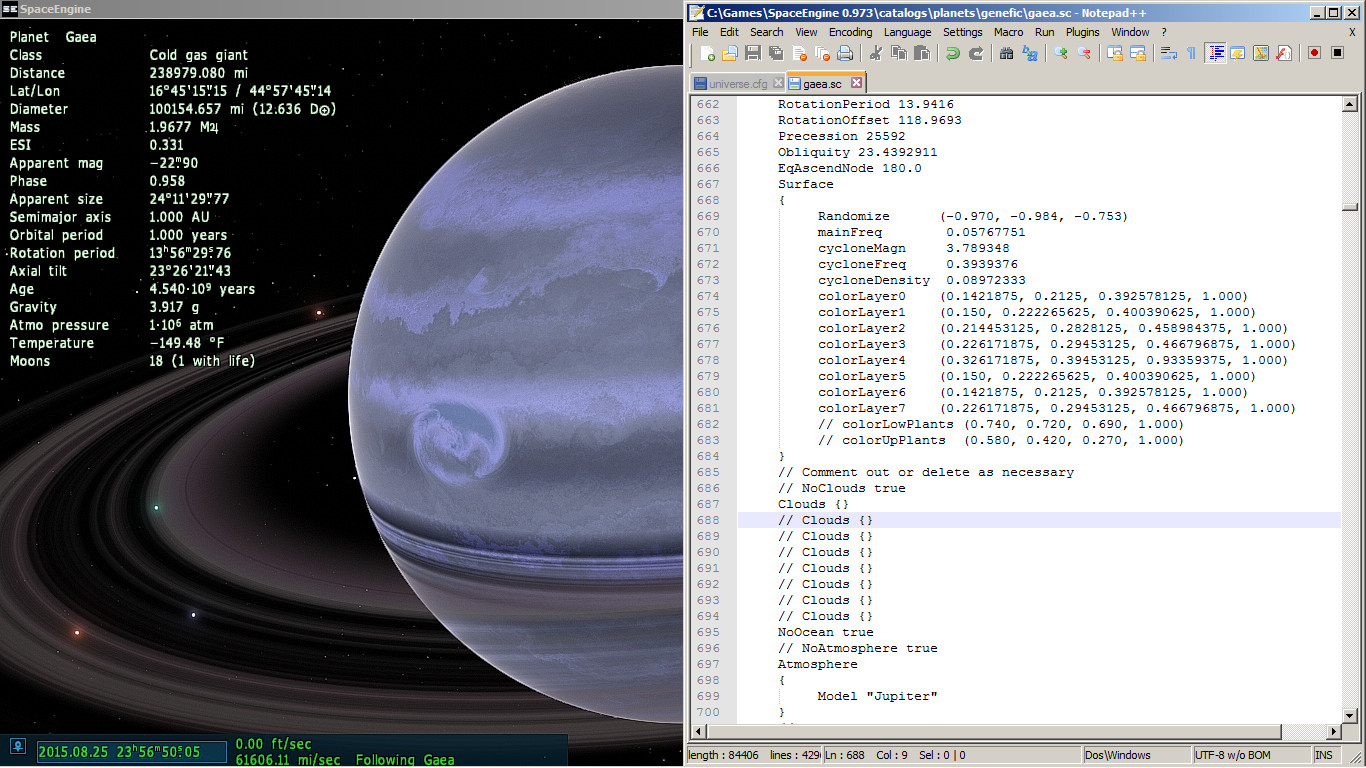


 Pirate
  Hungary

 Germany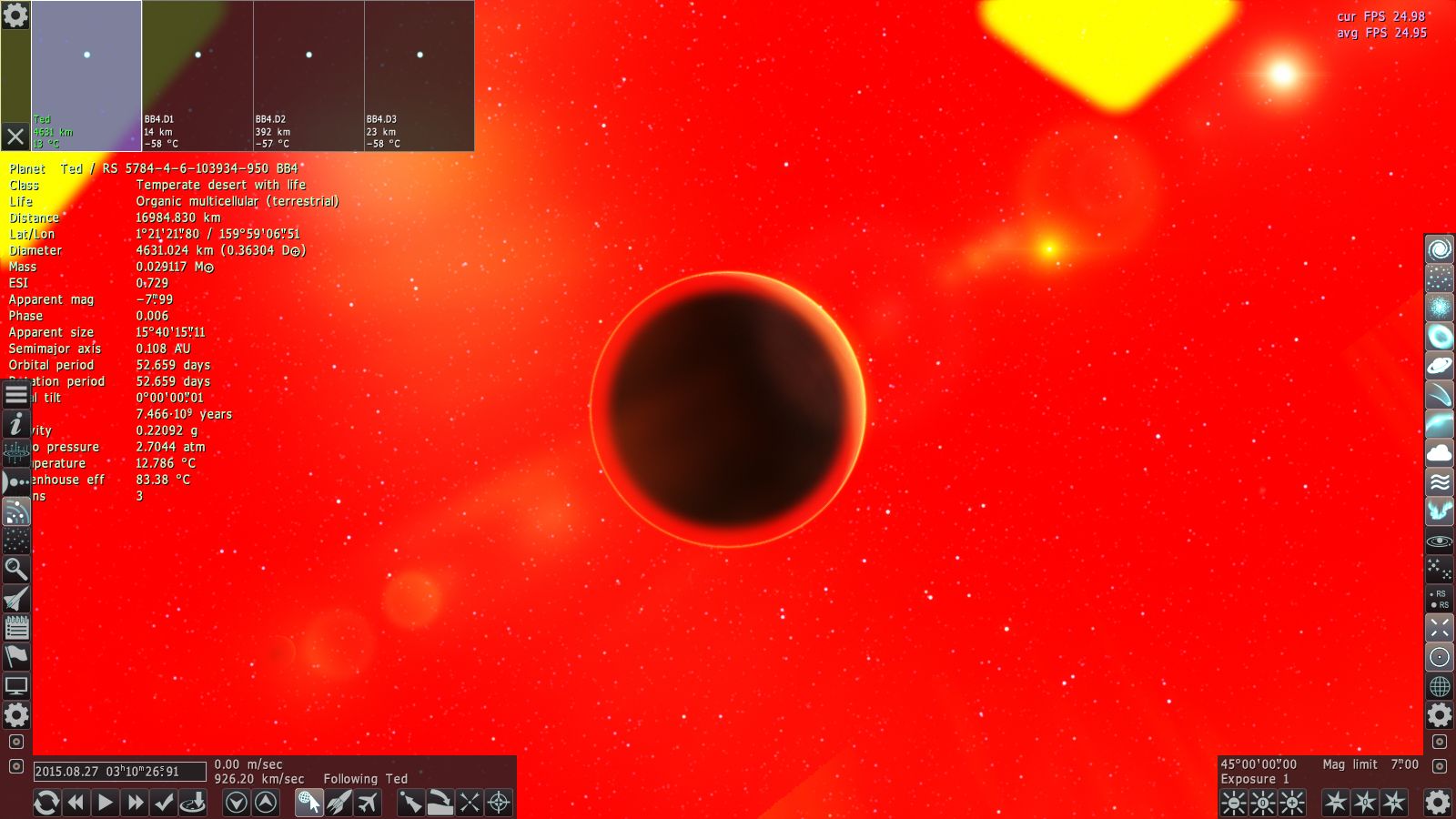

 Russian Federation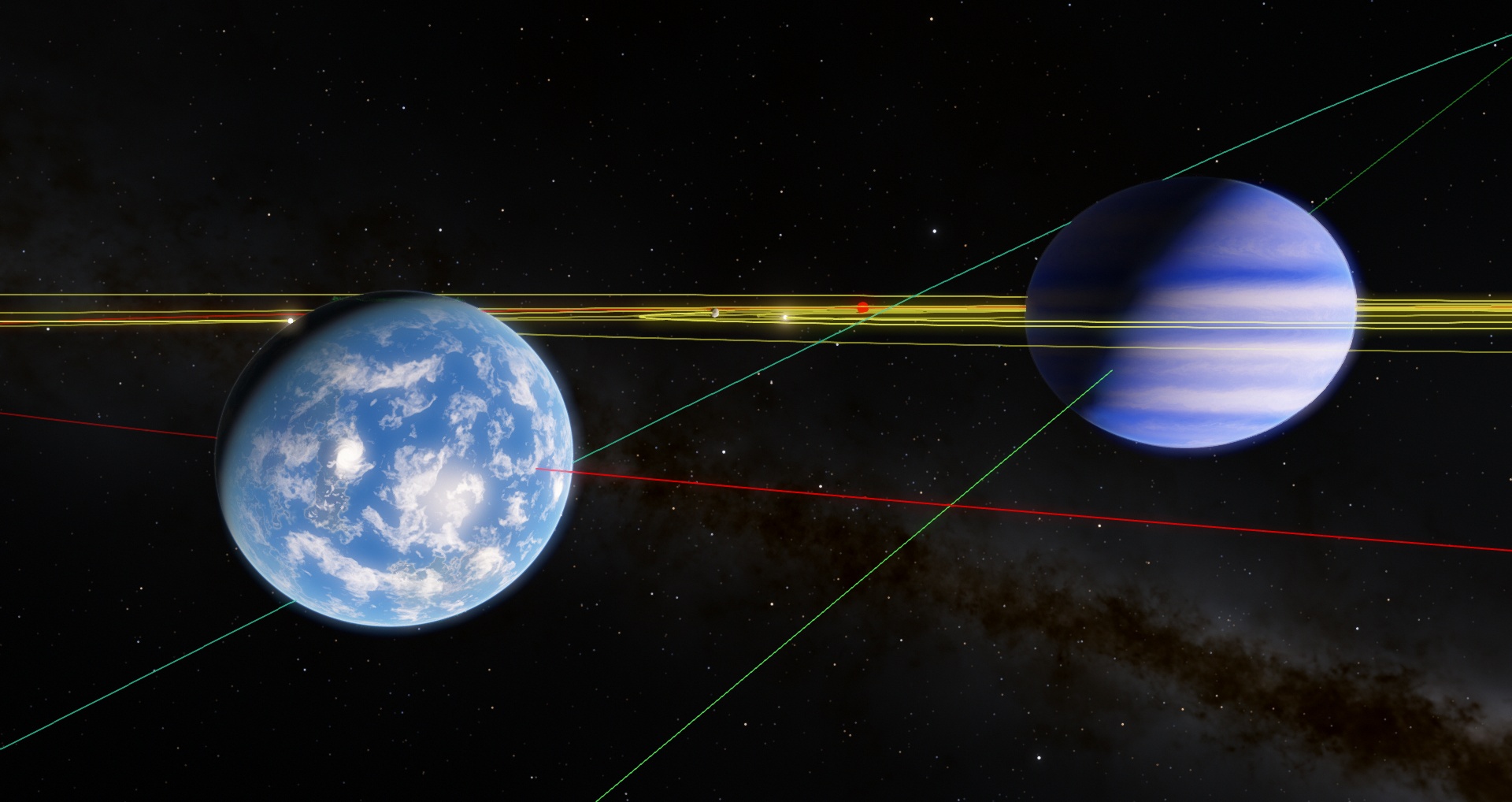
 Croatia