|
SpaceEngine FAQ
|
|
| JackDole | Date: Monday, 29.08.2016, 21:51 | Message # 526 |
 Star Engineer
Group: Local Moderators
 Germany
Messages: 1742
Status: Offline
| Quote Hornblower (  ) how did you get the labels for nebula to work so far away?
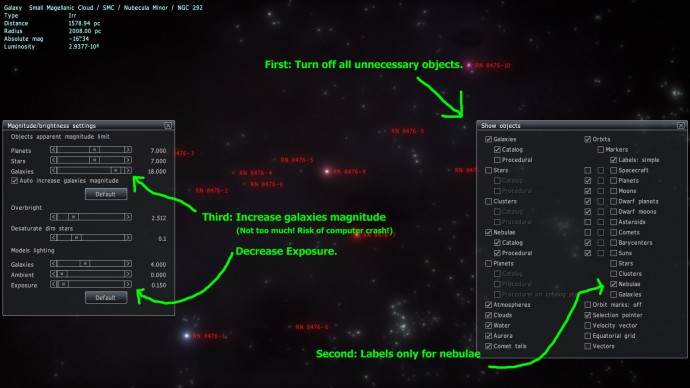
Quote Hornblower ( ) And how did you display the type aswell?
With Photoshop.
Don't forget to look here.

|
| |
| |
| Hornblower | Date: Monday, 29.08.2016, 22:03 | Message # 527 |
 World Builder
Group: Users
 United States
Messages: 714
Status: Offline
| JackDole, Thanks 
|
| |
| |
| Ferretferret | Date: Monday, 29.08.2016, 22:41 | Message # 528 |
|
Observer
Group: Newbies
United States
Messages: 2
Status: Offline
| Hey, I just tried the game for the first time, yesterday, and found it absolutely enthralling. I've already put myriad hours into it. However, there are several things I have questions about. Like, what's the difference between the two temperature/pressure values? Is the larger one the average, and the smaller one (in this instance) the value for the particular location I'm in? If so, why does the larger value change so much over time? And, why do the smaller pressure and temperature values not ever seem to approach the larger ones to their left? I was on a rather earth-like planet, and the left temperature ranged from "45-85 degrees Celsius", while the one on the right varied wildly, from -15-30 degrees Celsius. The right-more pressure value was usually at 2.5, with the left one at 6.5.
Thank you!
|
| |
| |
| JackDole | Date: Monday, 29.08.2016, 23:14 | Message # 529 |
|
Star Engineer
Group: Local Moderators
Germany
Messages: 1742
Status: Offline
| Ferretferret,
the first values (left) are the values at sea level.
The second values (right) are the values in the height at which you find yourself.
At an altitude of 10 kilometers, for example, the air is thinner and it is colder.
Don't forget to look here.
|
| |
| |
| Ferretferret | Date: Monday, 29.08.2016, 23:42 | Message # 530 |
|
Observer
Group: Newbies
United States
Messages: 2
Status: Offline
| Quote JackDole ( ) the first values (left) are the values at sea level.The second values (right) are the values in the height at which you find yourself.At an altitude of 10 kilometers, for example, the air is thinner and it is colder.
Ah, that makes sense. Thank you!
|
| |
| |
| skywalker66 | Date: Monday, 12.09.2016, 20:59 | Message # 531 |
 Observer
Group: Newbies
United States
Messages: 11
Status: Offline
| In SE version 0.9.7.4 I can see the mountains, low depressions and channels on Earth, Mars and Venus, and roll over them easy. But in SE version 0.9.8.0 those same features become nearly blurry, flat featureless plains. Not even ice hills can be seen on Pluto and Titan. How soon can the Solar System objects be made procedural?
J.L.R.
|
| |
| |
| SpaceEngineer | Date: Monday, 12.09.2016, 22:11 | Message # 532 |
 Author of Space Engine
Group: Administrators
 Russian Federation
Messages: 4800
Status: Offline
| Solar system textures are equal in 0.974 and 0.980. Unless you are used hi-res addons in 0.974, but not in 0.980.

|
| |
| |
| apenpaap | Date: Wednesday, 14.09.2016, 08:08 | Message # 533 |
 World Builder
Group: Users
 Antarctica
Messages: 1063
Status: Offline
| Both the inner moons of a planet and its rings have a very strong tendency to orbit in the planet's equatorial plane, just like in reality. In fact, from what I've seen in Universe Sandbox, it looks like inner moons on inclined orbits have a tendency to make a total mess of a planet's rings. Because of this, major moons will almost never be on an inclined orbit. (Triton and our own Moon are the only ones in our own Solar System, and that's due to their unusual histories)
However, gas giants tend to have a lot of outer moons with irregular orbits, both in reality and SE. Since these are a lot farther away, their planet presents only a small disk in the sky, but they do often get to see the rings thanks to their inclined orbits. So these are your best shot.
I occasionally stream at http://www.twitch.tv/magistermystax. Sometimes SE, sometimes other games.
|
| |
| |
| Mosfet | Date: Wednesday, 14.09.2016, 12:47 | Message # 534 |
 World Builder
Group: Users
 Italy
Italy
Messages: 754
Status: Offline
| I fear apenpaap has a point, and Bonestell masterpieces are not influenced by gravitational forces all the time.
That said, for the sake of recreating a "Bonestell style" screenshot, it's easier to find a planet with a nice group of mountains orbiting near a ringed giant, and tweak orbital parameters on the fly with Shift-F2, like inclination and semimajor axis, to achieve the desired effect. OK, mountains too can be tweaked.
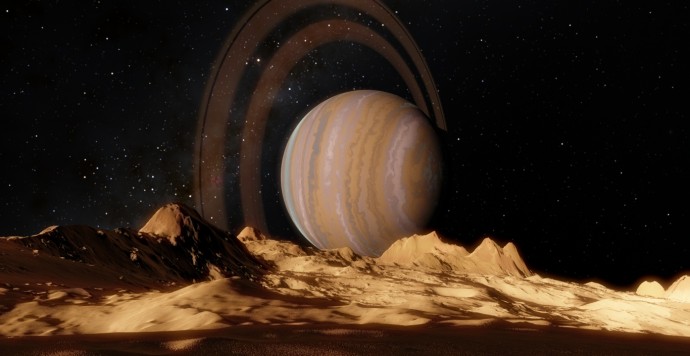
Here I toyed a bit with HIP 17332 4.1
"Time is illusion. Lunchtime doubly so."
Douglas N. Adams
My mods
Asus x555ub: cpu i5-6200u - ram 4gb - gpu nvidia geforce 940m 2gb vram
Edited by Mosfet - Wednesday, 14.09.2016, 15:58 |
| |
| |
| Hornblower | Date: Friday, 16.09.2016, 02:30 | Message # 535 |
|
World Builder
Group: Users
United States
Messages: 714
Status: Offline
| I found this Cassini photograph of Saturn's rings close-up.

I thought that they resembled SE's representation of rings. Is this image what rings in SE are based off of?
|
| |
| |
| skywalker66 | Date: Monday, 19.09.2016, 02:55 | Message # 536 |
|
Observer
Group: Newbies
United States
Messages: 11
Status: Offline
| SE 0.980 is really great and fantastic. I've checked out some real and new exoplanet systems and found them to be very accurate. Expect for one possible error...HD 131399 system. Object Finder in SE 0.980 has "HD 131399 A b" planet listed. But when I clicked on it, the message came up that says "Object not found." Is it an omit someone forgot to correct? 
J.L.R.
|
| |
| |
| SpaceEngineer | Date: Monday, 19.09.2016, 17:56 | Message # 537 |
|
Author of Space Engine
Group: Administrators
Russian Federation
Messages: 4800
Status: Offline
| skywalker66, the planet itself is there, just select HD 131399 A star and hit F2. The object searcher can't find it in some reason.
|
| |
| |
| Mosfet | Date: Saturday, 08.10.2016, 16:55 | Message # 538 |
|
World Builder
Group: Users
Italy
Messages: 754
Status: Offline
| I've noticed me too that sometimes some objects in star browser, which have a name longer than the available space in columns like in the image you posted, show a residual image of the last printed character that partially prints over the boundary of the next column.
In your case the dash is related to the name of the star, not the stellar class, but this residual image can be exchanged for a minus sign, which does not exist in stellar classification.
This tiny visual bug can be better noticed some times, since it involves also numbers.
"Time is illusion. Lunchtime doubly so."
Douglas N. Adams
My mods
Asus x555ub: cpu i5-6200u - ram 4gb - gpu nvidia geforce 940m 2gb vram
Edited by Mosfet - Sunday, 09.10.2016, 14:53 |
| |
| |
| perezbenvenuti | Date: Sunday, 16.10.2016, 15:54 | Message # 539 |
|
Observer
Group: Newbies
 Pirate
Messages: 1
Status: Offline
| Hello everyone. I'm new here. I apologize in advance if these questions have already been answered.
The following questions are all related to skybox creation. I would love to use skyboxes from SpaceEngine for a Mod I built for a city simulation game called Cities : Skylines. The mod is free so no problem there  So my questions are: So my questions are:
1. Is there any way to turn individual elements on/off(planets/stars/galaxies)? For example, I would like a skybox of the sky from earth that shows everything(including other planets, even if they are so small as to be hard to spot) so being able to turn off the Earth -only- would be ideal for me. Or being able to stop only certain galaxies from being shown.
2. Is there a way to export skyboxes bigger than 4096px? When I try anything above that I only get black images.(I already tried the registry editing trick I found on a thread, to no avail)
3. Does anyone know which skybox faces need flipping/rotating(and in what manner) for use in Unity Engine? When I load the textures into the respective sides of a cubemap the result is that they don't match. As I read somewhere, unity engine has their cube faces all mixed up, but I can't for the life of me seem to get it right, so if anyone has gone through this before and knows, please tell me SOLVED! After some more fiddling and trying, I finally figured it out, have to switch negative Y and positive Y faces for Unity.
T
Edited by perezbenvenuti - Monday, 17.10.2016, 21:42 |
| |
| |
| skywalker66 | Date: Thursday, 20.10.2016, 02:23 | Message # 540 |
|
Observer
Group: Newbies
United States
Messages: 11
Status: Offline
| I have noticed that in SE version 0.973 the aurora lights can be seen to move, change colors, or vanish continuously over the polar regions of Earth and other planets, but they did not do in SE version 0.980. How do you make the aurora lights move?
J.L.R.
|
| |
| |
 ENG
ENG New site


 Germany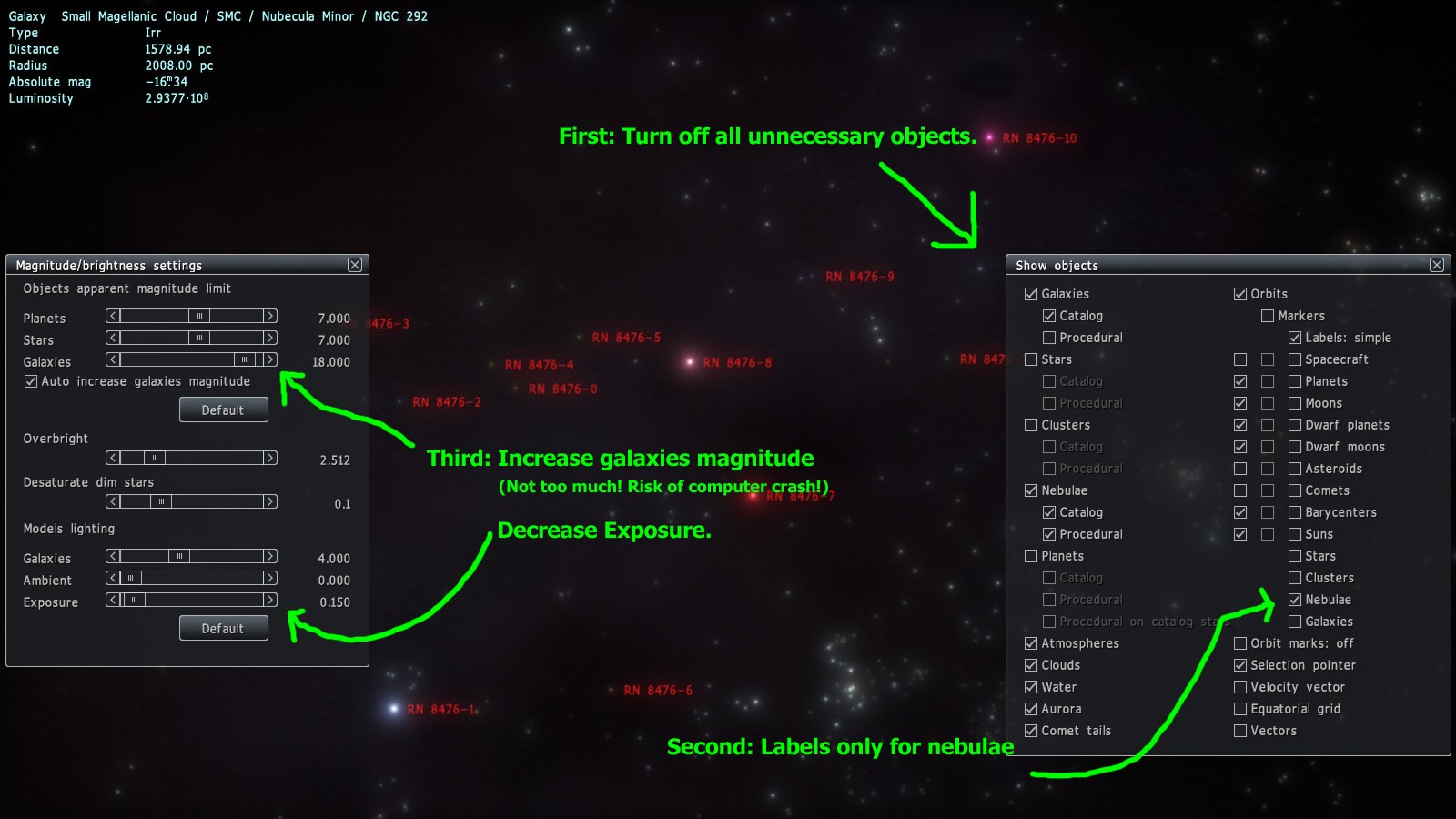


 United States

 Russian Federation
  Antarctica
  Italy
Italy 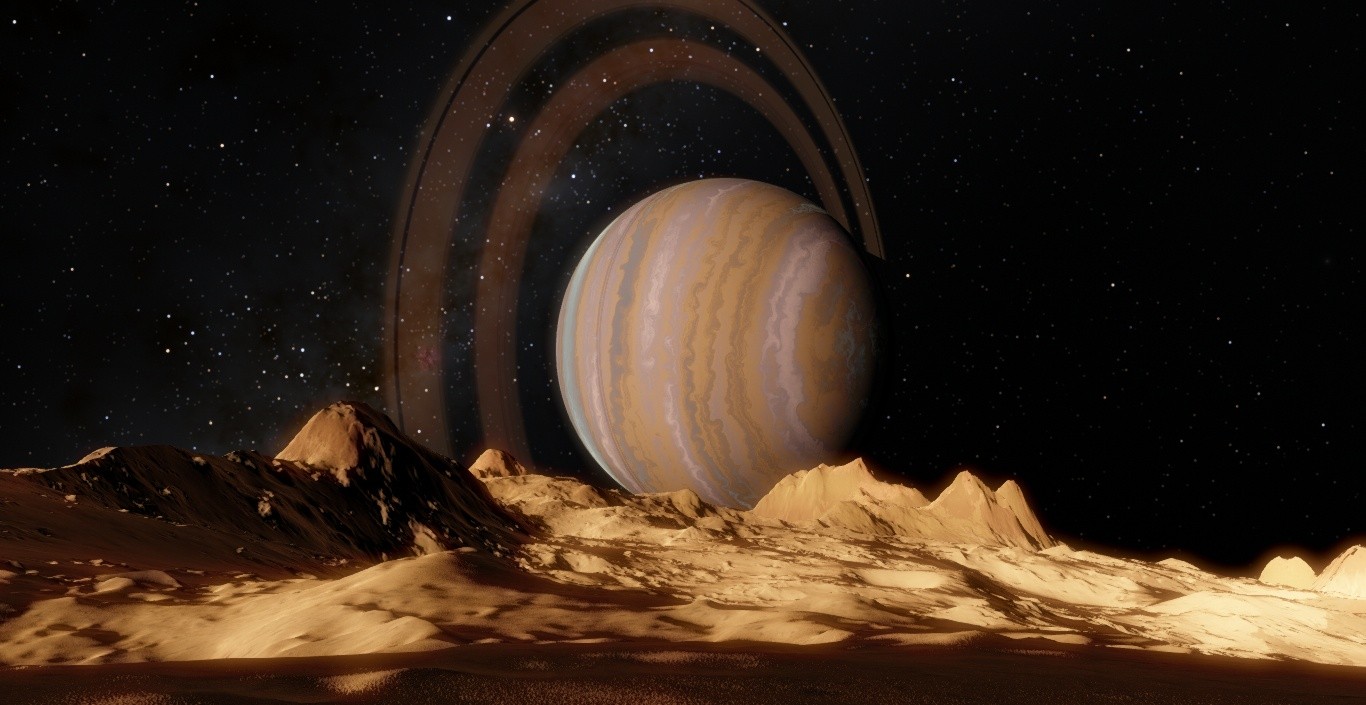
 Pirate