|
Work progress and public beta test - 0.9.7.4
|
|
| the_nerervarine | Date: Tuesday, 16.02.2016, 19:46 | Message # 1561 |
|
Space Pilot
Group: Users
 United States
Messages: 106
Status: Offline
| Quote Spacepetcompany (  ) First, I have yet to find any black holes without accretion disks. Even all the solitary black holes I have come upon have accretion disks and I'm not entirely sure this is intentional.
That is odd as I have found tons of black holes without accretion disks. Both supermassive and the garden variety.
AMD FX-8320 8 core @4.0ghz , AMD R9 290 4GB, 8GB DDR3 @1866mhz, 1TB Hard Drive
|
| |
| |
| huishb | Date: Tuesday, 16.02.2016, 20:06 | Message # 1562 |
 Astronaut
Group: Users
 Pirate
Messages: 72
Status: Offline
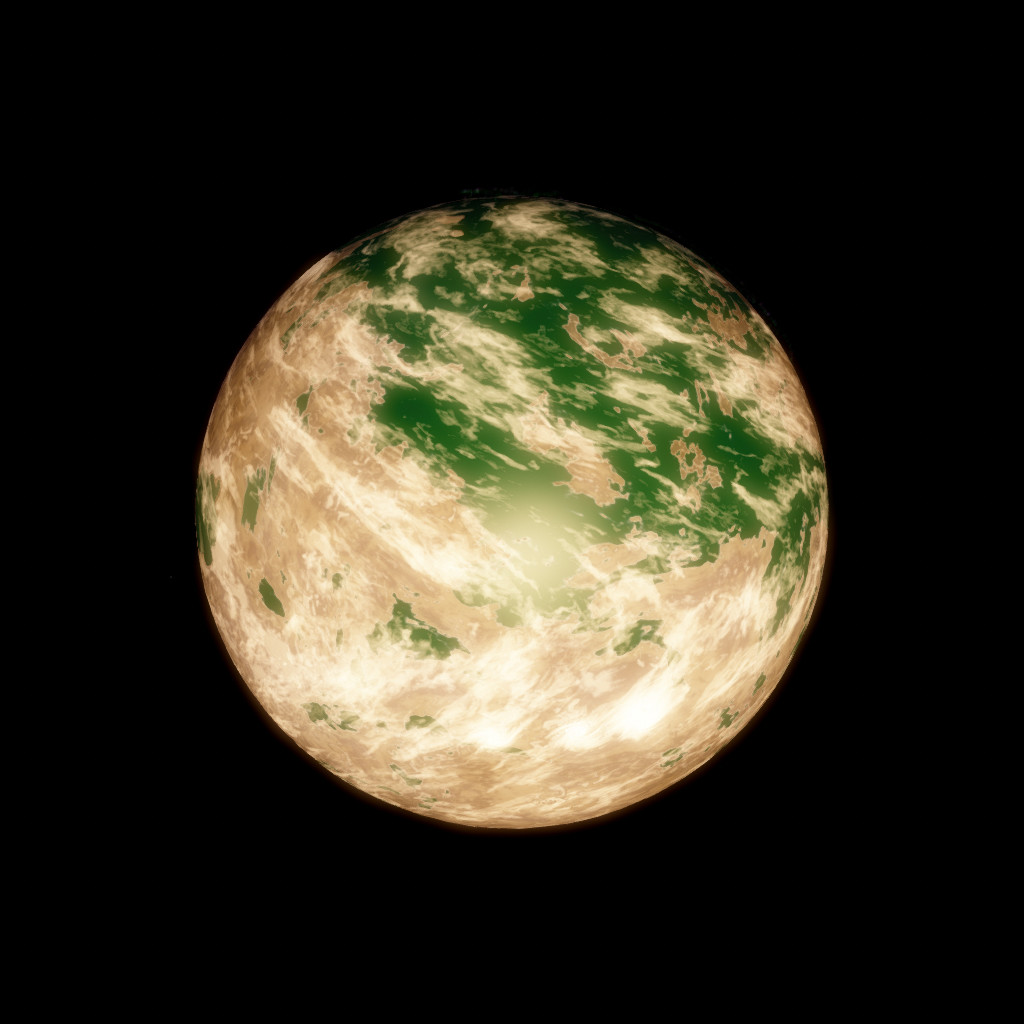
| Umm, is this a glitch or is it just me? 

Possessor: AMD FX™-4100 Quad-Core Possessor (CPUs), ~3.6 GHz
Memory: 8192MB RAM. Graphics Card: NVIDIA GeForce GT 610. Approx total memory: 4045 MB
Edited by huishb - Tuesday, 16.02.2016, 20:08 |
| |
| |
| the_nerervarine | Date: Tuesday, 16.02.2016, 20:12 | Message # 1563 |
|
Space Pilot
Group: Users
United States
Messages: 106
Status: Offline
| Quote huishb ( ) Umm, is this a glitch or is it just me?
This happens from time to time with galaxy models (Although RC 1 seemed to fix this) Just restart the program and the Galaxy should appear as normal.
AMD FX-8320 8 core @4.0ghz , AMD R9 290 4GB, 8GB DDR3 @1866mhz, 1TB Hard Drive
|
| |
| |
| hanvulansia | Date: Tuesday, 16.02.2016, 22:14 | Message # 1564 |
 Observer
Group: Users
 Spain
Spain
Messages: 13
Status: Offline
| Hi there,
I have a serious issue since 0.9.7.4, most of objects seem invisible.
I used 0.9.7.1 (no errors), 0.9.7.2 (no errors), 0.9.7.3 (really laggy, but no errors), and 0.9.7.4 (invisible objects in ALL patches).
I'll explain my issue:
When I do a clean installation, I execute the .exe, I configure language and full screen, GUI works perfectly, but then I run the simulation and I have no visible objects.
Objects are still there, but I can't see them. I know this because I have auroras in planets, and I have low fps as if I was charging the textures, everything seems to work the same except that they are invisible.
Planet example:

Note how auroras, nebula, far stars, are correct
Star example:

I can see the glow of the star but the star is not there. And again, the fps goes down as if the star was really there, but I can't see it.
Anyone know what could be the reason of this? My drivers are up to date, and I had no graphical problems in older releases.
I have not installed any mod and I didn't changed anything in the files.
I attached the se.log file
|
| |
| |
| HarbingerDawn | Date: Tuesday, 16.02.2016, 22:24 | Message # 1565 |
 Cosmic Curator
Group: Administrators
United States
Messages: 8717
Status: Offline
| hanvulansia, SE requires OpenGL 3.3, and you have 3.1. Try updating your video drivers.
All forum users, please read this!
My SE mods and addons
Phenom II X6 1090T 3.2 GHz, 16 GB DDR3 RAM, GTX 970 3584 MB VRAM
|
| |
| |
| parameciumkid | Date: Tuesday, 16.02.2016, 22:29 | Message # 1566 |
 Explorer
Group: Users
United States
Messages: 277
Status: Offline
| Post moved to page 106.
Intel HD Graphics 4000 ;P
Edited by parameciumkid - Wednesday, 17.02.2016, 00:21 |
| |
| |
| SpaceEngineer | Date: Tuesday, 16.02.2016, 22:36 | Message # 1567 |
 Author of Space Engine
Group: Administrators
 Russian Federation
Messages: 4800
Status: Offline
| Quote PlutonianEmpire ( ) I just noticed something. I was looking at the_nerervarine's link, and I saw that the "LoaderQeueSizeCPU" and "LoaderQeueSizeGPU" are half their values from previous incarnations of SE, in main.cfg at the bottom section. In RC 1 they are 64 an 128 respectively. In previous versions, they are 128 and 256 respectively. As a result, I was seeing incomplete loading of various planets as well as missing Solar System browser thumbnails. While I think folks with higher end machines need not to worry, setting the Qeue sizes back to 128 and 256 seems to have fixed the issue on my low end machine.
I fixed the bug with shaders loading, so queue size can be restored. With smaller queue size, terrain generates in distance order - closer tiles loaded first, further next. Small size also remove redundant intermediate generation of terrain tiles, stars and galaxies then camera flies very fast.
Quote Kosh ( ) 1. After you build your ship, and engage the hyper drive to go to another star SE crashes, but if that particular star has planets and one of the planets is selected SE will not crash. It seems not to crash ether if you use the hyper drive to go to other galaxy s.
I still can't reproduce this crash. Try to engage hyperjump sequence and quickly switch control to another ship. If crash is releated with hyperjump logic, it still must happen. If it related to graphics, it must not happen.
Quote JackDole ( ) I have found that the problem that I have posted here, is not resolved. I can handle this error when I use always 'RadSol'; but if I have edited an object in the editor and then export, 'SpaceEngine' always writes 'RadiusSol'. Which of course leads to an incorrect star diameter.
Ok fixed.

|
| |
| |
| hanvulansia | Date: Tuesday, 16.02.2016, 22:48 | Message # 1568 |
|
Observer
Group: Users
Spain
Messages: 13
Status: Offline
| Quote HarbingerDawn ( ) hanvulansia, SE requires OpenGL 3.3, and you have 3.1. Try updating your video drivers.
Thank you for your answer.
So it seems to be a problem with intel not optimizing well their own drivers for Windows 10.
I hope they fix it soon. I'll go back to 0.9.7.2.
|
| |
| |
| LookAtDatDakka | Date: Tuesday, 16.02.2016, 23:27 | Message # 1569 |
 Explorer
Group: Users
United States
Messages: 156
Status: Offline
| Can you remove "first time" from "Compiling shaders first time"?

NVIDIA 960 GTX 2048MB
Edited by LookAtDatDakka - Tuesday, 16.02.2016, 23:28 |
| |
| |
| Rodrigo | Date: Tuesday, 16.02.2016, 23:52 | Message # 1570 |
|
Explorer
Group: Local Moderators
 Brazil
Messages: 285
Status: Offline
| I cannot find any procedural red giant in the last release.
|
| |
| |
| LookAtDatDakka | Date: Tuesday, 16.02.2016, 23:53 | Message # 1571 |
|
Explorer
Group: Users
United States
Messages: 156
Status: Offline
| ATTENTION ALL CATALOG MODDERS
No atmosphere model like this?
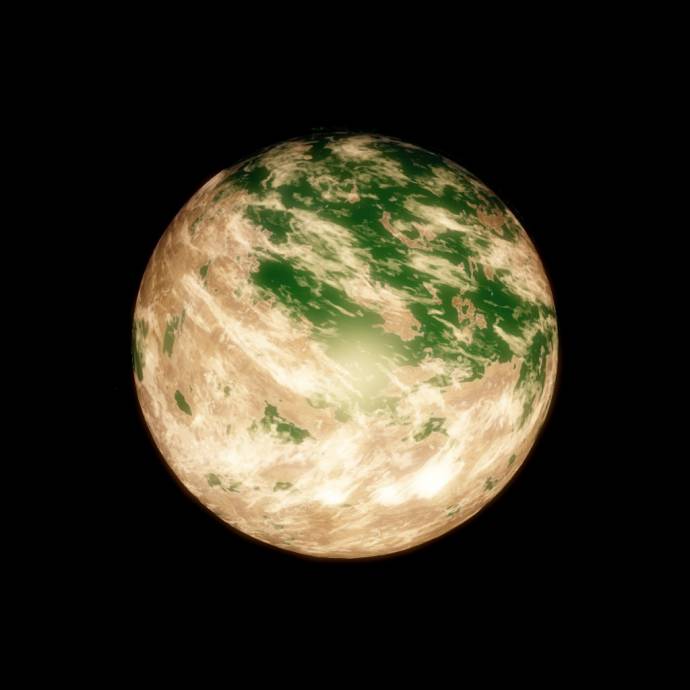
The atmosphere's name for the model has changed. If the planet's atmosphere model on your custom catalog is "Greenworld" and you want to fix this problem, you must change this above to "Chlorine".
If your catalog uses "Pinkworld",

sadly, this model have been removed. You must use another atmosphere model and change the hue and saturation to get the same pinkworld effect.
NVIDIA 960 GTX 2048MB
|
| |
| |
| parameciumkid | Date: Wednesday, 17.02.2016, 00:22 | Message # 1572 |
|
Explorer
Group: Users
United States
Messages: 277
Status: Offline
| Okay I know it's sort of bad form, but given that the last page ended with a response from SpaceEngineer to some recent posts that didn't include mine, I worry he didn't end up seeing it and that it's been buried. So here it is again:
Alas, I too have found a bug.
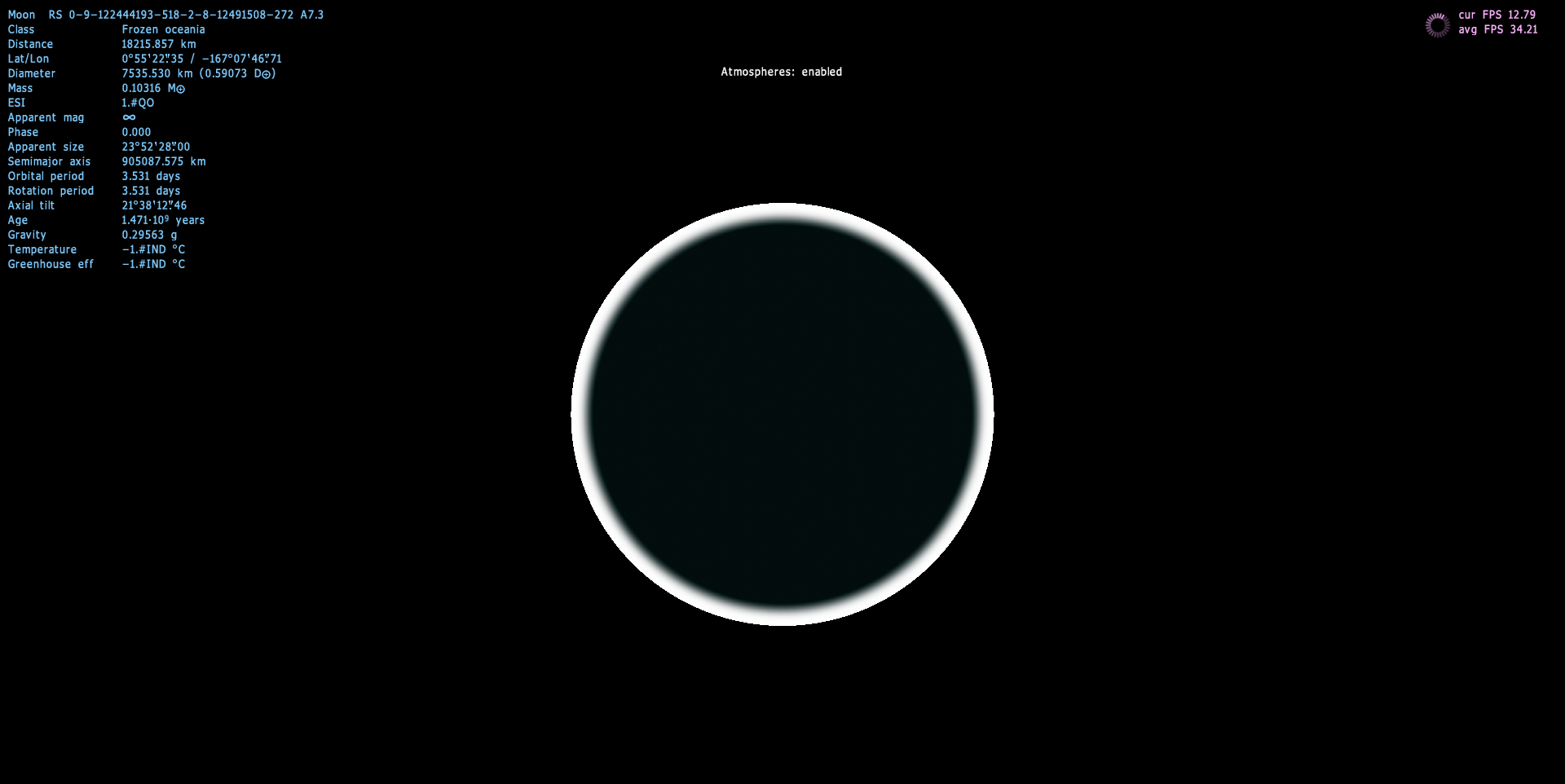
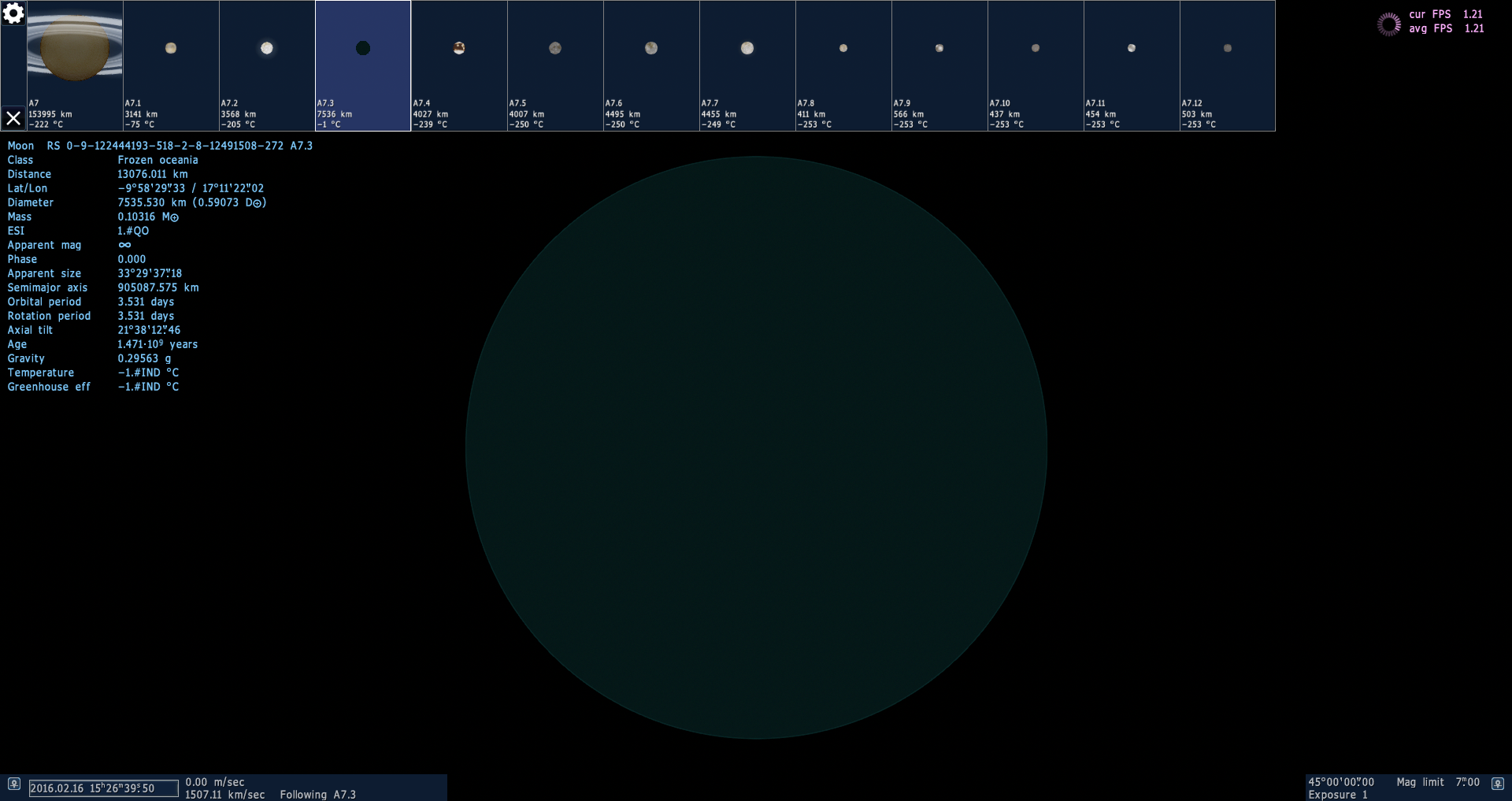
Some of the moons (I have yet to find a planet that does this) have a temperature of -1 K. They cause serious lag when pulled up in the solar system chart thing (F2), never load their textures (just a black sphere), and after a few seconds will crash the game, unless the chart is closed and the system unloaded.
Here's a screenshot with an example of such a moon:

And an SE.log on the off chance that it helps: https://dl.dropboxusercontent.com/u/13276416/SpaceEngine/se.log
Hopefully this is just something wrong with my configuration settings. This didn't happen in Patch 8. The affected moons appear to mainly be titans, although this may be a coincidence.
A hypothesis: When certain moons are warmed by tidal heating, things that should be ice get converted to greenhouse gases, causing their temperatures to rise exponentially, turning even more of their interiors into greenhouse gas, until the temperature becomes infinite.
Interestingly, these moons also seem to not have proper diameter values, even though the information panel claims to define one. Zooming in on such a moon shows nothing (no moon), and then at a certain distance threshold the entire screen becomes black - there is at most a single frame in between these states.
Intel HD Graphics 4000 ;P
|
| |
| |
| LookAtDatDakka | Date: Wednesday, 17.02.2016, 00:58 | Message # 1573 |
|
Explorer
Group: Users
United States
Messages: 156
Status: Offline
| Quote parameciumkid ( ) Okay I know it's sort of bad form, but given that the last page ended with a response from SpaceEngineer to some recent posts that didn't include mine, I worry he didn't end up seeing it and that it's been buried. So here it is again: Alas, I too have found a bug. Some of the moons (I have yet to find a planet that does this) have a temperature of -1 K. They cause serious lag when pulled up in the solar system chart thing (F2), never load their textures (just a black sphere), and after a few seconds will crash the game, unless the chart is closed and the system unloaded. Here's a screenshot with an example of such a moon: And an SE.log on the off chance that it helps: https://dl.dropboxusercontent.com/u/13276416/SpaceEngine/se.log Hopefully this is just something wrong with my configuration settings. This didn't happen in Patch 8. The affected moons appear to mainly be titans, although this may be a coincidence. A hypothesis: When certain moons are warmed by tidal heating, things that should be ice get converted to greenhouse gases, causing their temperatures to rise exponentially, turning even more of their interiors into greenhouse gas, until the temperature becomes infinite. Interestingly, these moons also seem to not have proper diameter values, even though the information panel claims to define one. Zooming in on such a moon shows nothing (no moon), and then at a certain distance threshold the entire screen becomes black - there is at most a single frame in between these states.
I went to your planets and the atmosphere model for this planet above crashed my simulator. Not even a beast can handle this.
Here's the event that slowly crashed my simulator
First, it looked like this for less than a second,

then, my framerate slowed,

and eventually, it crashed due to simulator's memory problems.
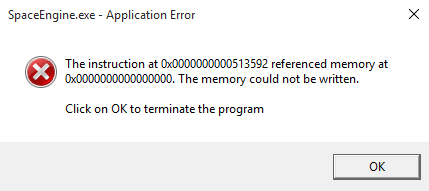
I also got a log.
NVIDIA 960 GTX 2048MB
Edited by LookAtDatDakka - Wednesday, 17.02.2016, 00:59 |
| |
| |
| the_nerervarine | Date: Wednesday, 17.02.2016, 02:50 | Message # 1574 |
|
Space Pilot
Group: Users
United States
Messages: 106
Status: Offline
| I don't know if this has been touched upon but I really enjoy the new music tracks that were added.
AMD FX-8320 8 core @4.0ghz , AMD R9 290 4GB, 8GB DDR3 @1866mhz, 1TB Hard Drive
|
| |
| |
| Wicker1M | Date: Wednesday, 17.02.2016, 03:38 | Message # 1575 |
 Astronaut
Group: Users
United States
Messages: 57
Status: Offline
| I want the Pinkworld model back.
|
| |
| |
 ENG
ENG New site


 United States

 Pirate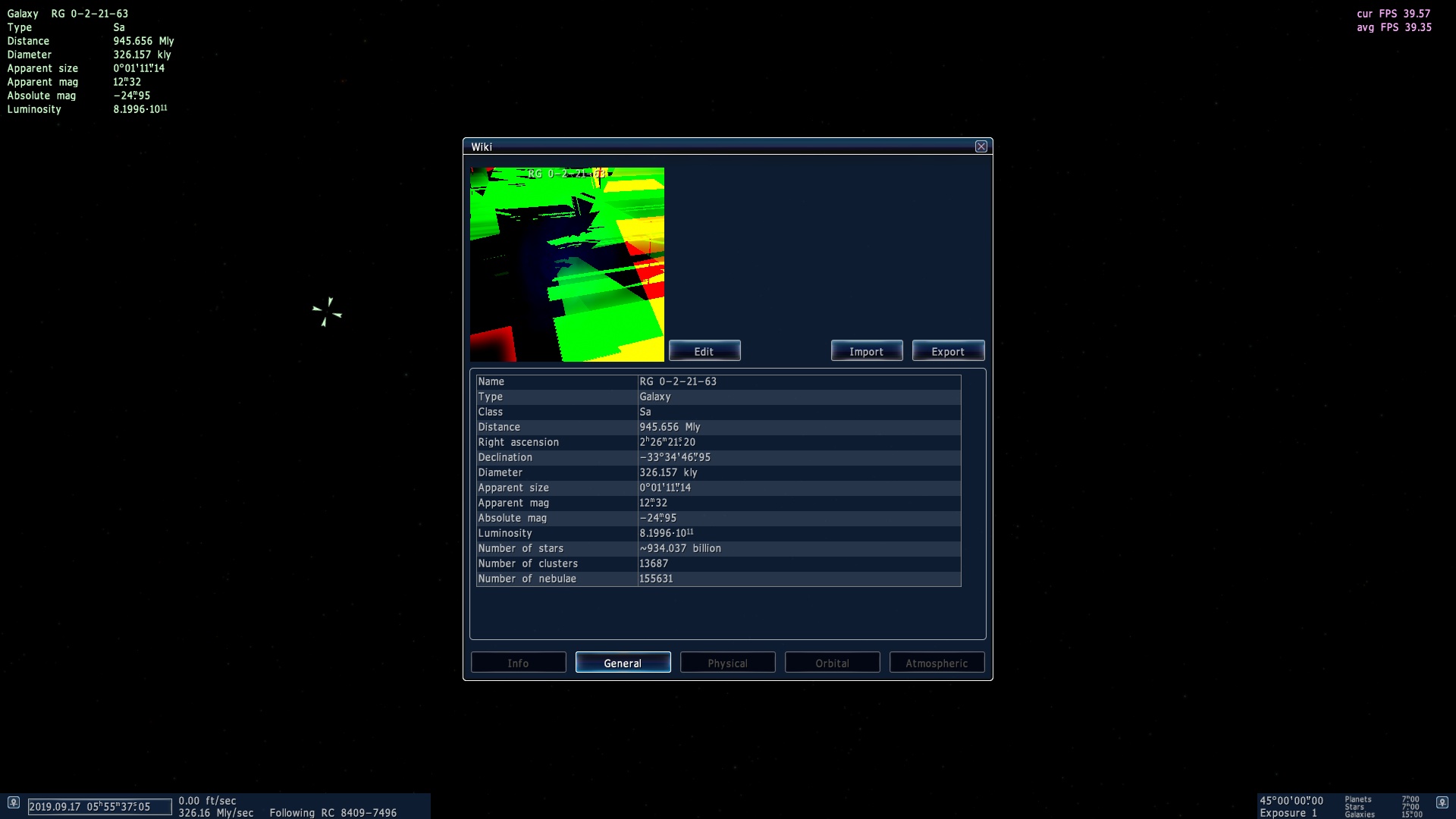
 Spain
Spain 
 Russian Federation
 Brazil