|
Totally off-topic thread
|
|
| werdnaforever | Date: Saturday, 16.03.2013, 07:09 | Message # 721 |
 World Builder
Group: Users
 Pirate
Messages: 897
Status: Offline
| Quote (HarbingerDawn) Why ever turn it off? If you don't like bloom then just set the value to 0, that way FXAA can still work.
I've barely got to use SE on my new lappy- I preemptively put it in my sig 'cause I was excited 'bout it coming, and it finally got here a couple weeks ago, and I haven't had time to use SE on it, since most of the time i've spent on it was for installing programs and etc. I've only used SE a couple different times on it. Of course, I do set the value to zero.
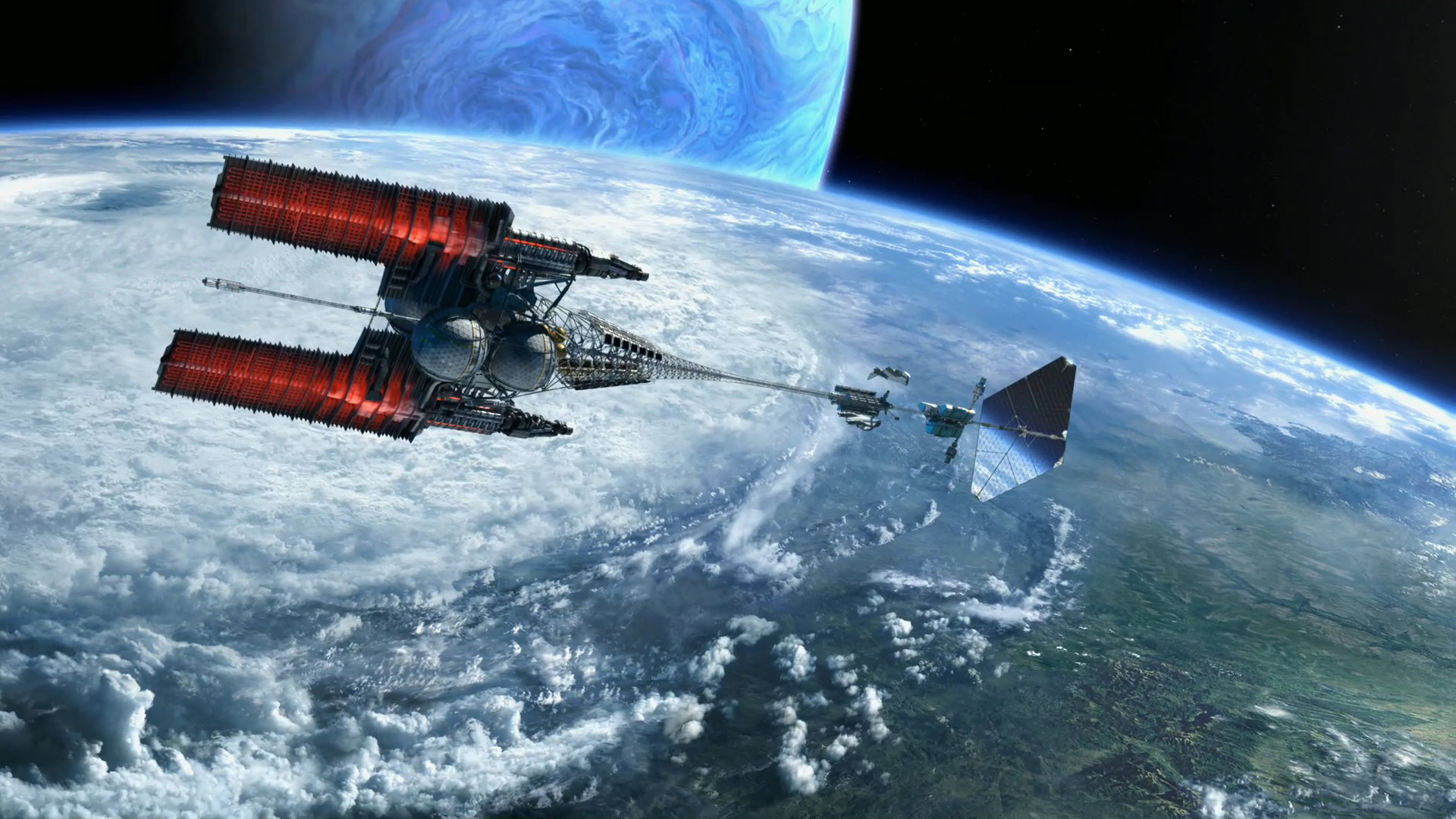
Someday, we may have clouds like this in SE:
|
| |
| |
| HarbingerDawn | Date: Saturday, 16.03.2013, 07:18 | Message # 722 |
 Cosmic Curator
Group: Administrators
 United States
Messages: 8717
Status: Offline
| Pretty much accurate

All forum users, please read this!
My SE mods and addons
Phenom II X6 1090T 3.2 GHz, 16 GB DDR3 RAM, GTX 970 3584 MB VRAM
|
| |
| |
| Watsisname | Date: Saturday, 16.03.2013, 09:37 | Message # 723 |
 Galaxy Architect
Group: Global Moderators
United States
Messages: 2613
Status: Offline
| That's adorable. :P
I feel so bad for NK's citizens though.

|
| |
| |
| midtskogen | Date: Saturday, 16.03.2013, 09:52 | Message # 724 |
 Star Engineer
Group: Users
 Norway
Messages: 1674
Status: Offline
|
:P
NIL DIFFICILE VOLENTI

|
| |
| |
| Tim | Date: Saturday, 16.03.2013, 10:59 | Message # 725 |
 Explorer
Group: Users
 Belgium
Messages: 296
Status: Offline
| This isn't serious is it?
|
| |
| |
| midtskogen | Date: Saturday, 16.03.2013, 11:30 | Message # 726 |
|
Star Engineer
Group: Users
Norway
Messages: 1674
Status: Offline
| Quote (Tim) This isn't serious is it?
The video might be something aired in NK, but the comments are of course satire.
NIL DIFFICILE VOLENTI
|
| |
| |
| HarbingerDawn | Date: Saturday, 16.03.2013, 15:56 | Message # 727 |
|
Cosmic Curator
Group: Administrators
United States
Messages: 8717
Status: Offline
|
"In other parts of America, often disguised as countries in Europe..."
ahahahaha 
All forum users, please read this!
My SE mods and addons
Phenom II X6 1090T 3.2 GHz, 16 GB DDR3 RAM, GTX 970 3584 MB VRAM
|
| |
| |
| Salvo | Date: Saturday, 16.03.2013, 16:05 | Message # 728 |
 Star Engineer
Group: Local Moderators
 Italy
Italy
Messages: 1400
Status: Offline
|
The universe is not required to be in perfect harmony with human ambition.
CPU: Intel Core i7 4770 GPU: ASUS Radeon R9 270 RAM: 8 GBs
(still don't know why everyone is doing this...)
|
| |
| |
| HarbingerDawn | Date: Saturday, 16.03.2013, 16:28 | Message # 729 |
|
Cosmic Curator
Group: Administrators
United States
Messages: 8717
Status: Offline
| I don't know what's going on, but none of these Youtube videos are displaying for me  No matter the URL used or how many times I refresh my page. If I wasn't a moderator I wouldn't be able to see them at all No matter the URL used or how many times I refresh my page. If I wasn't a moderator I wouldn't be able to see them at all 
All forum users, please read this!
My SE mods and addons
Phenom II X6 1090T 3.2 GHz, 16 GB DDR3 RAM, GTX 970 3584 MB VRAM
|
| |
| |
| Tim | Date: Saturday, 16.03.2013, 16:55 | Message # 730 |
|
Explorer
Group: Users
Belgium
Messages: 296
Status: Offline
| I had the same thing for a while and then it fixed itself.
I was able to see the interface though, which allowed me to see the video on Youtube, luckily.
Perhaps try another browser?
Edited by Tim - Saturday, 16.03.2013, 16:56 |
| |
| |
| werdnaforever | Date: Saturday, 16.03.2013, 18:06 | Message # 731 |
|
World Builder
Group: Users
Pirate
Messages: 897
Status: Offline
| That documentary isn't funny. You guys in Belgium, Norway, and Italy don't face the kinds of harsh poverty we have to deal with all across America. Once I had to go a week without snow and birds, and it was one of the most horrifying experiences of my life.
Quote (HarbingerDawn) "In other parts of America, often disguised as countries in Europe..."
ahahahaha
 This happened to my hometown once. It saddens me to see that even my fellow countrymen don't even care how low their living standards are compared to the glorious nation of the Democratic People's Republic of Korea. Those lucky people live in extreme luxury due to the generous, hard work of their supreme leaders. This happened to my hometown once. It saddens me to see that even my fellow countrymen don't even care how low their living standards are compared to the glorious nation of the Democratic People's Republic of Korea. Those lucky people live in extreme luxury due to the generous, hard work of their supreme leaders.
Okay, seriously though, it's funny how these are more like the conditions the poor NKs are living in. However, I'd expect DPRK's portrayal of Americans to be loyal, nationalist imperialists who don't realize or care about their or their nation's greedy tactics and are suffering for it, or something like that. In fact, it would be more accurate. ...at least we aren't starving.
I feel bad about the kind of cultural shock average NK citizens will receive when this modern-day fascist personality-cult regime ends up failing, and they realize how much better off the South Koreans are, let alone us westerners. It can't be as bad as those escapees from north korean concentration camps who were born into them and can't even believe the way they are being treated in South Korea, but they will be pretty upset they've been starving and lied to.
Of course, I'm more concerned about the billions of people starving around the world in poorer places like Africa. All this thinking about depraved people makes me feel sad.
|
| |
| |
| Tim | Date: Saturday, 16.03.2013, 18:42 | Message # 732 |
|
Explorer
Group: Users
Belgium
Messages: 296
Status: Offline
| Well I'm waiting for the next big conflict to start somewhere in the following decennia.
Either something to do with Israel or with NK.
Either one of those nations can't exist for much longer.
|
| |
| |
| midtskogen | Date: Saturday, 16.03.2013, 18:54 | Message # 733 |
|
Star Engineer
Group: Users
Norway
Messages: 1674
Status: Offline
| Quote (werdnaforever) I feel bad about the kind of cultural shock average NK citizens will receive when this modern-day fascist personality-cult regime ends up failing, and they realize how much better off the South Koreans are, let alone us westerners.
I don't know the north Koreans, but if you've grown up with communism, the equality thinking will probably be deeply rooted in you. You're not supposed to be better off than others [unless you have the right connections to someone in the party]. You would want the higher quality of living, but expect the government to fix it for you. You would easily scoff at those better off.
NIL DIFFICILE VOLENTI
|
| |
| |
| werdnaforever | Date: Saturday, 16.03.2013, 23:35 | Message # 734 |
|
World Builder
Group: Users
Pirate
Messages: 897
Status: Offline
| Quote (midtskogen) I don't know the north Koreans, but if you've grown up with communism, the equality thinking will probably be deeply rooted in you. You're not supposed to be better off than others [unless you have the right connections to someone in the party]. You would want the higher quality of living, but expect the government to fix it for you. You would easily scoff at those better off.
North Koreans are starving, and their government, including their dictators which they think (as they were taught to) are so brilliant, is keeping them isolated from the rest of the world.
Think of the kinds of things you do or like. Then think about whether that same thing would be available to you as a north korean. Like a certain movie? Do you like to travel? Interesting foods? These people don't have the kind of access to the options that we have.
How many North Koreans know about Space Engine? Average North Koreans don't have real internet access, so they can't even get to this website. It's an example that I'm sure each of us can relate to...
EDIT: My point is that there's so much they're missing out on because they are so isolated- I can't possibly name everything; I'm just giving examples off the top of my head.Added (17.03.2013, 02:35)
---------------------------------------------
Quote (Tim) Well I'm waiting for the next big conflict to start somewhere in the following decennia. Either something to do with Israel or with NK. Either one of those nations can't exist for much longer.
I'm sort of waiting for the collapse of capitalism, which is bound to occur sooner or later. Our economy is beyond true repair, only temporary improvements are possible, and people will eventually realize that they are being (I can't use the kind of language I want to describe this with in this forum) by the wealthy. They will retaliate, believe me. Western civilization cannot stay the way it is for much longer.
The real concern is what will replace it.
NK is just bluffing with empty words and actions. As for Israel, well, I'm an agnostic athiest, but am from two Jewish families, so there's certainly that part of me that wishes Israel the best of luck, but whether they are around for much longer depends entirely on them. The US isn't going to get into another war at this point or any time in the foreseeable future, and no politician will be able to create the impossible mental gymnastics to convince people otherwise after over a decade of controversial warfare. I think its in their best interest to avoid military conflict, but what will actually happen is something I don't think anyone can predict.
Edited by werdnaforever - Saturday, 16.03.2013, 23:13 |
| |
| |
| midtskogen | Date: Sunday, 17.03.2013, 08:08 | Message # 735 |
|
Star Engineer
Group: Users
Norway
Messages: 1674
Status: Offline
| Quote (werdnaforever) I'm sort of waiting for the collapse of capitalism
Don't hold your breath.
NIL DIFFICILE VOLENTI
|
| |
| |
 ENG
ENG New site


 Pirate


 United States
 Norway
  Belgium
 Italy
Italy 
