|
Bug Reports for Version 0.95
|
|
| HarbingerDawn | Date: Saturday, 09.06.2012, 02:59 | Message # 196 |
 Cosmic Curator
Group: Administrators
 United States
Messages: 8717
Status: Offline
| Quote (kev) Renderer: Intel® HD Graphics
Quote (kev) 128MB dedicated video memory
Quote (kev) OpenGL version (2.1.0 - Build 8.15.10.2202)
Your PC is not powerful enough to run SpaceEngine. SpaceEngine will not run on integrated Intel graphics, requires at least 512MB of dedicated video memory, and OpenGL version 3.0 or later. The system requirements are located here.
The only way you can get SpaceEngine to run is to get a new computer. Sorry 
All forum users, please read this!
My SE mods and addons
Phenom II X6 1090T 3.2 GHz, 16 GB DDR3 RAM, GTX 970 3584 MB VRAM
|
| |
| |
| apenpaap | Date: Wednesday, 13.06.2012, 02:18 | Message # 197 |
 World Builder
Group: Users
 Antarctica
Messages: 1063
Status: Offline
| I found a bug with tidal-locked planets in elliptic orbits... RS 0-342-7-1640770-2749 A2 for example. First of all, Mercury shows us they probably shouldn't even exist: planets in elliptical orbits don't get tidal-locked but get stuck in a ratio between their orbit and rotation, which is more stable because of the varying orbital speed (Mercury is in a 3:2 orbital to rotation ratio). But what's more is that they get ice on their dark side just as other tidal locked planets (and probably huge hurricanes too if they have an atmosphere); even though the massive liberation actually brings light to every part of the planet.
I occasionally stream at http://www.twitch.tv/magistermystax. Sometimes SE, sometimes other games.
|
| |
| |
| SpaceEngineer | Date: Wednesday, 13.06.2012, 14:58 | Message # 198 |
 Author of Space Engine
Group: Administrators
 Russian Federation
Messages: 4800
Status: Offline
| Quote (apenpaap) First of all, Mercury shows us they probably shouldn't even exist: planets in elliptical orbits don't get tidal-locked but get stuck in a ratio between their orbit and rotation, which is more stable because of the varying orbital speed (Mercury is in a 3:2 orbital to rotation ratio).
Did you have a link to scientific work that confirms that? 

|
| |
| |
| apenpaap | Date: Wednesday, 13.06.2012, 15:07 | Message # 199 |
|
World Builder
Group: Users
Antarctica
Messages: 1063
Status: Offline
| Yes, I do: http://www.nature.com/nature/journal/v429/n6994/full/nature02609.html (Or at least the abstract seems to indicate this; I can't actually read the article myself here, and to be fair read the information on wikipedia) It seems to be saying Mercury's resonance came to be during a time when its orbit was more eccentric, and that it is a very likely outcome when a planet has such an orbit. Since the orbit of the tidal-locked planet I found was extremely eccentric, far above where the article seems to claim such a ratio would arise, it seems likely it would be locked in a rotation to orbit ratio of some kind.
I occasionally stream at http://www.twitch.tv/magistermystax. Sometimes SE, sometimes other games.
|
| |
| |
| SpaceEngineer | Date: Wednesday, 13.06.2012, 15:21 | Message # 200 |
|
Author of Space Engine
Group: Administrators
Russian Federation
Messages: 4800
Status: Offline
| Thanks, I will read it.
|
| |
| |
| Solaris | Date: Saturday, 16.06.2012, 17:20 | Message # 201 |
 World Builder
Group: Global Moderators
 France
Messages: 731
Status: Offline
| I have found a septuple star system but i have some difficulties with the count of the planets, SE tells me there is 20 planets but so far i only can count 8 of them.. is that normal , and if yes can someone tell me how this works? ..
still a cool place :
3 red dwarf
1 yellow dwarf
2 brown dwarf
1 orange dwarf
RS 9443-2-6-176741-17
Edited by Solaris - Sunday, 17.06.2012, 02:59 |
| |
| |
| apenpaap | Date: Saturday, 16.06.2012, 21:04 | Message # 202 |
|
World Builder
Group: Users
Antarctica
Messages: 1063
Status: Offline
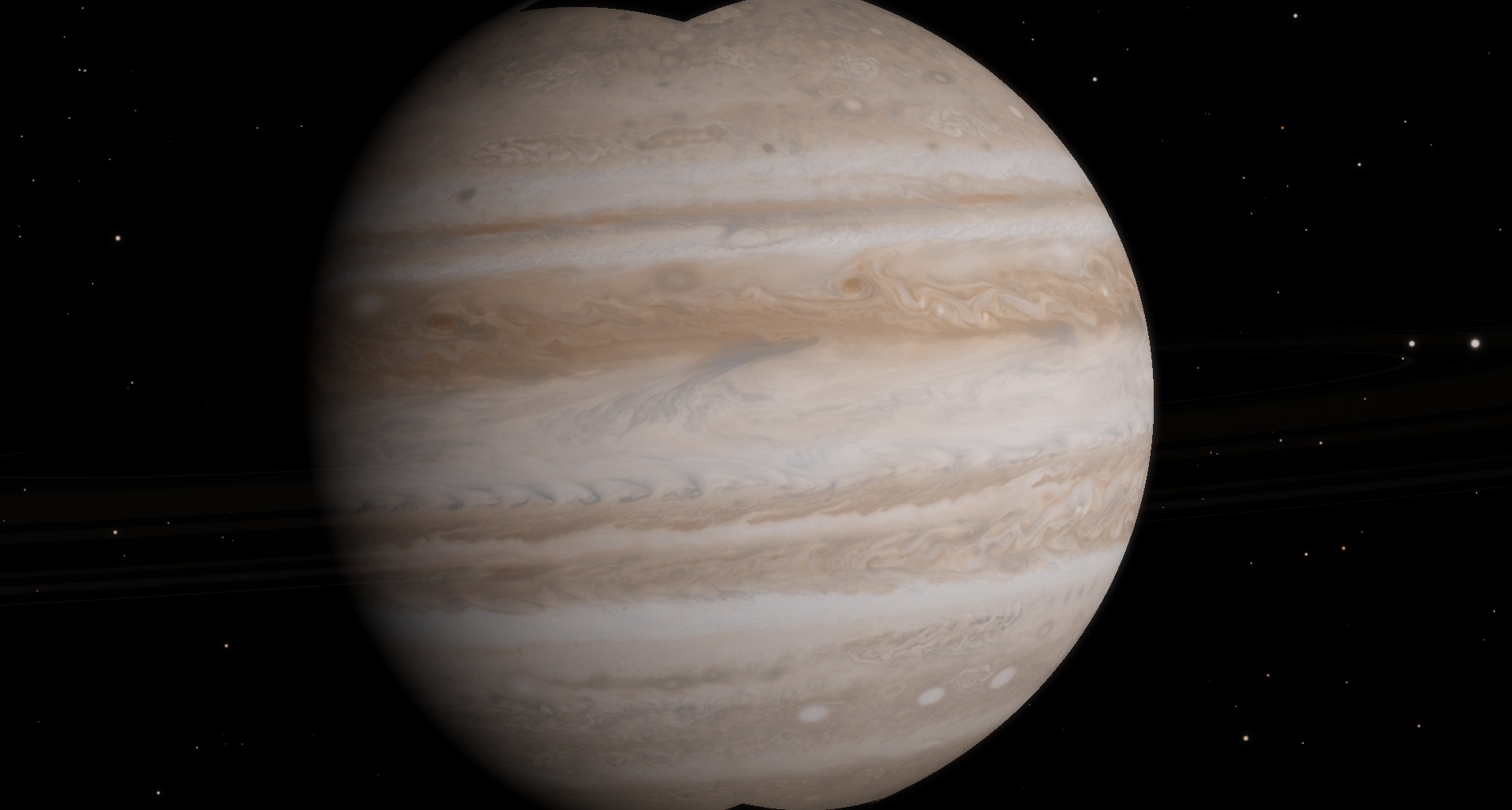
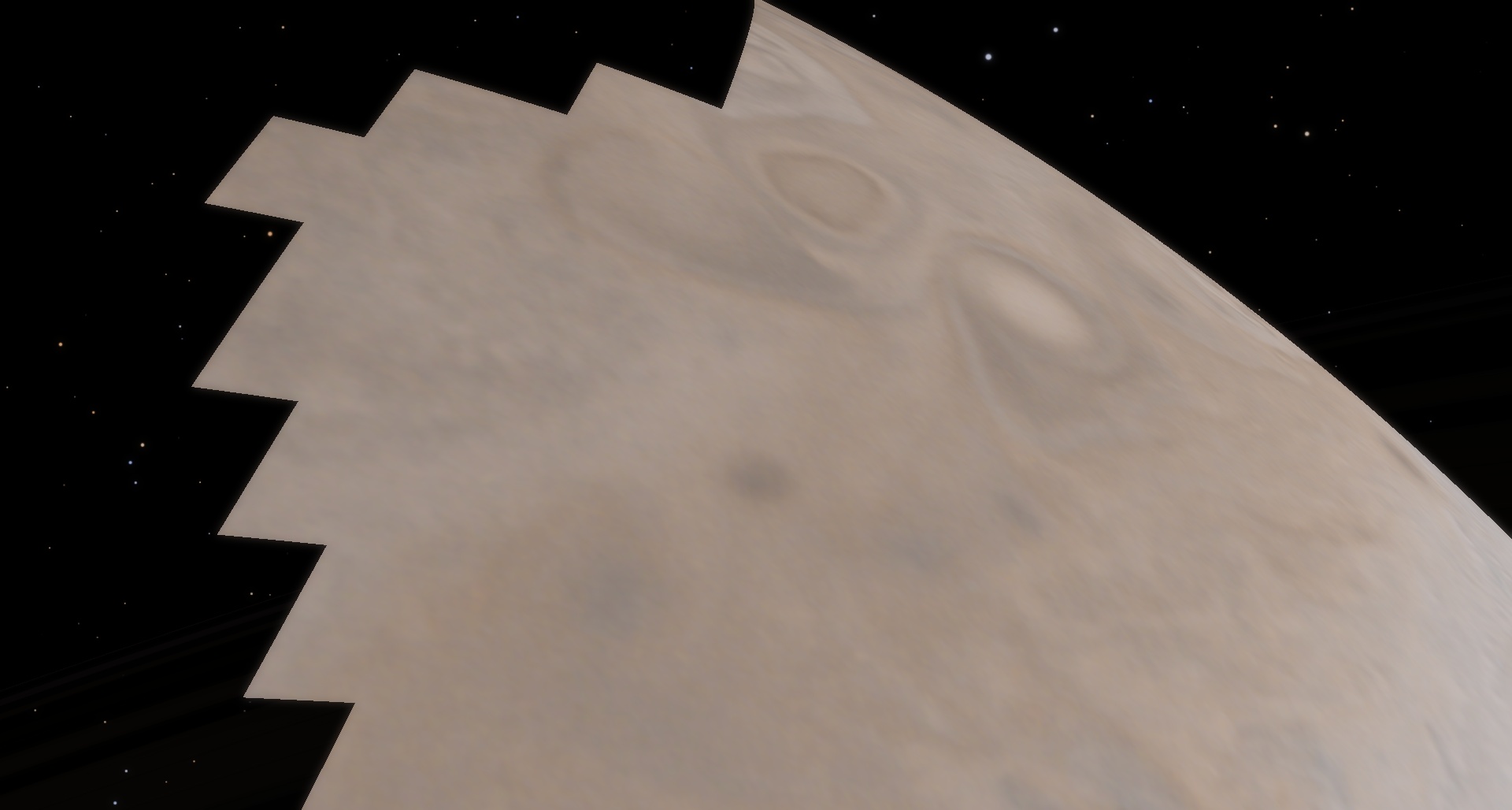
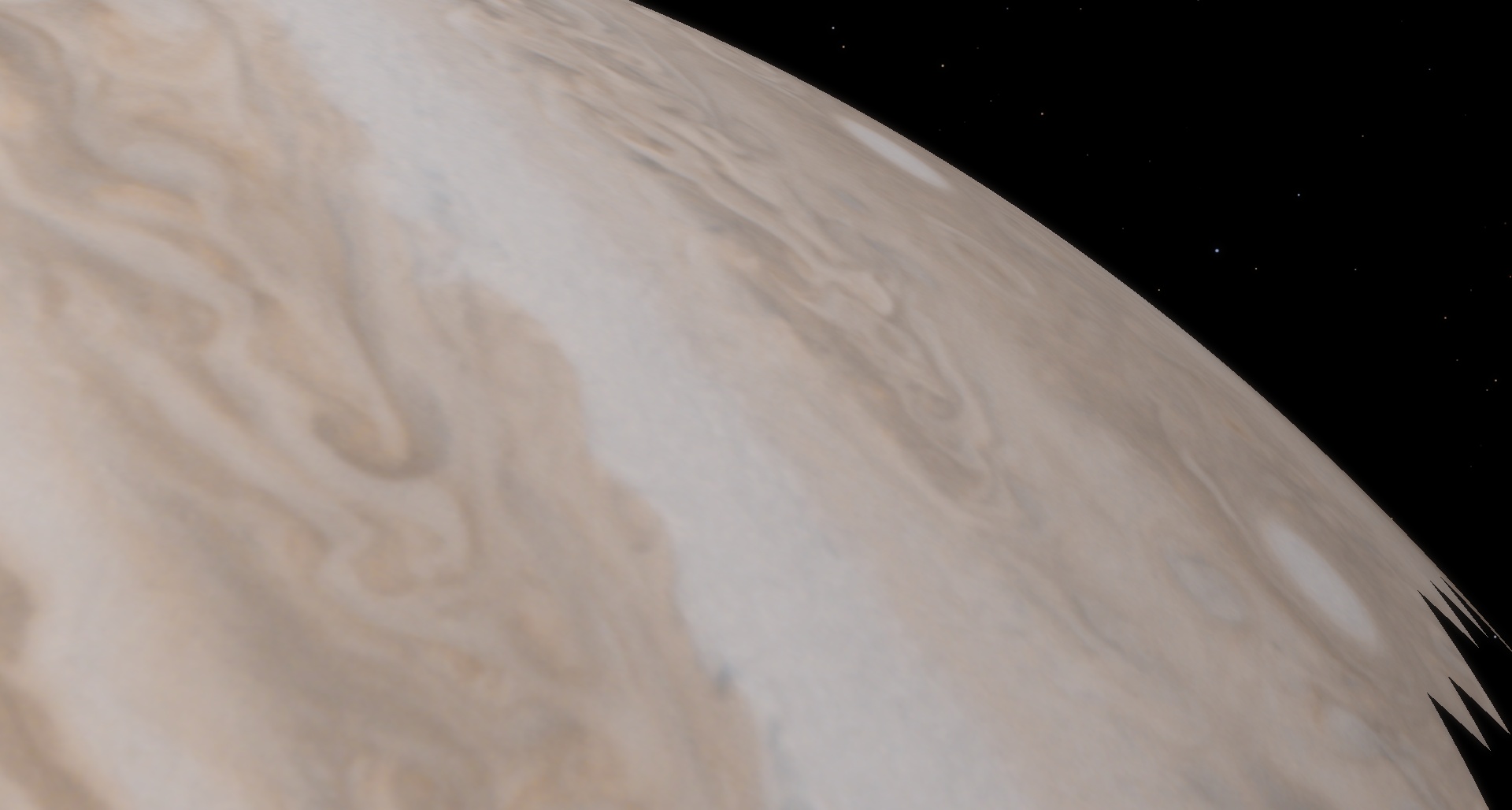
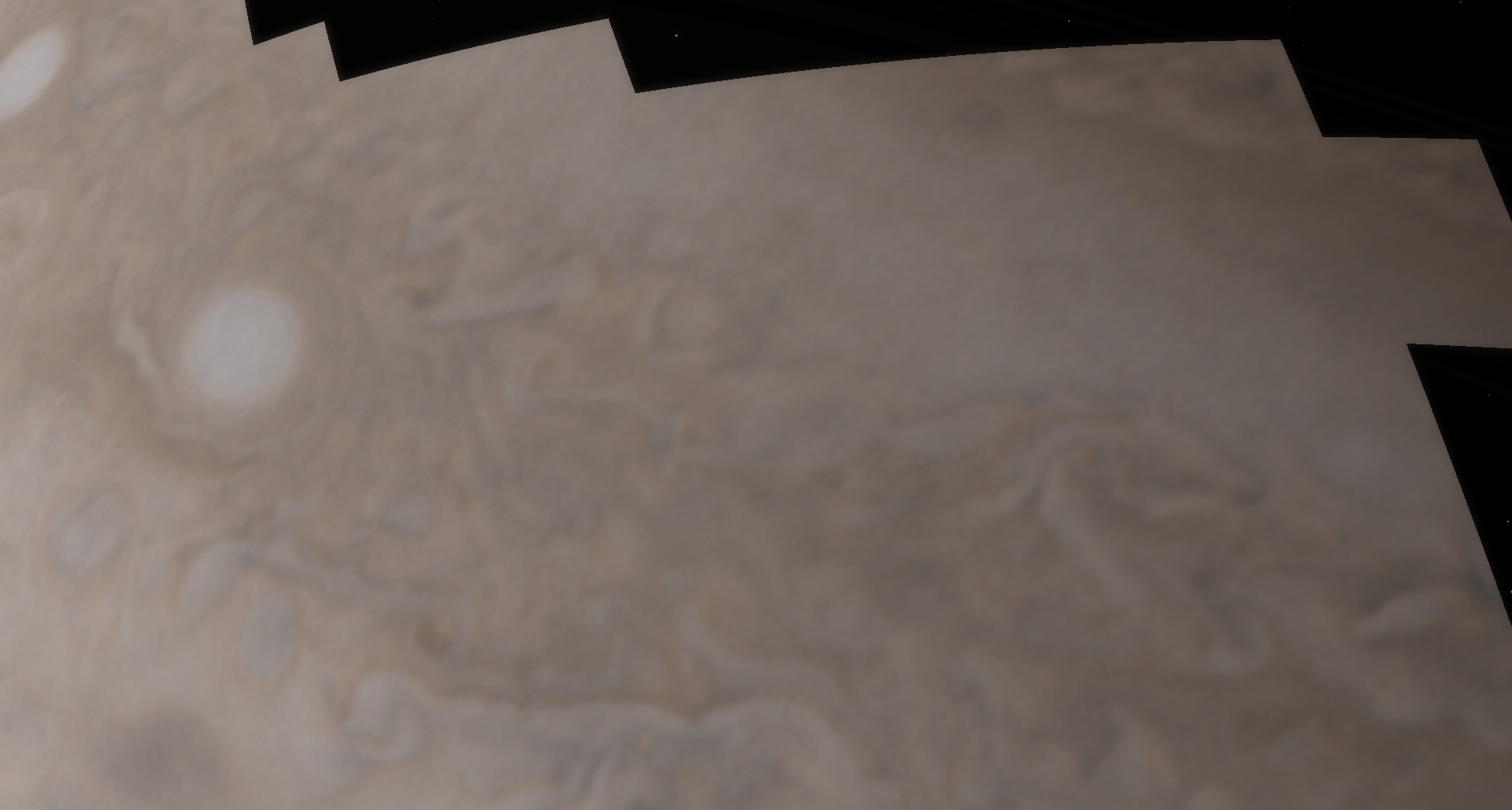
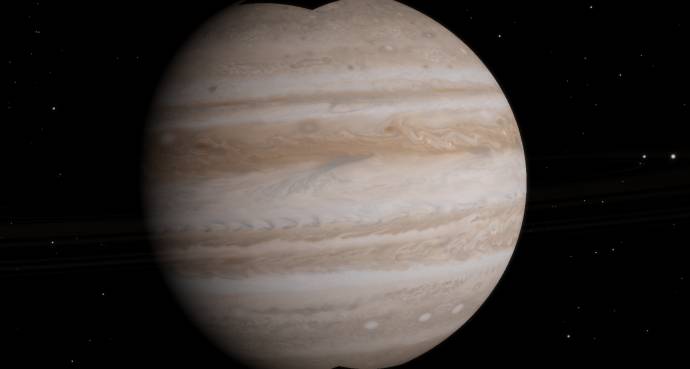
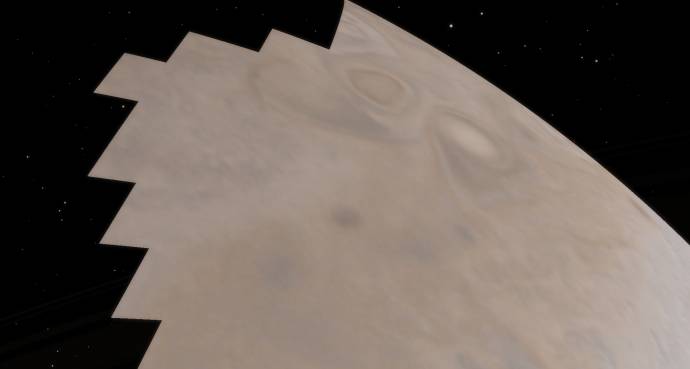
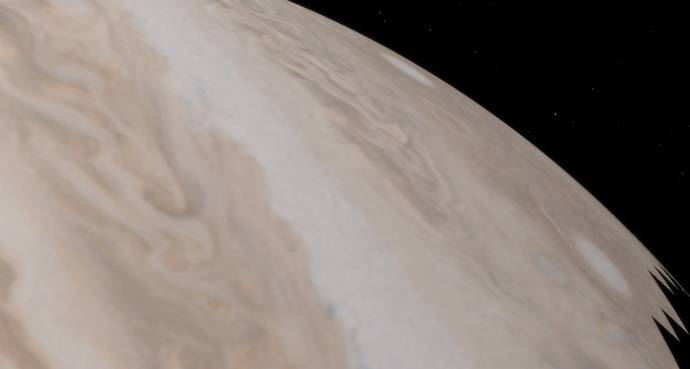
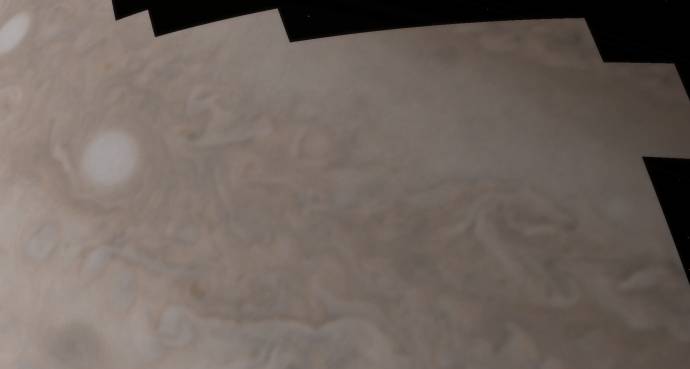
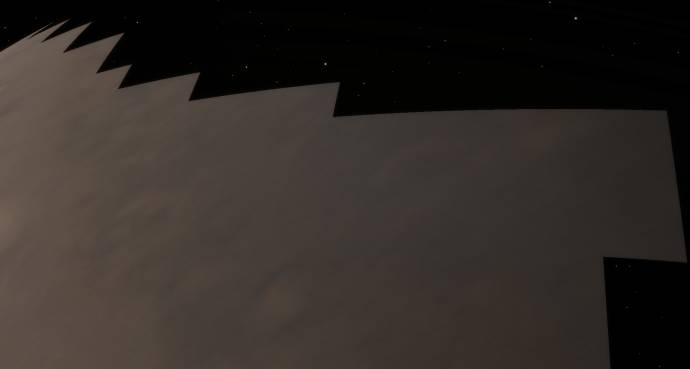
| I've found Jupiter is a rather buggy planet. When you look at it with the edge of the camera intersecting the polar regions, squares of the texture disappear. It gets worse and more obvious if you get closer to the planet. The equatorial regions don't seem affected, and neither are the poles of other worlds, either solar system or procedural. I'm using a special texture for Jupiter, but I remember the same problem happening with SE's standard textures.
EDIT: I should point out I usually have my FOV on 20 degrees, and that it seems to be a much smaller effect when using a large FOV.
I occasionally stream at http://www.twitch.tv/magistermystax. Sometimes SE, sometimes other games.
Edited by apenpaap - Saturday, 16.06.2012, 21:24 |
| |
| |
| HarbingerDawn | Date: Saturday, 16.06.2012, 21:39 | Message # 203 |
|
Cosmic Curator
Group: Administrators
United States
Messages: 8717
Status: Offline
| apenpaap, I have also had this same problem with Jupiter. As you said, it is not as severe with wider field of view; I use FOV 45° and I see this problem only at the very top and bottom edges of my screen.
All forum users, please read this!
My SE mods and addons
Phenom II X6 1090T 3.2 GHz, 16 GB DDR3 RAM, GTX 970 3584 MB VRAM
|
| |
| |
| SpaceEngineer | Date: Sunday, 17.06.2012, 11:14 | Message # 204 |
|
Author of Space Engine
Group: Administrators
Russian Federation
Messages: 4800
Status: Offline
| This is a bug with oblate planets, the landscape engine and atmospheres won't work correctly if the planet has an oblateness. This is an ancient bug, coming from the first public release v0.74
*
|
| |
| |
| apenpaap | Date: Sunday, 17.06.2012, 11:26 | Message # 205 |
|
World Builder
Group: Users
Antarctica
Messages: 1063
Status: Offline
| It doesn't happen with Saturn, though, even though it's more oblate than Jupiter.
I occasionally stream at http://www.twitch.tv/magistermystax. Sometimes SE, sometimes other games.
|
| |
| |
| SpaceEngineer | Date: Sunday, 17.06.2012, 11:39 | Message # 206 |
|
Author of Space Engine
Group: Administrators
Russian Federation
Messages: 4800
Status: Offline
| Saturn has no cubemap texture, it is just an oblate sphere. However, the atmosphere is sill buggy - you can see it if one tries to land on Saturn's polar regions.
*
|
| |
| |
| Mrick | Date: Wednesday, 20.06.2012, 16:14 | Message # 207 |
|
Observer
Group: Newbies
France
Messages: 5
Status: Offline
| Hi,
i'm new here and want to say big THANKS for this amazing Log !!
My SE crash when he try to load th WATER.BUMP on LOD2 ?? any solution ?
cordially 
|
| |
| |
| HarbingerDawn | Date: Wednesday, 20.06.2012, 17:15 | Message # 208 |
|
Cosmic Curator
Group: Administrators
United States
Messages: 8717
Status: Offline
| Hi Mrick, welcome to the forum!
If you upload your se.log file as an attachment and tell us the specifications of your computer, one of us will look at it and help you however we can.
All forum users, please read this!
My SE mods and addons
Phenom II X6 1090T 3.2 GHz, 16 GB DDR3 RAM, GTX 970 3584 MB VRAM
|
| |
| |
| Mrick | Date: Wednesday, 20.06.2012, 18:04 | Message # 209 |
|
Observer
Group: Newbies
France
Messages: 5
Status: Offline
| oops thx Harb,
here is my Spec = I5 2500k corsair 8go GT430
and my SE.log
|
| |
| |
| HarbingerDawn | Date: Wednesday, 20.06.2012, 18:32 | Message # 210 |
|
Cosmic Curator
Group: Administrators
United States
Messages: 8717
Status: Offline
| Make sure in your graphics options (Ctrl-F4) that you have "3D Water" turned off (unchecked). Also make sure that you are not running any other programs that take up graphics memory (3D programs, videos, etc). If that doesn't help, go into your main.cfg file and turn VideoMemoryStartupDetect and VideoMemoryDynamicDetect to true, then run the program again and attach the new se.log file to a new post.
All forum users, please read this!
My SE mods and addons
Phenom II X6 1090T 3.2 GHz, 16 GB DDR3 RAM, GTX 970 3584 MB VRAM
|
| |
| |
 ENG
ENG New site


 United States


 Antarctica
  Russian Federation
 France